4
Box Operations
4-56 ineo+ 650/550/451
4.15 Encrypted PDF user box
In order to print a document saved in the Encrypted PDF User Box, the password specified when the
document was saved must be entered.
!
Detail
Documents are saved in the Encrypted PDF User Box by using Web Connection or Direct Print. For
details on saving documents, refer to the manual for the corresponding software.
Printing
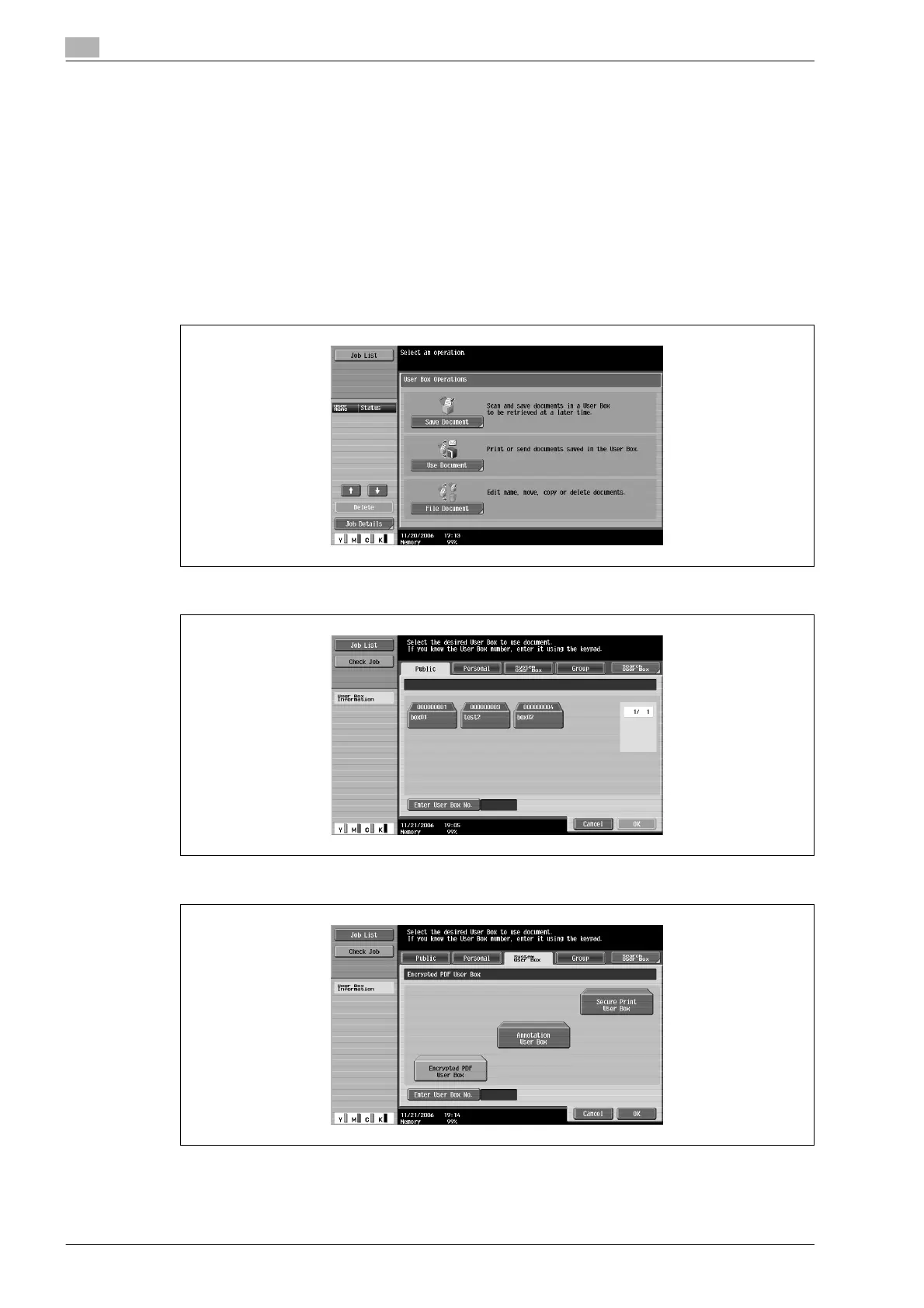
1 Touch [Use Document].
2 Touch [System User Box].
3 Touch [Encrypted PDF User Box], and then touch [OK].
A list of documents appears.
4 Select the document to be printed.












 To Next Page