2
Copy Operations
2-44 ineo+ 650/550/451
– Select the setting and page arrangement according to the orientation and number of the combined
pages.
If "4in1 / 8in1" is selected, whether the "Horizontal" or "Vertical" paper arrangement is selected can
be viewed in the touch panel.
However, this appears only if the "Left Pane Display Default" parameter in Utility mode is set to
"Check Job Settings".
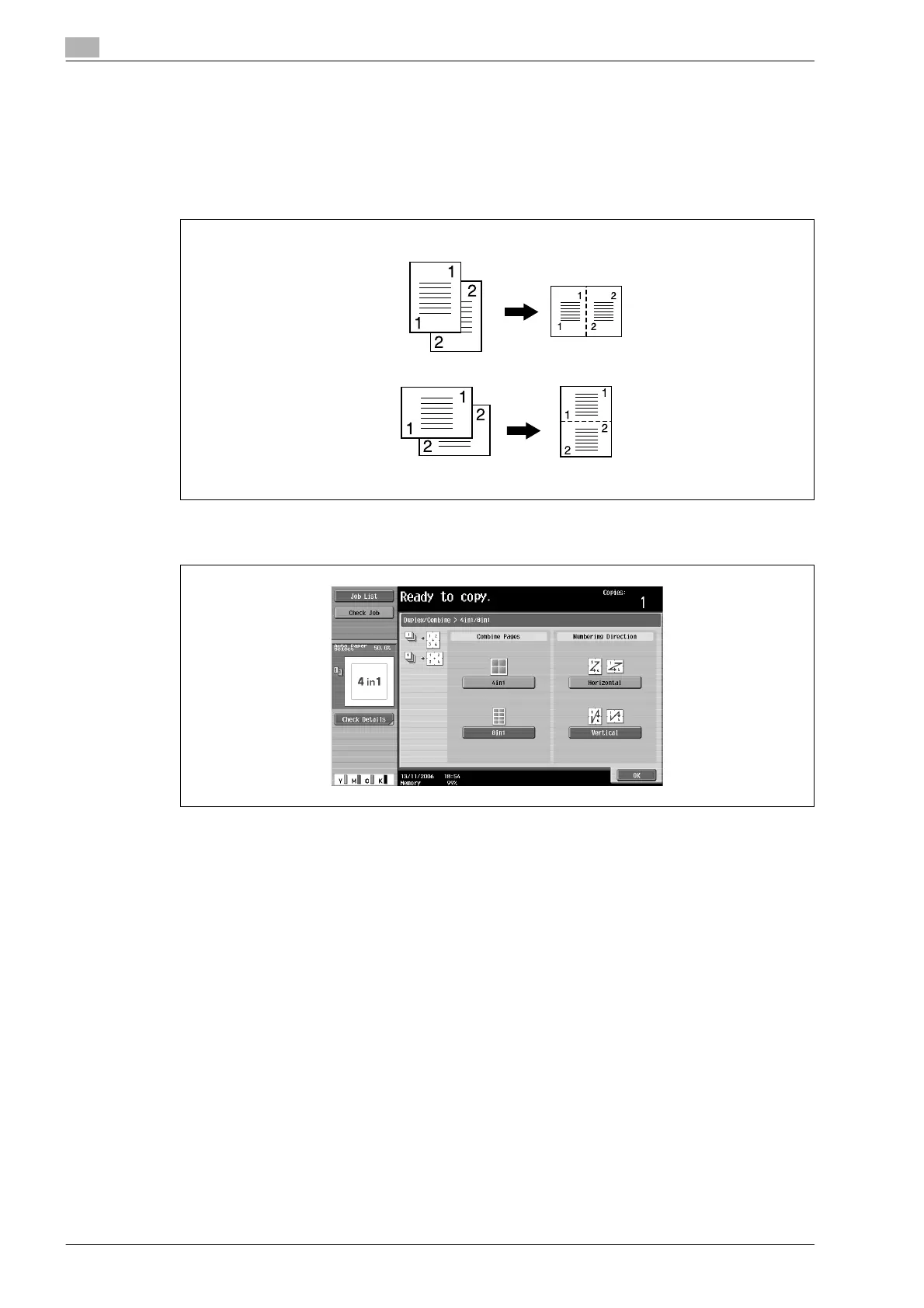
If "2in1" was selected, the pages will be arranged as shown below.
– If "4in1 / 8in1" was selected, the 4in1/8in1 screen appears. Touch [Vertical] or [Horizontal] to select
the page arrangement.
– To cancel the setting, touch [No].
Horizontal
Vertical












 To Next Page