ineo+ 650/550/451 5-9
Network Scanner Operations
5
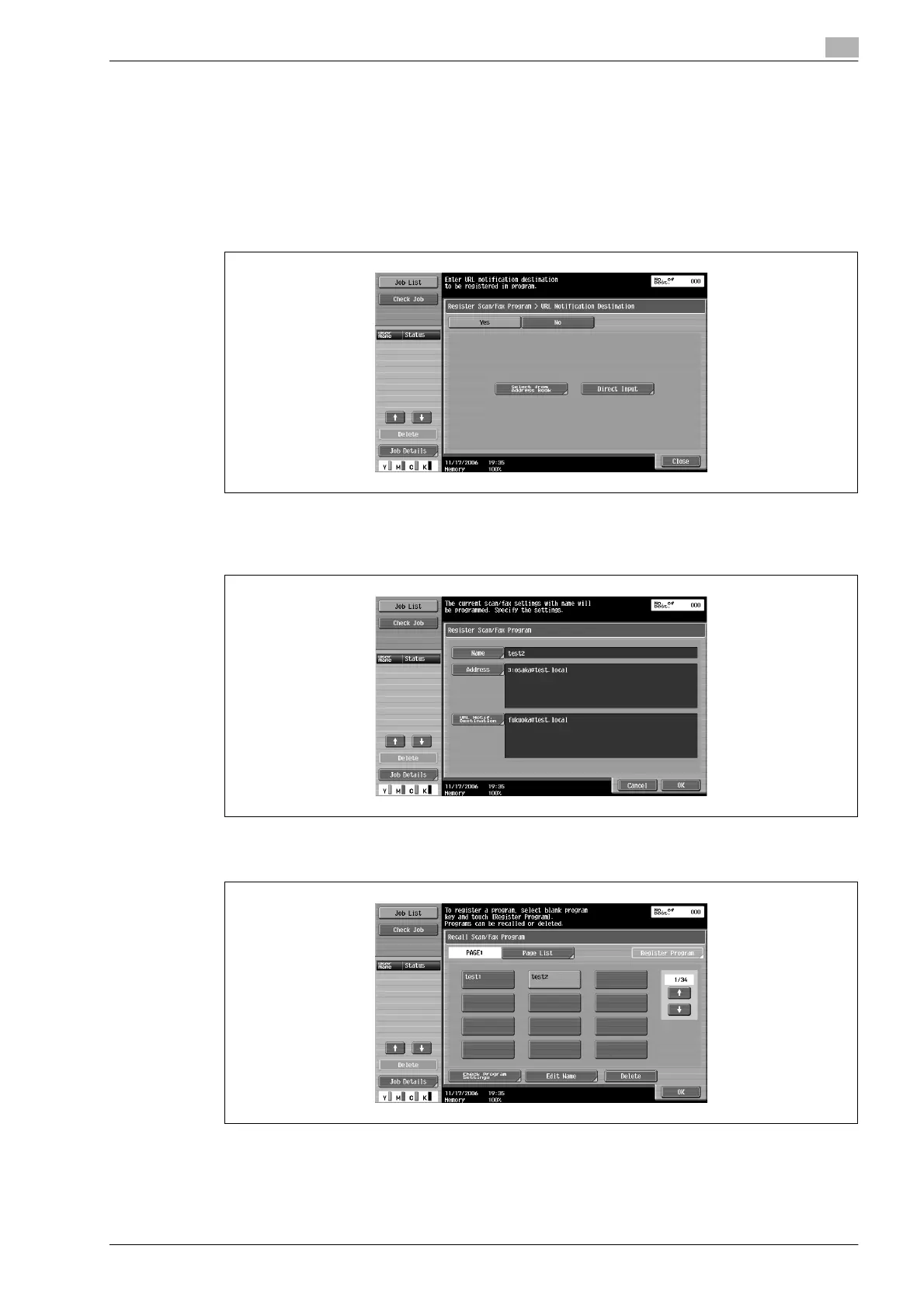
10 To send e-mail notifications of the completion of jobs, touch [Check URL Notif. Destination].
– The destinations that can be specified for URL notification are FTP, SMB or user box destinations.
– This feature is not available with Scan to E-Mail operations.
11 Touch [Yes], and then specify the e-mail address for the destination of URL notifications.
– Recipients can be specified either by selecting destinations registered in the address book or by
typing them in directly.
– One destination can be specified.
12 Touch [Close].
13 Touch [OK].
The Recall Scan/Fax Program screen appears again. The program is registered and a button with the
entered program name appears.
14 Touch [OK].












 To Next Page