EasyManua.ls Logo

Digiever DS-2009 - Page 105

Digiever DS-2009
243 pages
Print Icon
To Next Page IconTo Next Page
To Previous Page IconTo Previous Page
Loading...
99
Icon
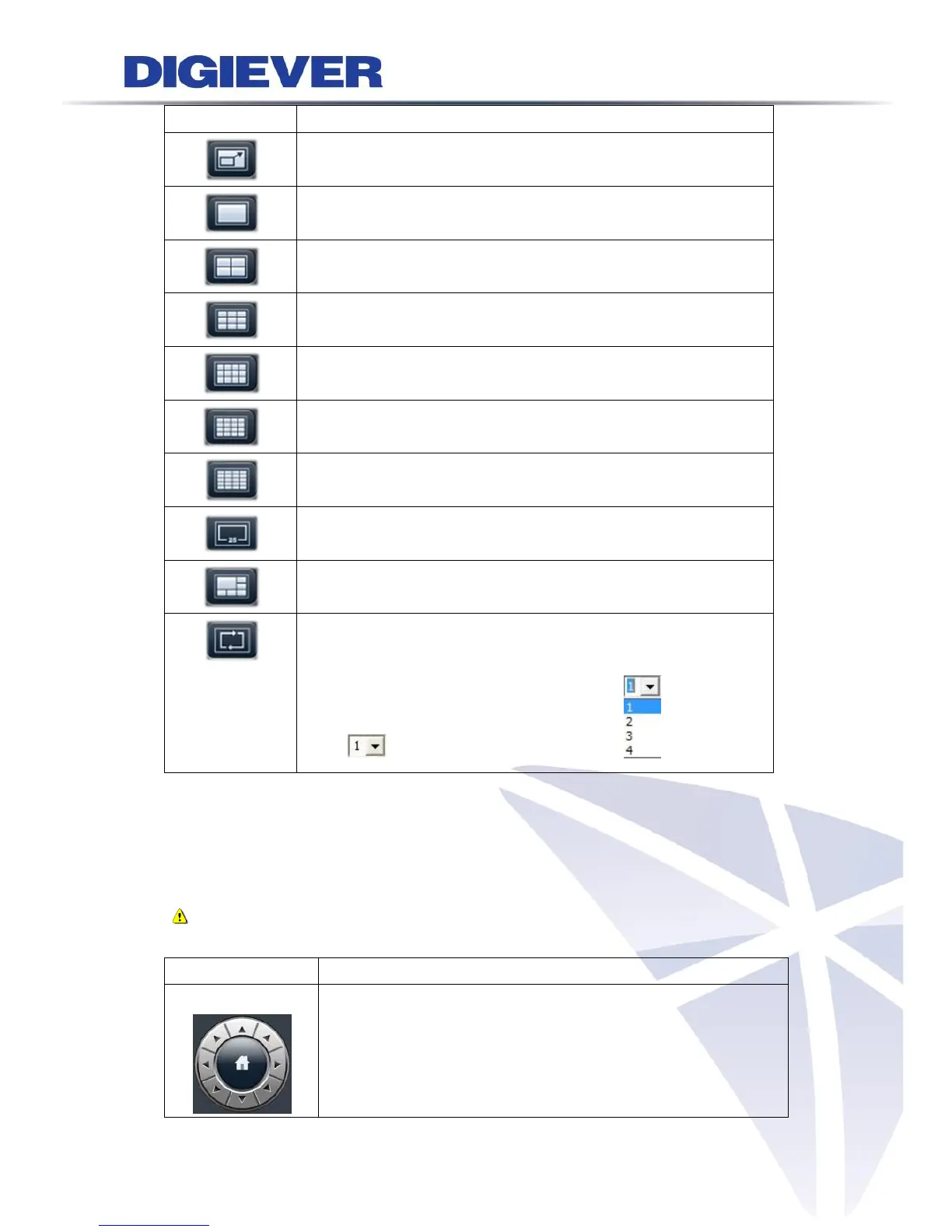
Description
Full Screen
1 screen
4 screen
9 screen
12 screen
16 screen
20 screen
3/25/30/36/42/49/56/64 screen
5+1 screen
Sequential mode
Click to choose the page of liveview .
5. PTZ Control Panel
If the IP camera supports PTZ function, user can use the control panel or joystick to
adjust the viewing angle. The following functions are available depending on the
camera models.
Note: Please check the compatible list before using joystick to adjust PTZ
cameras.
Icon
Description
PTZ panel:
PTZ allows users to monitor large areas with a single network
camera. Pan, tilt, and zoom functions can be controlled
remotely by users. If device supports PTZ control, users can
click on the arrows to pan and/ or tilt the camera. The house in

Table of Contents

Related product manuals