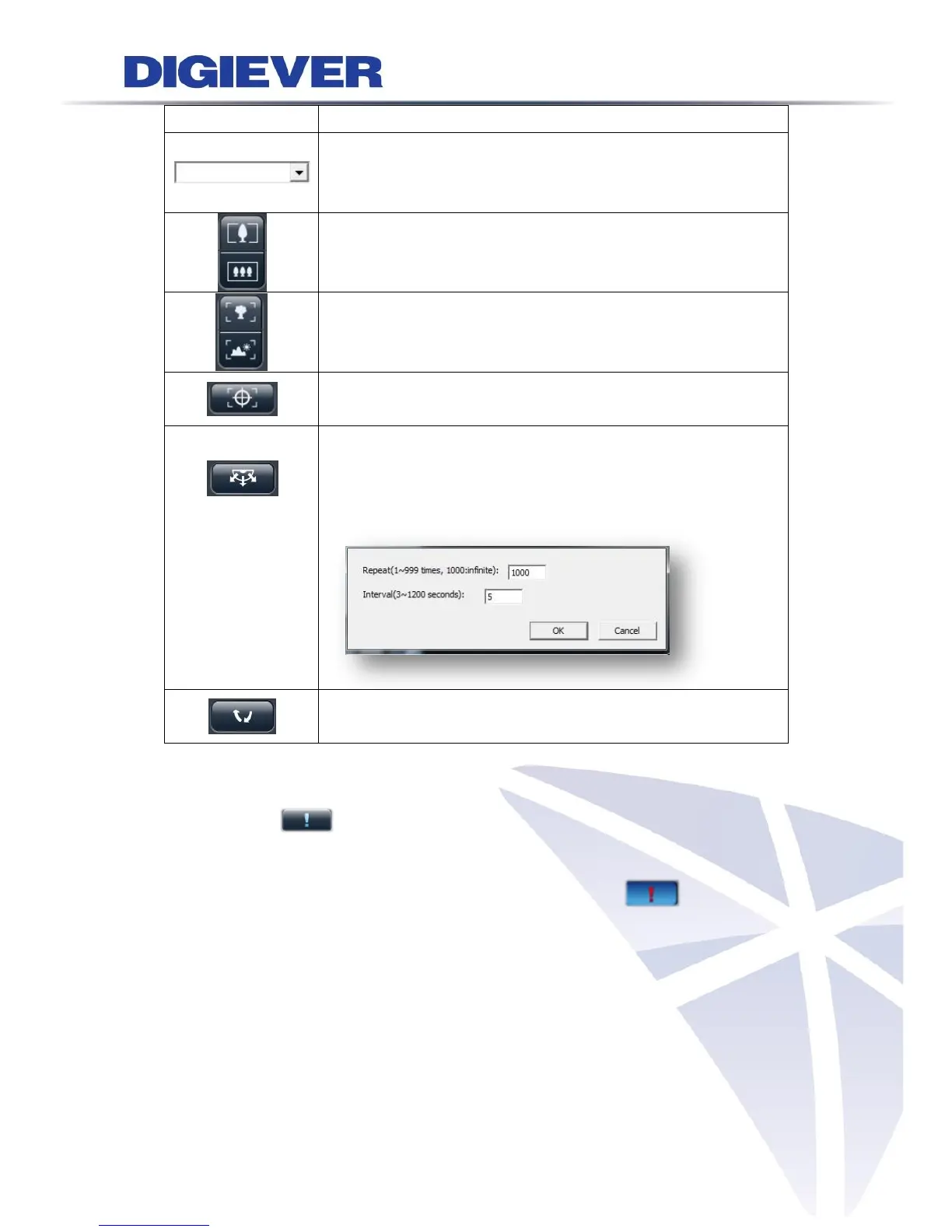
the middle can take you back to original monitoring position.
Preset positions:
Select the preset positions which are defined in PTZ camera
and the camera will move to the position that user selects.
Optical zoom in/ out:
If camera supports optical zoom in/ out, users can adjust PTZ
camera to zoom out or zoom in.
Focus near / far:
If camera supports PTZ control, users can adjust the focus of
the PTZ camera to focus near or focus far.
Auto Focus:
To automatically focuses the camera lens on a subject.
Schedule for PTZ:
Select “Set” to set camera preset position.
It can open the dialog to set how many times PTZ cruise to
repeat and how many seconds stay between each preset point.
Schedule for PTZ:
Click “Go” to start PTZ patrol schedule.
6. Event Log
Event log is a convenient feature to notify users of motion detection at the very first
time. When a motion is detected, the icon will start blinking.
By clicking the button, a window will pop up to display the list of event log as below.



 To Next Page