206
Daily Maintenance
Daily Maintenance
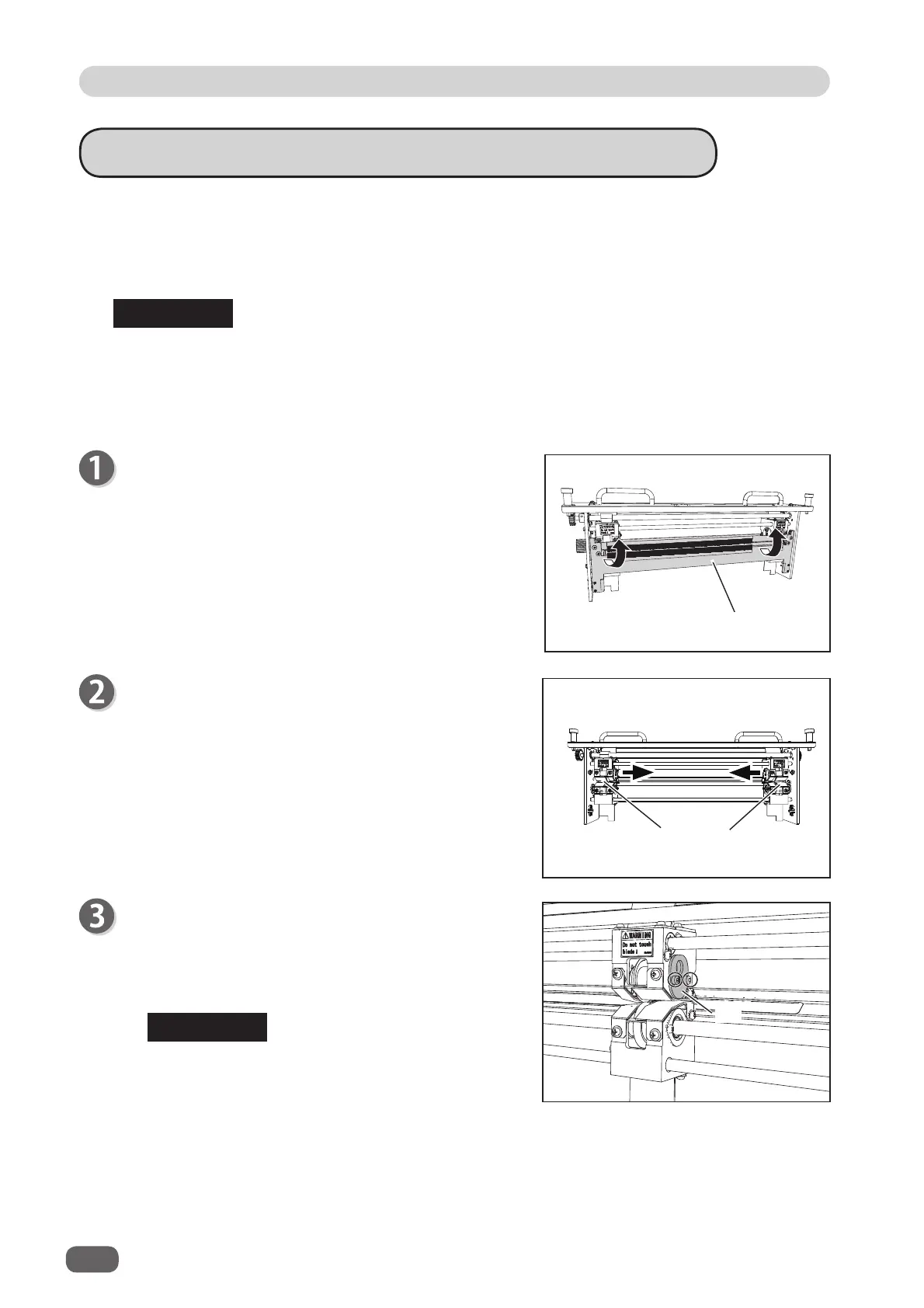
If a heavy weight document is jammed in the slitter area and the document is pulled out by force,
the slitter upper tool and the lower tool may intersect each other.
Also, If the document cannot be slit or conveyed, the tools may have intersected.
In this case, follow the procedure below to correct the upper tool or lower tool position.
Remove the
front guide assy
in the direction of the
arrows.
About Slitter Tool Intersection Correction
Lid
Front guide assy
Move the slitters to the center of the module.
Slitter
Slitters diff er in shape depending on modules.
The slitter 3 and the slitter 4 are the same in shape. (→ P.18 Before Preparing a
Document)
The slitter 5 and the slitter 6 are the same in shape. (→ P.18 Before Preparing a
Document)
● In the case of slitter 3 and slitter 4
1. Loosen the two hexagon socket head cap screws
securing the lid of the slitter with the intersecting
tools. (The fi gure on the right shows the slitter 3.)
You can lay the
slitter module
on its side if it is
easier for you to carry out the work.
REFERENCE
REFERENCE



 To Next Page