Machine description
ICC424HF-CN1EN2.pdf2012-11-23
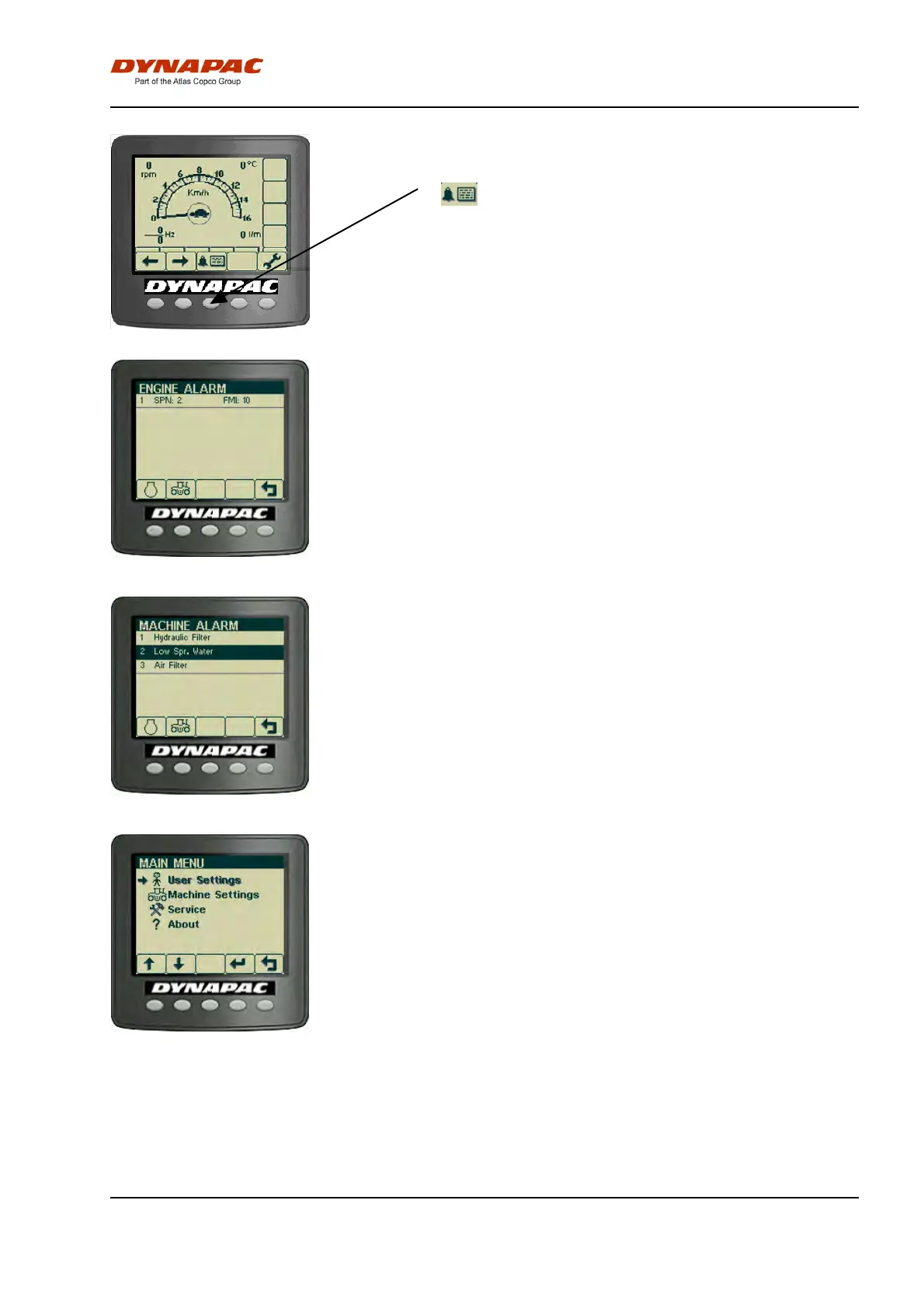
Alarms received are saved/logged and can be seen by
selecting Display alarms.
Selection of Display alarms.
"ENGINE ALARM"
Saved/Logged engine alarms.
"MACHINE ALARM"
Saved/Logged machine alarms. These alarms come
from the other systems on the machine.
"MAIN MENU"
In the main menu it is also possible to change some
user and machine settings, access the service menu
for calibration purposes (special service personnel
only, requires pin code), and to see the version of
installed software.
33


 To Next Page