Operation
ICC424HF-CN1EN2.pdf2012-11-23
Operation
Before starting
Master switch - Switching on
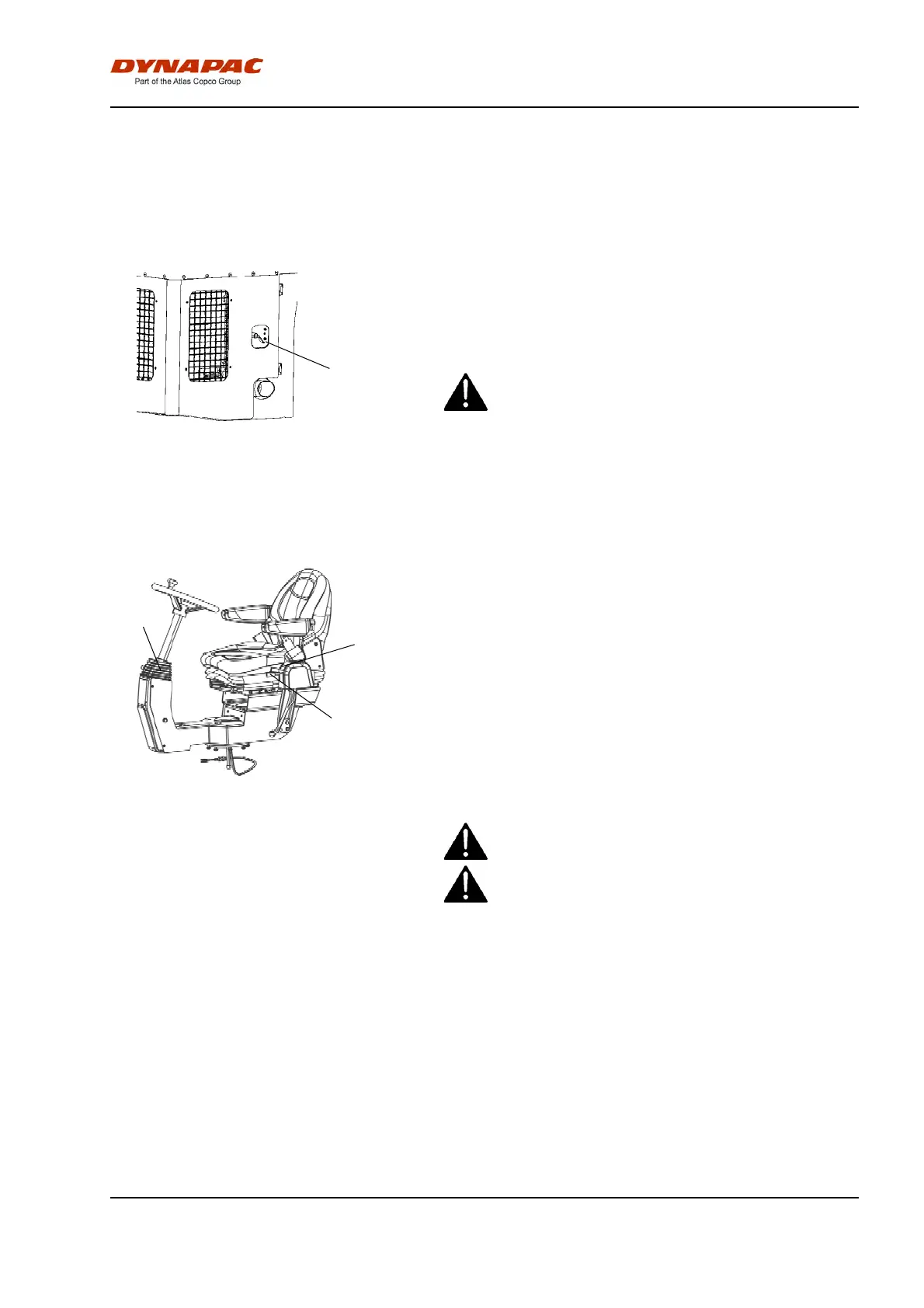
Figure. Engine door, left
1. Battery disconnector
1
Remember to carry out daily maintenance. Refer to
the maintenance instructions.
The master switch is located in the engine
compartment. Turn the key (1) to the on position. The
entire roller is now supplied with power.
If the main battery/master switch is covered, the
engine hood must be unlocked during operation,
to be able to reach the switch in an emergency.
If the main battery/master switch is covered, the
engine hood must be unlocked during operation,
to be able to reach the switch in an emergency.
Control panel, adjustments
1
2
3
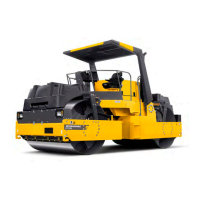
Fig. Operator position
1. Locking lever - transverse travel
2. Locking lever - rotation
3. Locking lever - steering column
angle
The control unit has three adjustment options,
transverse travel, rotation and steering column angle.
For transverse travel, raise the inner lever (1), which
releases the catch.
For rotation, lift the outer lever (2).
Ensure that the control unit locks in position before
operating the machine.
Release locking lever (3) to adjust the steering
column. Lock in the new position.
To adjust the operator's seat, see the section for
basic/comfort seat.
Adjust all settings when the machine is stationary.Adjust all settings when the machine is stationary.
Always ensure that the seat is in locked position
before operating the roller.
Always ensure that the seat is in locked position
before operating the roller.
43


 To Next Page