Operation
ICC424HF-CN1EN2.pdf2012-11-23
Parking brake
1
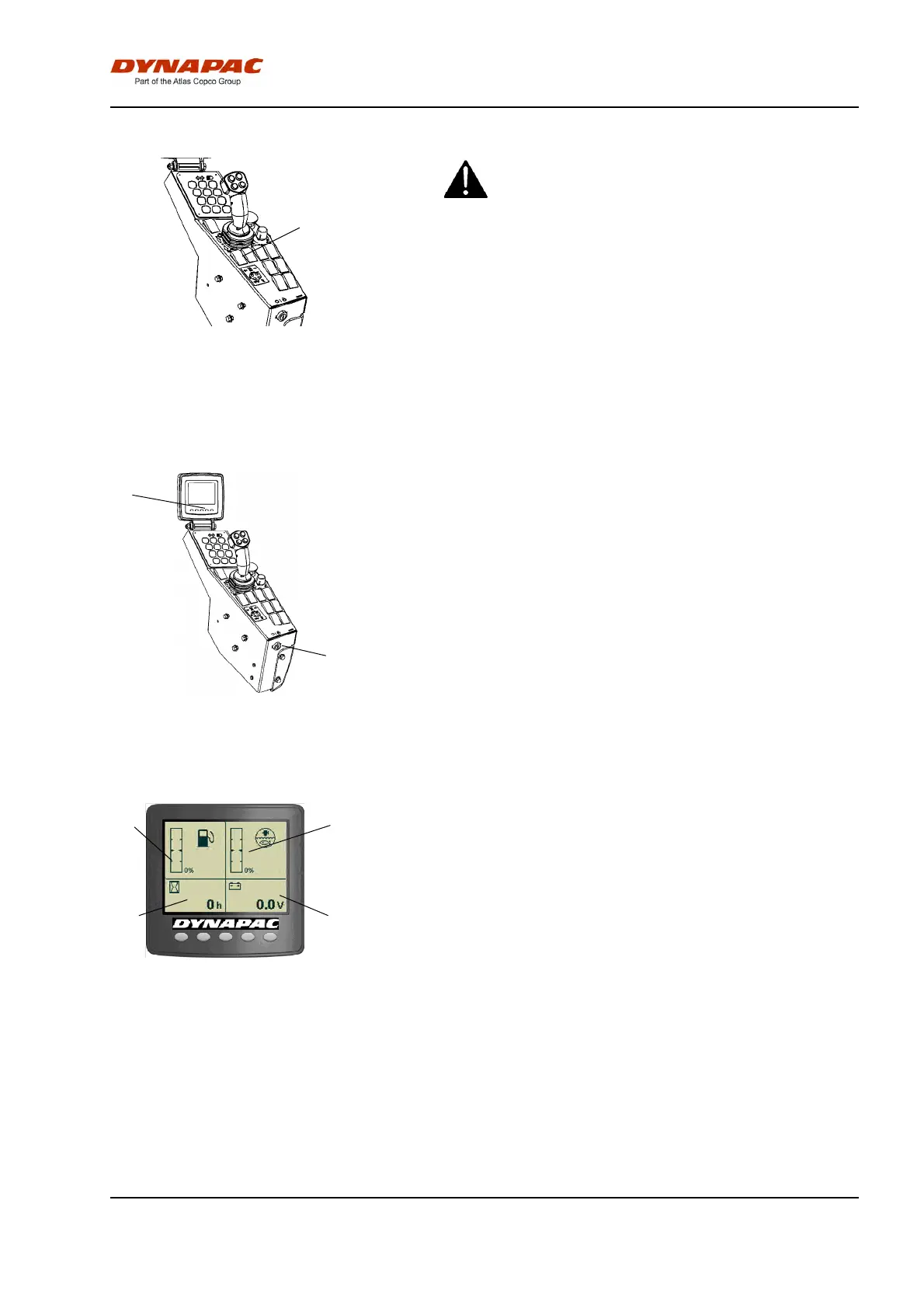
Fig. Control panel
1. Parking brake control
Make sure that the parking brake button (1) really
is in the depressed position. The roller can start to
roll when the engine is started on sloping ground,
if the parking brake is not applied.
Make sure that the parking brake button (1) really
is in the depressed position. The roller can start to
roll when the engine is started on sloping ground,
if the parking brake is not applied.
Brake is always activated in Neutral position.
(automatic 2 sec.)
The parking brake must be activated to start the
machine!
Display - Control
1
2
Fig. Control panel
1. Ignition key
2. Status screen
Sit down for all operations.
Turn the ignition key (1) to position I, the start screen
will be shown in display.
4
6
5
3
Fig. Status screen
3. Fuel level
4. Water level
5. Hour meter
6. Voltmeter
Check that the voltmeter (6) shows at least 24 volts
and the levels for fuel (3) and water (4) indicates a
percentage value.
The hourmeter (5) registers and shows the total
number of hours the engine has run.
45


 To Next Page