Operation
ICC424HF-CN1EN2.pdf 2012-11-23
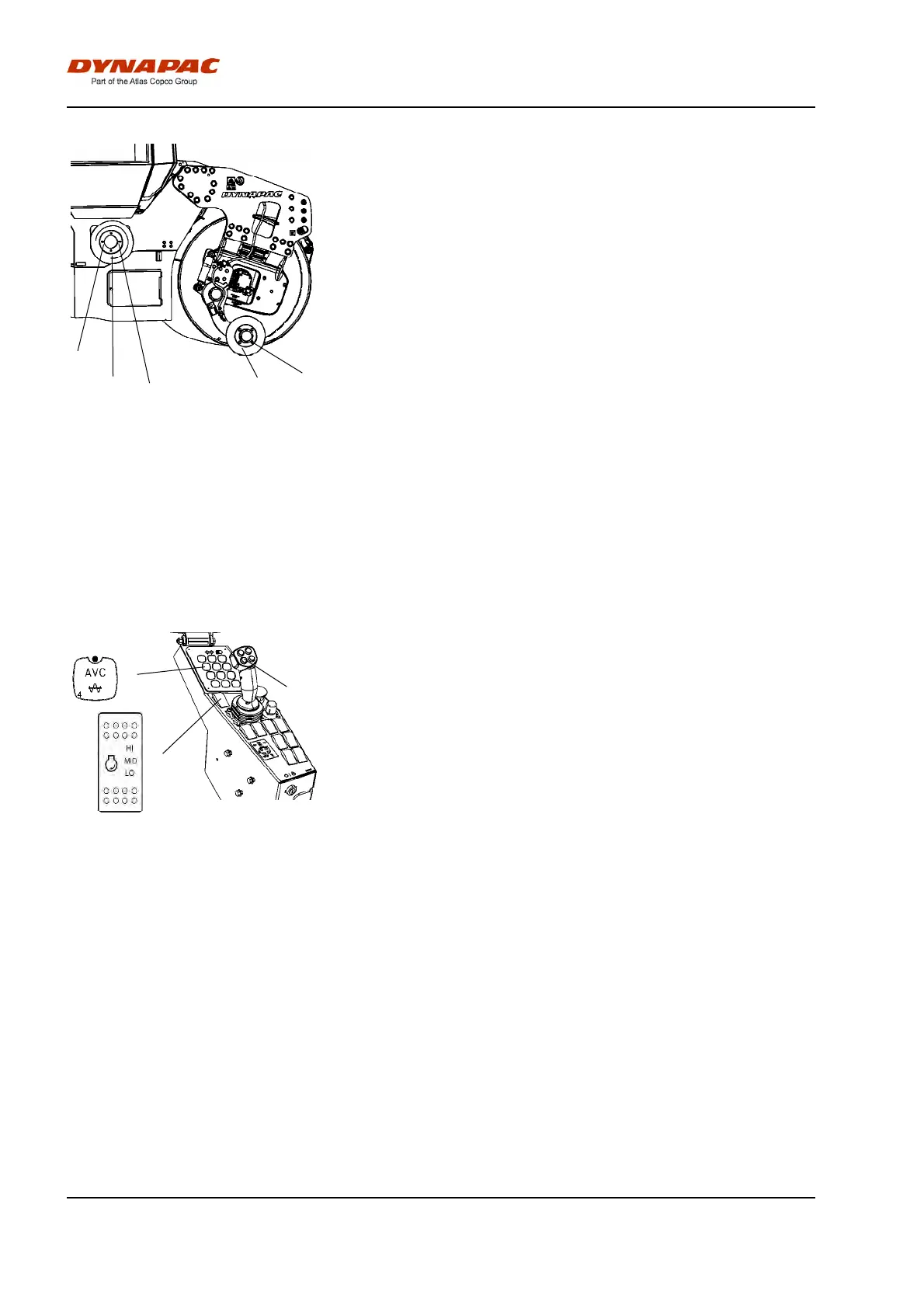
Fig. Changing the tool
1. Edge compactor
2. Edge cutter
3. Bolted joint
4. Holder for cutter/compactor wheel
4
3
3
1
2
The operator can choose between two tools, the edge
cutter or edge compactor. The edge cutter (1) in the
figure is shown in the operating position. The edge
compactor (1) can easily be replaced with the edge
cutter by releasing the bolted joint (3).
Vibration
Manual/Automatic vibration
1
2
3
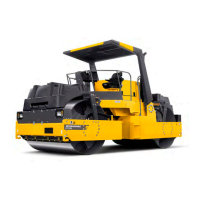
Figure. Control panel
1. Automatic vibration control (AVC)
2. Switch, vibration On/Off
3. Rpm switch
Manual or automatic vibration activation/deactivation is
selected using button (1).
In the manual position, the operator activates vibration
using the switch (2) on the forward/reverse lever.
In the automatic position (AVC), vibration is activated
when the pre-set speed is reached. Vibration is
automatically deactivated when the lowest pre-set
speed is reached.
Activation of vibration for the first time, as well as
disconnection of automatic vibration, are performed
with the switch (2) on the forward/reverse lever.
Note that vibration can only be activated when the
operating position is activated, and when the rpm
switch (3) for the engine is in high (HI).
54


 To Next Page