Operation
ICC424HF-CN1EN2.pdf 2012-11-23
If the forward/reverse lever is moved quickly (forwards
or backwards) toward/past neutral, the system
switches to a rapid braking Mode and the machine
stops.
Activate normal driving Mode again by moving the
forward/reverse lever back to neutral.
Emergency braking
4
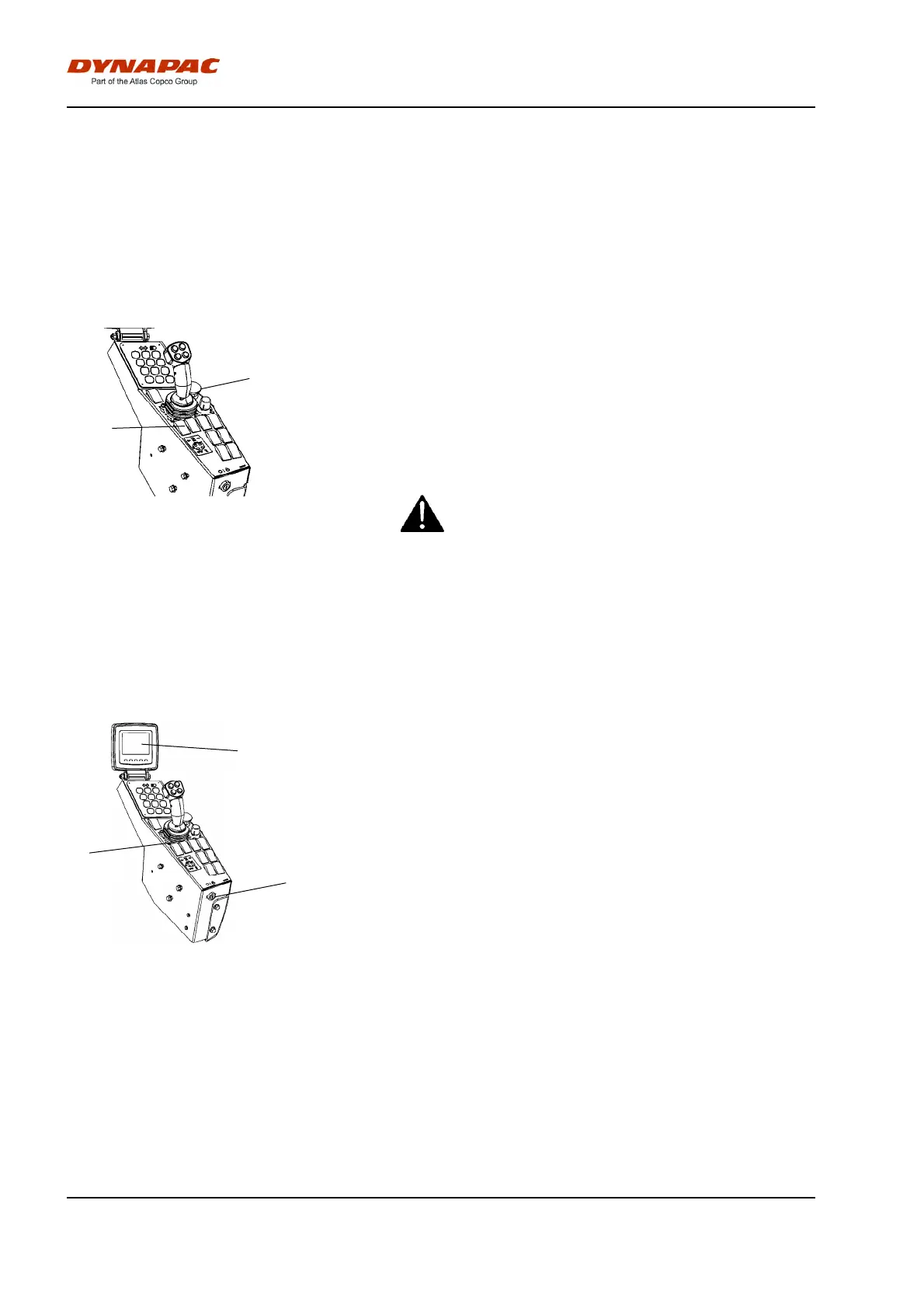
3
Fig. Control panel
3. Emergency stop
4. Parking brake
Braking is normally activated using the
forward/reverse lever. The hydrostatic transmission
retards and slows the roller when the lever is moved
towards the neutral position.
A disc brake in each drum motor/drum gear and the
rear axle also acts a secondary brake when in motion,
and as a parking brake when stationary. Activated with
the parking brake control (4) in the right-hand position.
For emergency braking, press the emergency stop
(3), hold the steering wheel firmly and be prepared
for a sudden stop. The engine stops.
For emergency braking, press the emergency stop
(3), hold the steering wheel firmly and be prepared
for a sudden stop. The engine stops.
The Diesel engine will stop and must be restarted.
After emergency braking, return the forward/reverse
lever to neutral and deactivate the emergency stop.
Switching off
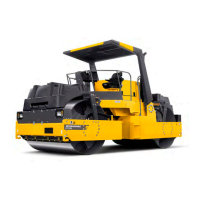
3
2
1
Fig. Control panel
1. Display
2. Ignition lock
3. Parking brake knob
Set the speed control in idling position and allow the
engine to idle for a few minutes to cool down.
Check the display to see if any faults are indicated.
Switch off all lights and other electrical functions.
Activate the parking brake knob (3) and then turn the
ignition lock (2) to the left to the off position.
Fit the instrument cover on the display and top of the
control box (on rollers without cab), and lock it.
56


 To Next Page