Operation
ICC424HF-CN1EN2.pdf2012-11-23
Pivotal steering (Optional)
1
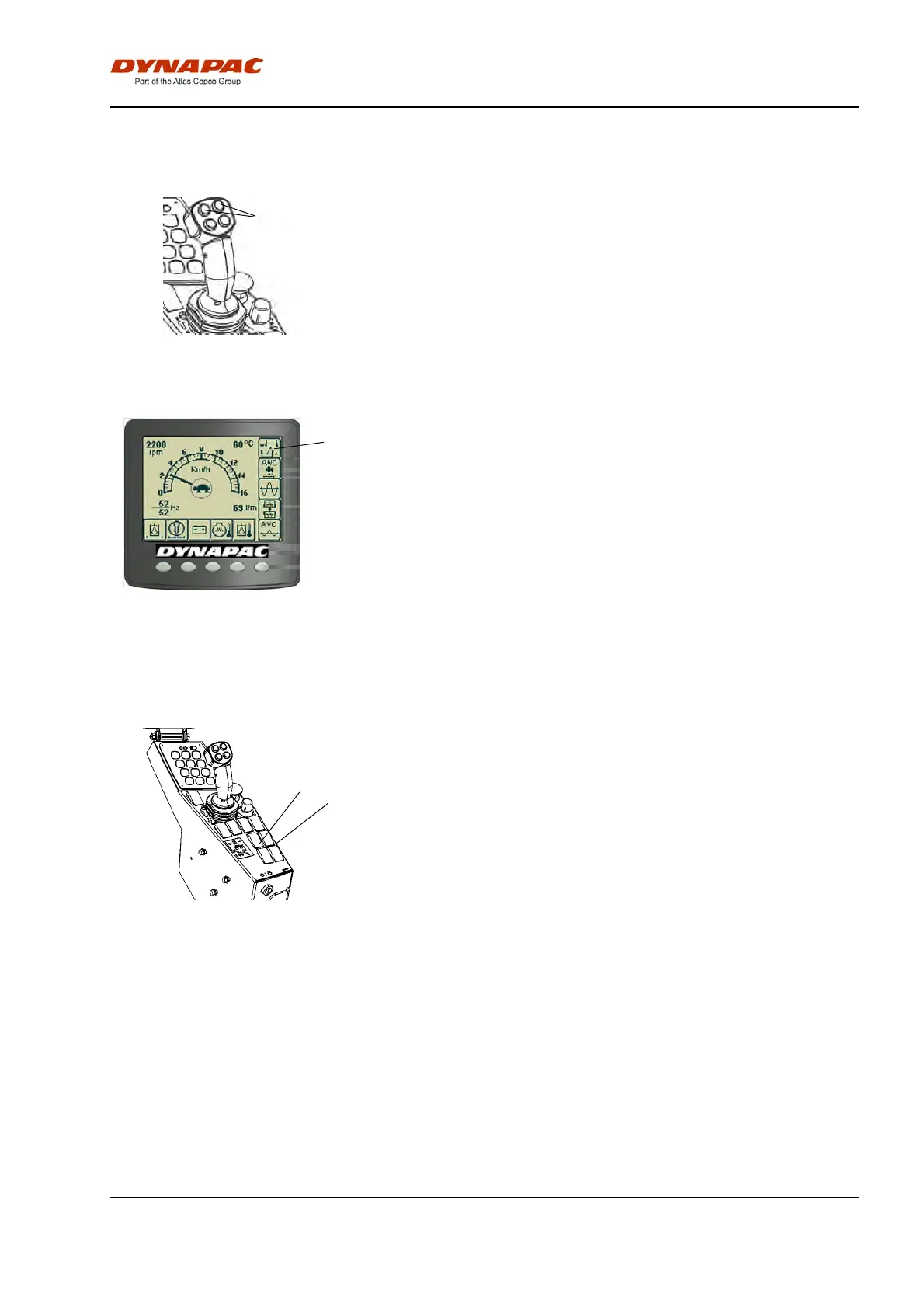
Fig. F/R lever
1. Offset steering
2
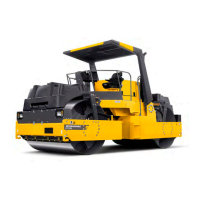
Figure. Display
The machine must be in the operating position to
activate the pivotal steering. Use the two front buttons
(1) on the forward/reverse lever to operate the pivotal
steering.
To reset the rear drum to neutral, adjust the buttons
(1) until the display (2) shows that the machine has
aligned the drums.
The symbol for Work mode shines continuously in
neutral (drums in line)
If fault indication on the display is shown or if the
buzzer sounds, stop immediately the roller in a safe
place and shut off the Diesel engine. Check the cause
for failure and remedy, see also maintenance manual,
trouble shooting guide or engine manual.
Edge cutting (Optional)
1
2
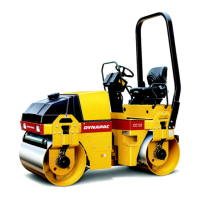
Figure. Switch
1. Edge cutter/compactor Up/Down
2. Sprinkler, edge cutter/compactor
The machine must be running to activate the edge
cutter/compactor.
When the machine is in the operating position and the
switch (1) is pressed at the bottom, the edge
cutter/compactor is lowered to the asphalt surface by
means of a hydraulic cylinder. To reset the edge
cutter/compactor in its original position, press the top
of the switch to lift the edge cutter/compactor.
The edge cutter/compactor can also be lifted if the
machine is in transport position.
A bypass valve prevents the hydraulic system being
overloaded.
There is a separate sprinkler system which the
operator should use to avoid asphalt sticking to the
edge cutter/compactor. The system is operated with a
switch (2). The water is drawn from the main water
tank, which is also used for the normal sprinkler
system.
53


 To Next Page