PI-135 OPERATOR’S MANUAL
78
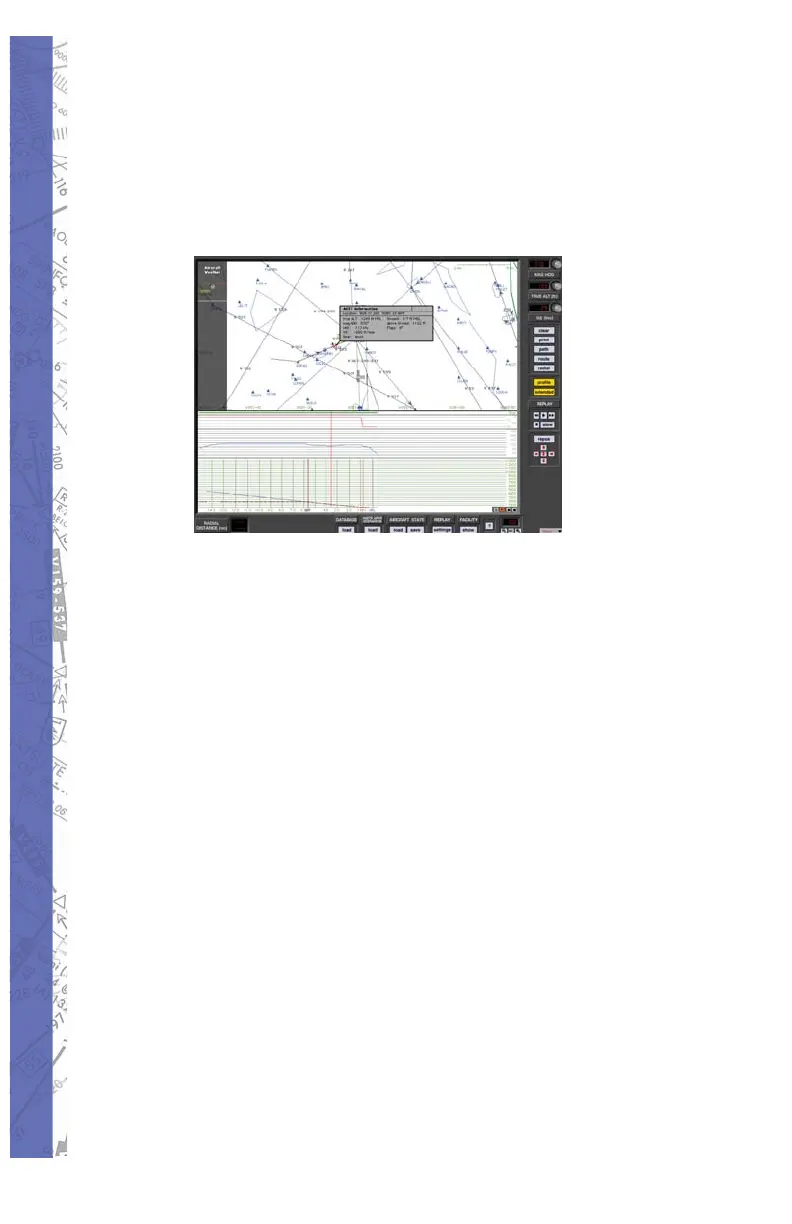
(on the main MAP screen) to the place on the aircraft
track cor re spond ing to the selected pro fi le location clicked
on. Accompanying the red aircraft sym bol is the ACFT
Information box with data on lo ca tion, altitude, head ing,
airspeed, vertical speed, gear and fl ap positions.
The red aircraft symbol and ACFT Information box are
displayed as long as the mouse button is held in side the
MAP profi le.
NOTE: The “ACFT Information” box is not available during
fl ight path replay.
Radial Button
The Radial fea ture allows you to place a com pass rose
around any FIX or NAVaid fa cil i ty in the database. Be fore
click ing the RADIAL button look at the BEARING TO or
RA DI AL and DIS TANCE win dows near the bot tom-left of the
MAP screen. They should both have dashes in them. Now
click the RA DI AL but ton then click on any FIX or NAVaid
in view on the MAP. ELITE in stant ly draws a com pass rose
around the se lect ed FIX or NAVaid. Notice at the same time
that the dash es lo cat ed next to BEAR ING TO or RA DI AL
and DIS TANCE have been re placed by ac tu al values.
Click and drag the red aircraft sym bol to dif fer ent po si tions
and watch the values change in these win dows to re fl ect
the actual BEAR ING TO or RA DI AL (from) and DIS TANCE


 To Next Page