4 - CONFIGURATION
The CONFIGURATION group of the menu can be used to configure the hardware that makes up the
system.
4.1 Control panel
This configures the control panel and any installed optional modules.
4.1.1 Global Parameters
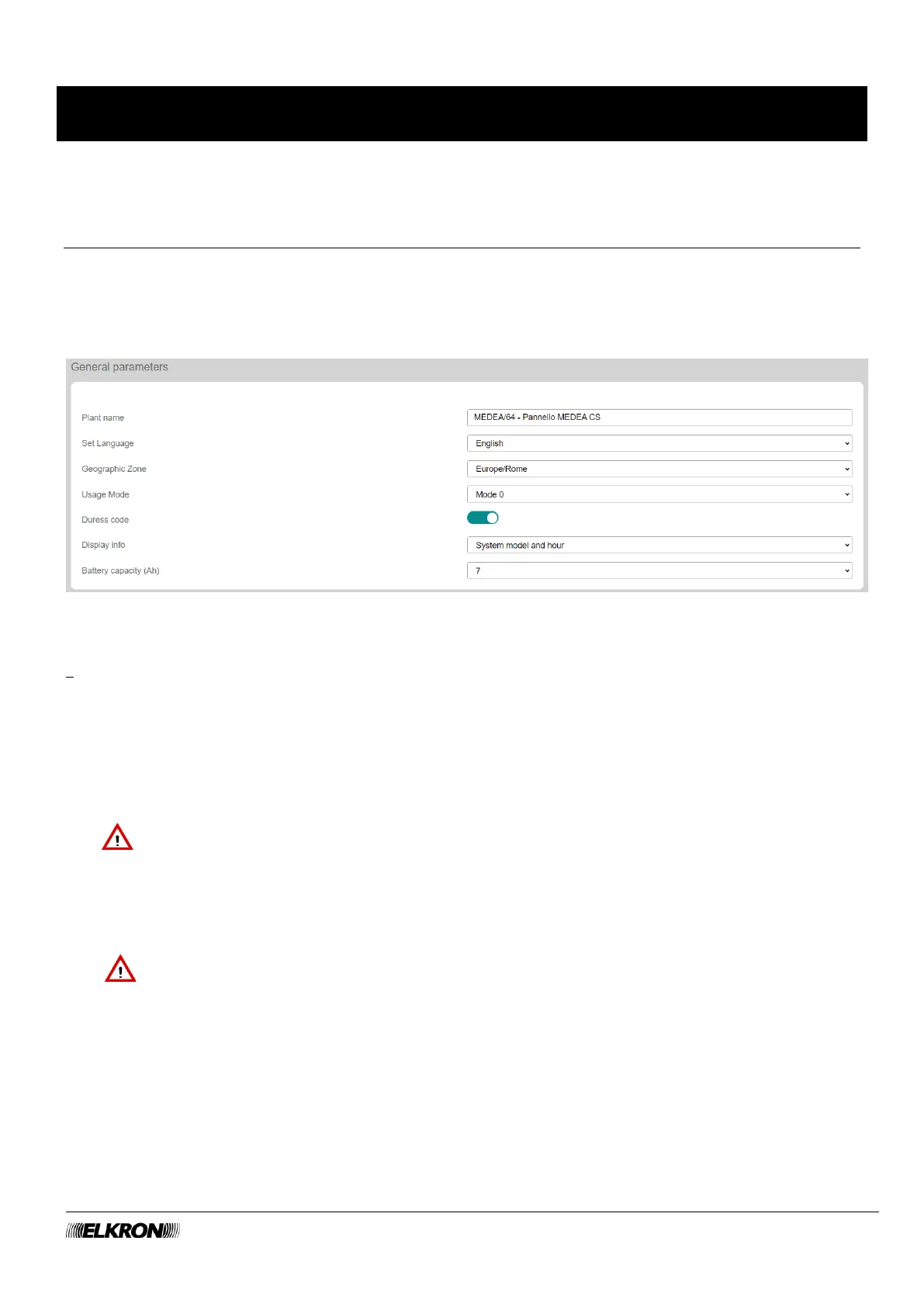
It is accessed through the CONFIGURATION → Central Unit → Global Parameters menu.
Figure 6 - Control panel parameters
The following items are displayed and can be configured:
• Plant name: an alphanumeric string up to 32 characters long to identify the system. It is used in
sending alerts and text messages.
• Set Language: The language used in the application.
• Geographic Zone: The zone where the plant is located. This information will be used to set the date
and time format, as well as to manage the daylight saving time switch in countries where it is adopted.
• Usage Mode: sets the control parameters to check compatibility of the configuration of the control
panel with the safety levels according to EN 50131.
IMPORTANT! Set Mode 3 to maintain compliance with EN 50131 Grade 3. Set Mode 2 to
maintain compliance with EN 50131 Grade 2.
• The Anti-theft Code function is used to create a second access code that can be used if the user is
coerced by an intruder to disarm the system. It stops all visual and acoustic signals and sends a
remote silent alarm. The hold-up codes are not predefined. You must set a code at a code of least 4
digits to use them.
IMPORTANT! Enabling the hold-up function invalidates compliance with EN 50131 standards.
• Info display: this is used to customise the message displayed at rest by the keypad.
• Battery capacity: used to configure the recharging of the battery used on the control unit.



 To Next Page