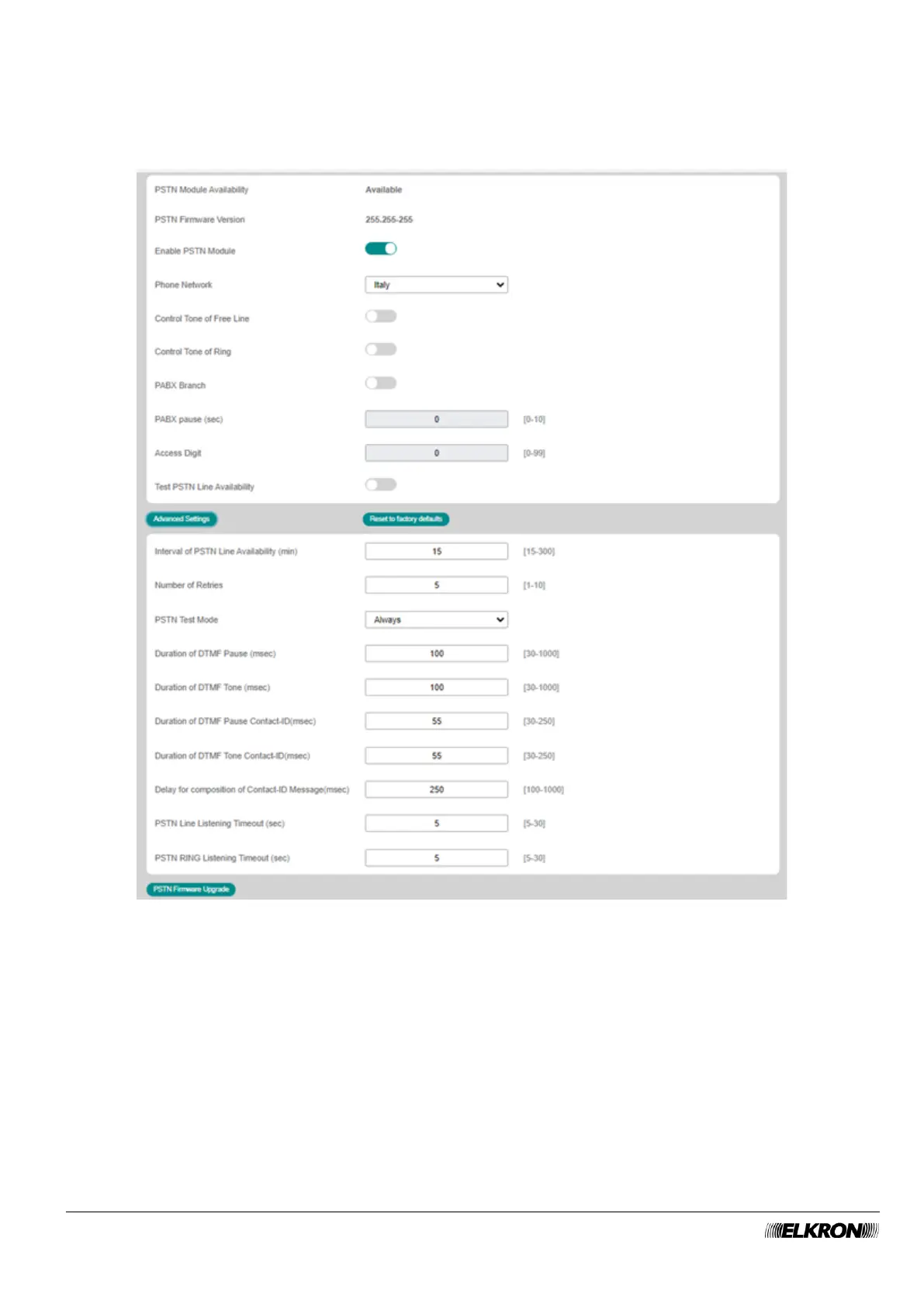
4.2.3 PSTN Module
This can be used to configure the operating parameters that concern telephone connections via land line.
It is accessed through the CONFIGURATION → Central Unit → Optional Modules menu.
Figure 13 - PSTN Module
The menu shows the following items and can be used to set:
• PSTN Module Availability: This indicates that the module is installed in the control panel.
• PSTN Firmware Version: This displays the firmware version of the PSTN module.
• Enable PSTN Module: This can be used to enable and disable the PSTN module.
• Phone Network: This can be used to automatically set the technical parameters for connection to the
telephone network in use, simply by selecting the country to which the network belongs.
• Control Tone of Free Line: If enabled, the dialler will dial the telephone numbers only in the presence
of the dial tone, otherwise it will do so even if the dial tone is missing.



 To Next Page