The following buttons appear under the table:
• Modify: This can be used to configure the remote control highlighted in the table.
• CSV: This can be used to export the remote controls table to a “.csv” file, which can be opened with
a spreadsheet.
• PDF: This can be used to export the remote controls table to a PDF file.
The < and > buttons at the bottom right are used to navigate between the pages of the remote controls, if
their number is greater than the number that can be displayed in a single screen.
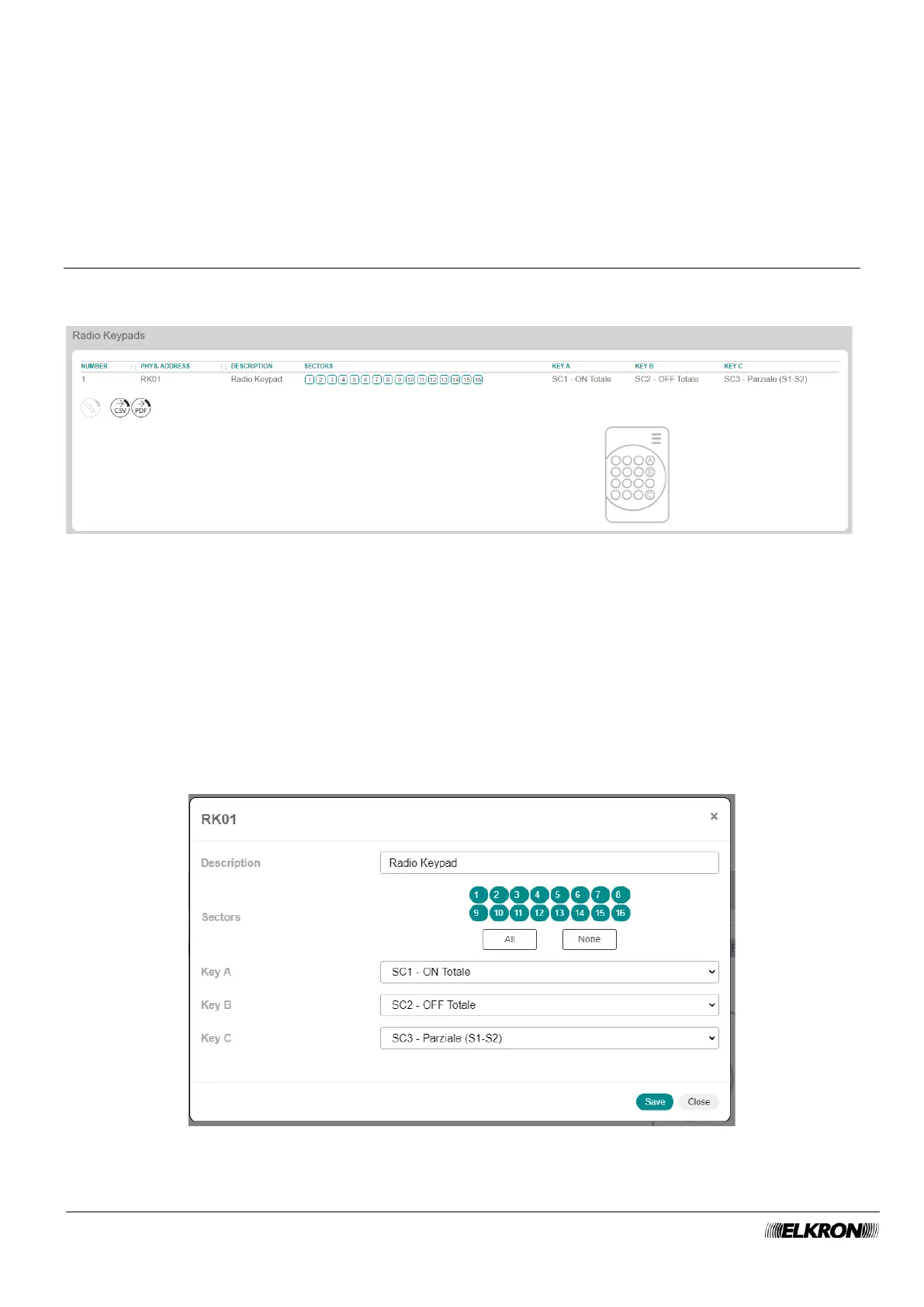
5.22 Wireless Keypads
This can be used to view the wireless keypads of the system.
It is accessed through the PROGRAMMATION → Radio Peripheral → Wireless Keypads menu.
Figure 92 - Wireless keypads
The table shows:
• NUMBER: This is the sequential number of acquisition of the wireless keypad.
• PHYS.ADDRESS: This is the physical address of the wireless keypad.
• DESCRIPTION: This is the alphanumeric label used to identify la wireless keypad more easily.
• SECTORS: This shows the sectors matched to the keypad.
• KEY A: This shows the scenario associated with the button.
• KEY B: This shows the scenario associated with the button.
• KEY C: This shows the scenario associated with the button.
The icon at the bottom indicates the position of the buttons on the radio keypad.
Double-click on the wireless keypad line to open a pop-up window.
Figure 93 - Wireless keypad customisation



 To Next Page