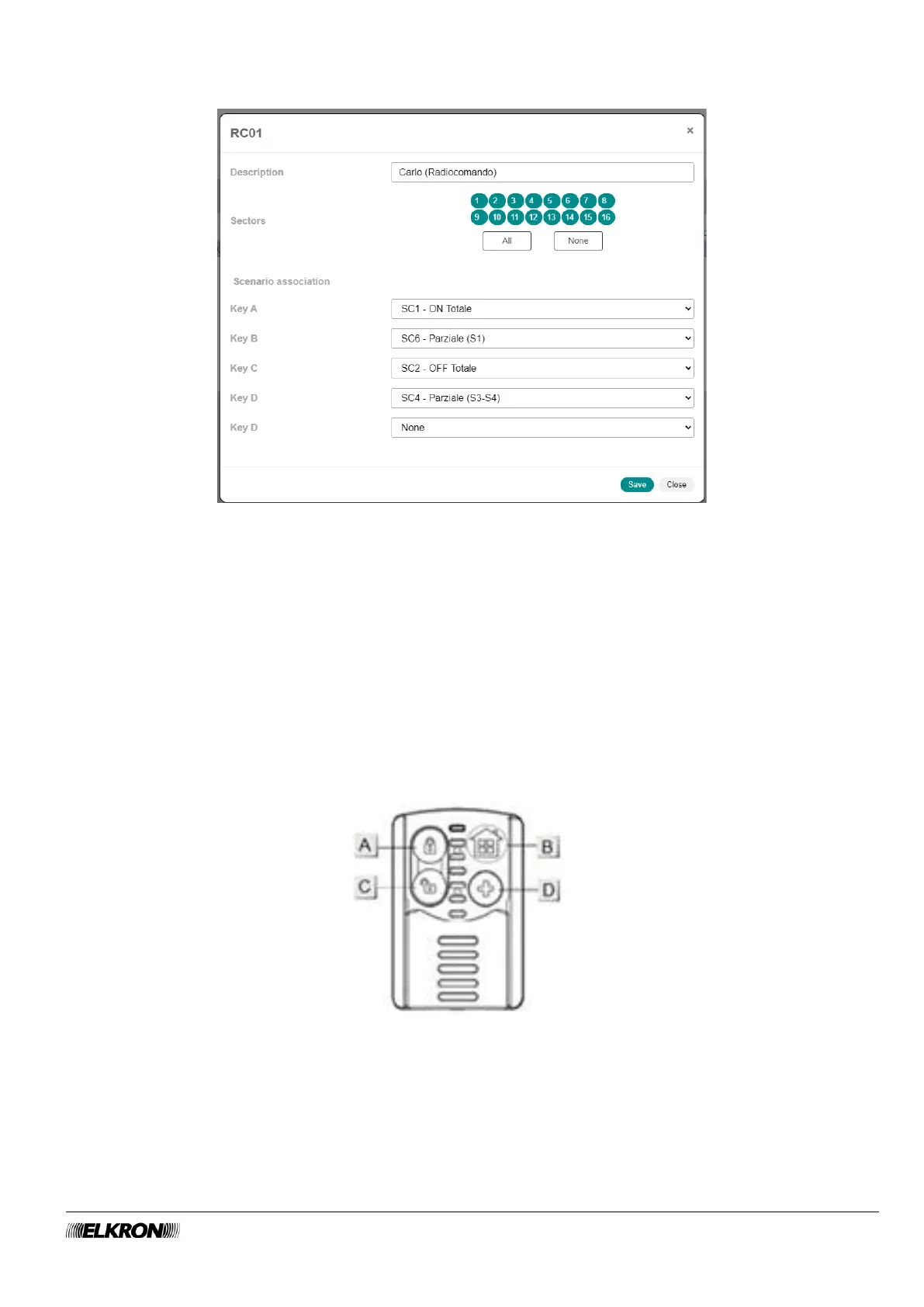
Double-click on the remote control line to open a pop-up window.
Figure 90 - Remote control customisation
In the pop-up window you can:
• Enter the identification label of the remote control in Description. Use only alphabetic characters,
including accented characters, numbers, and spaces.
• Associate the sectors with the remote control (Sectors), by selecting them one by one or selecting
them all by clicking the All button. The None button deletes all associations. To delete a single
association, click on the sector number.
• Associate the scenario with the Key A, Key B and Key C.
The key D can perform two functions:
• If a scenario is entered in the Key D field and the Key D (Action) field has the value None, pressing
button D will launch the indicated scenario.
• If there is a value other than None in the Key D (Action) field, pressing button D will launch the action
(panic alarm, silent panic, emergency, fire) and the scenario will be ignored.
Figure 91 - Remote control customisation
To make a suitable wireless transmission, press and hold Keys A, B and C for approx. 2 seconds and key
D for approx. 6 seconds.
Click on the Save button to save the changes, the Close button to close the window and not save the
changes.



 To Next Page