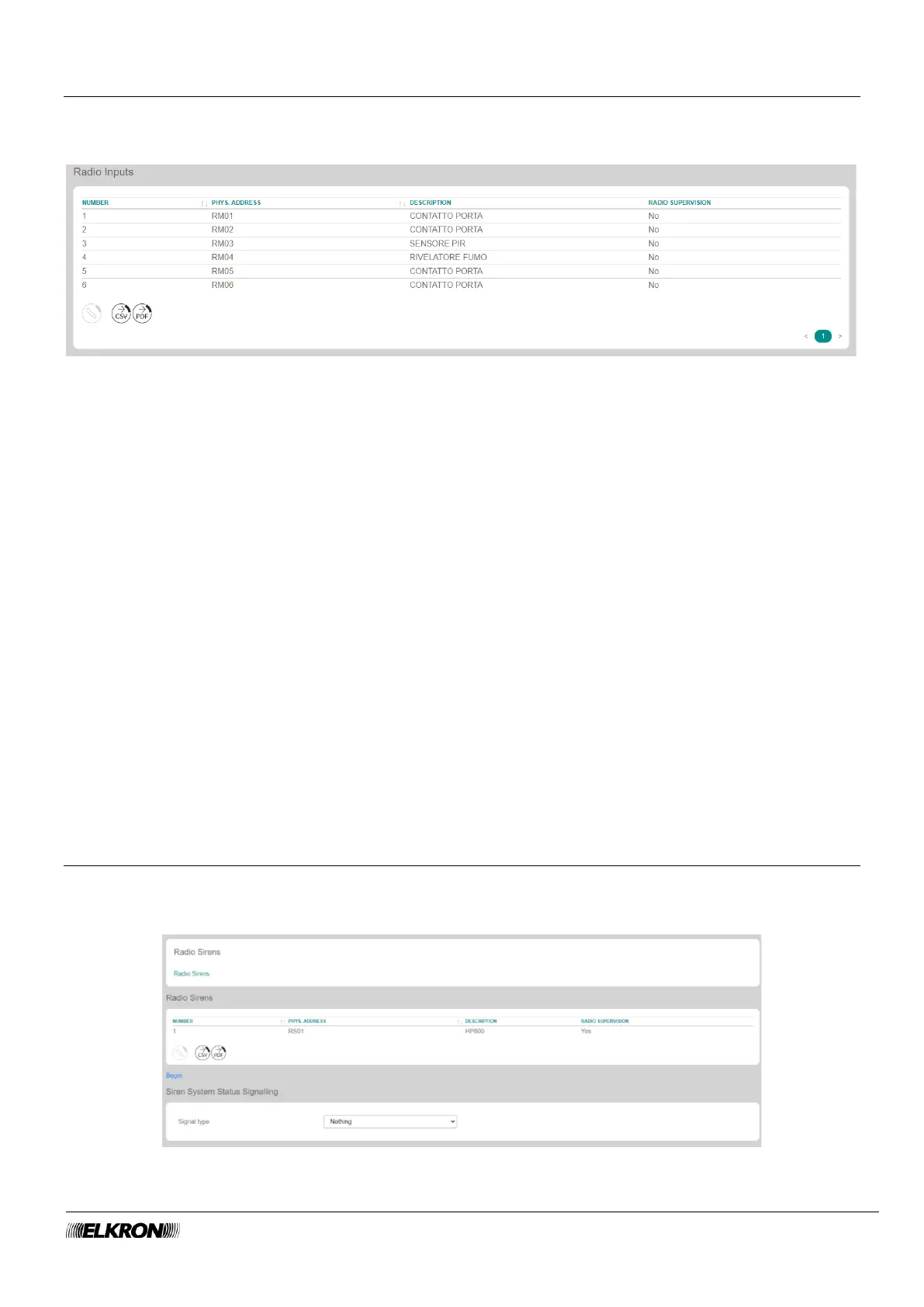
5.19 Wireless inputs
This can be used to view the wireless modules of the system.
It is accessed through the PROGRAMMATION → Radio Peripheral → Radio input menu.
Figure 87 - Wireless inputs
The table shows:
• NUMBER: This is the sequential number of acquisition of the wireless module.
• PHYS.ADDRESS: This is the physical address of the wireless module
• DESCRIPTION: This is the alphanumeric label used to identify the wireless module more easily.
• RADIO SUPERVISON: This shows whether the function is enabled or disabled.
Double-click on the wireless module line to open a pop-up window.
• Enter the identification label of the wireless module in Description. Use only alphabetic characters,
including accented characters, numbers, and spaces.
• Enable or disable the wireless module wireless supervision.
Click on the Save button to save the changes, the Close button to close the window and not save the
changes.
The following buttons appear under the table:
• Modify: This can be used to configure the wireless module highlighted in the table.
• CSV: This can be used to export the wireless modules table to a “.csv” file, which can be opened with
a spreadsheet.
• PDF: This can be used to export the wireless modules table to a PDF file.
The < and > buttons at the bottom right are used to navigate between the pages of the wireless modules,
if their number is greater than the number that can be displayed in a single screen.
5.20 Radio siren
This can be used to view the wireless sirens of the system.
It is accessed through the PROGRAMMATION → Radio Peripheral → Radio Sirens menu.
Figure 88 - Wireless siren



 To Next Page