5.13 Event alerts
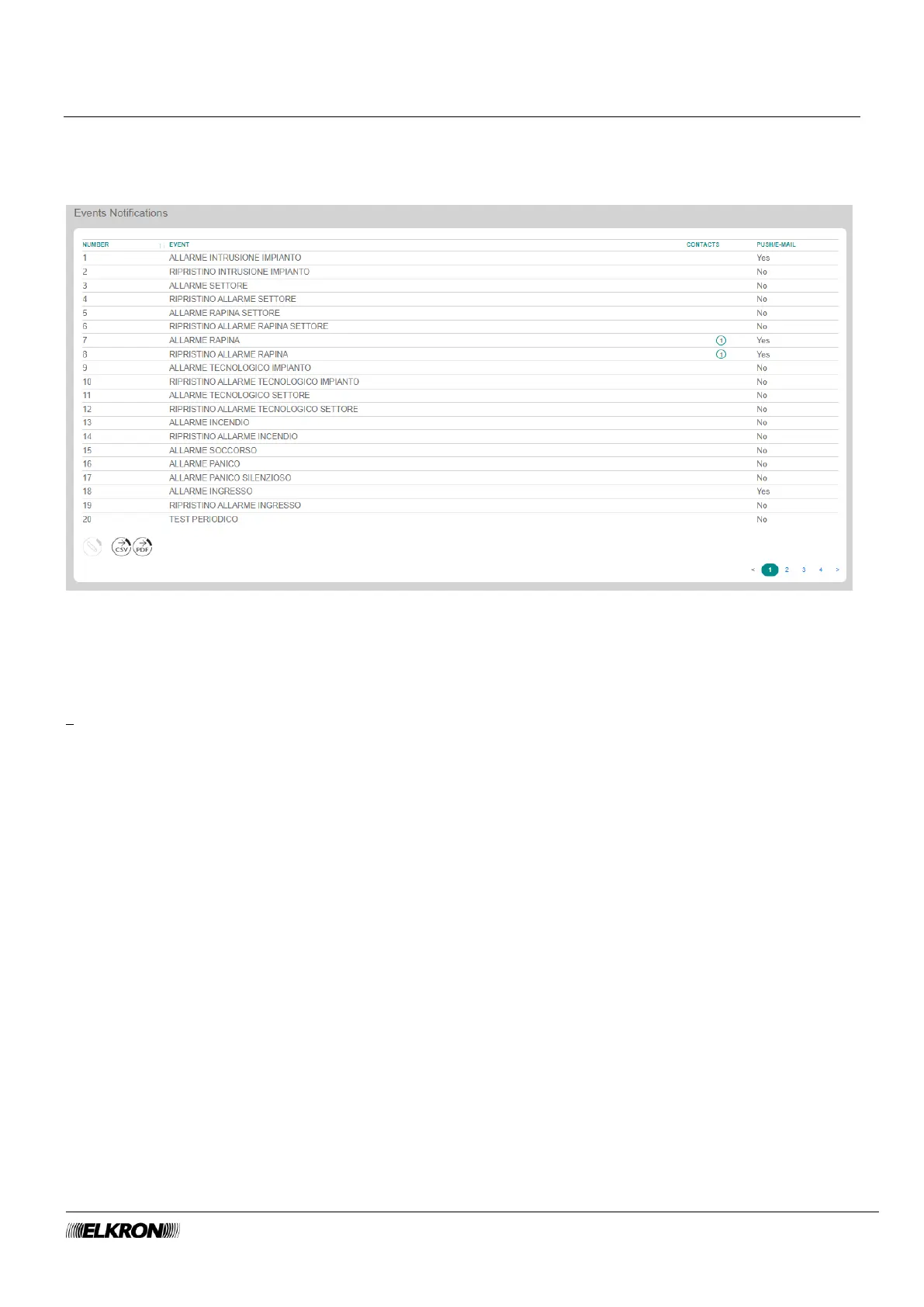
The Events Notifications submenu can be used to associate the events generated by the panel to
telephone numbers programmed with the Telephone Numbers submenu.
It is accessed through the PROGRAMMING → Event Notifications menu.
Figure 71 - Alerts
The table shows the following information for each event:
• NUMBER: This is the sequential number attributed to the event.
• EVENT: This is the alphanumeric label used to identify the event.
• CONTACTS: The phone numbers or IP addresses associated with the event.
• PUSH/E-MAIL: If the PUSH/E-MAIL function is enabled, the control panel sends an alert to the Elkron
Cloud for the event. The user can then choose, among the PUSH/E-MAIL enabled notifications,
whether to receive the alert on the smartphone in push mode and/or in e-mail mode.



 To Next Page