• Determine the delay with which the output is deactivated (Activation Time), for the Stabile and Blink
types, or the time (Activation Time) during which the output remains active, for the Impulsive type.
• Determine whether output activations must be stored (Event History) in the Event History.
• Determine whether the output can also be activated remotely (Remote Activation) via App.
• Determine whether the output is activated when another output is activated (Follow Output).
• Define the groups associated with the output (Output groups).
• Choose the type of icon (Category) that is paired to the output when it is displayed on the app.
Click on the Save button to save the changes, the Close button to close the window and not save the
changes.
The following buttons (some are enabled only by highlighting a sector of the table) are shown below:
• Modify: This can be used to modify the configuration of the output highlighted in the table.
• CSV: This can be used to export the outputs table to a “.csv” file, which can be opened with a
spreadsheet.
• PDF: This can be used to export the outputs table to a PDF file.
The < and > buttons at the bottom right are used to navigate between the pages of the outputs, if their
number is greater than the number that can be displayed in a single screen.
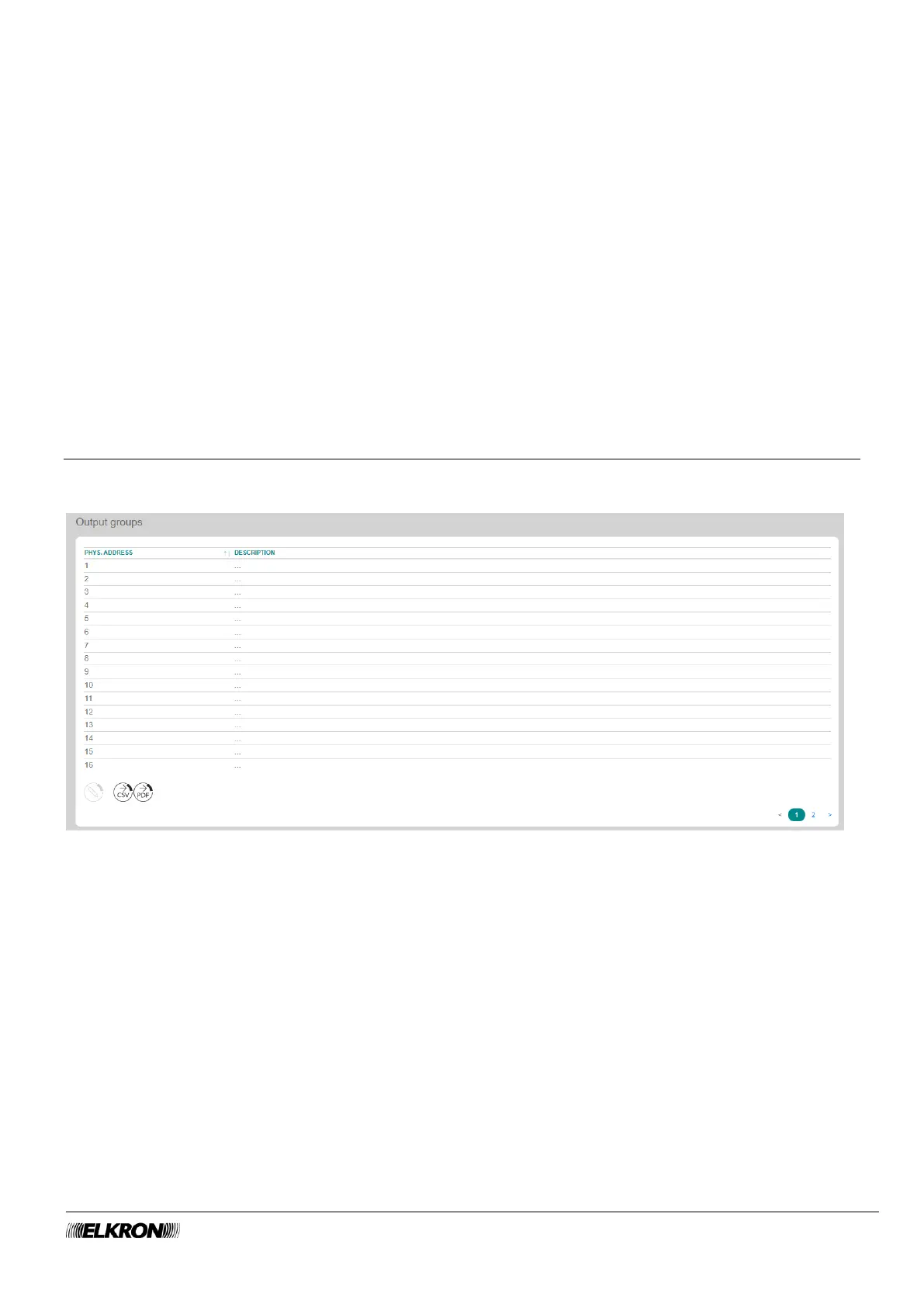
5.5 Output groups
This can be used to create output groups.
It is accessed through the PROGRAMMING → Output menu.
Figure 51 - Output groups
The following information is shown for each output:
• PHYS.ADDRESS: This is the physical address of the output group.
• DESCRIPTION: This is the alphanumeric label used to identify the output group more easily, e.g.
"Ground floor shutters".



 To Next Page