• ENTRANCE DELAY 3: This is the entry 3 delay time, in seconds.
IMPORTANT! The maximum entry delay time for an EN 50131 certified system is 45 seconds.
• MULTIPLE DETECTION DURATION: This is the time interval, in seconds, within which the number
of detections specified by the Multiple detection parameter of each input must occur (this last
parameter is set with the PROGRAMMING → Peripherals and Devices → Input → Inputs menu). For
example, by setting input UC03 Multiple Detection = 4 and Time MULTIPLE Detection = 30 seconds
for the sector to which the input belongs the alarm will be generated only if the input is not in stand-
by status for 4 times in 30 seconds.
Double-click on the sector line to open a pop-up window that can be used to edit the various times. The
range of valid values for that field is indicated in square brackets next to each input box.
Click on the Save button to save the changes, the Close button to close the window and not save the
changes.
The following buttons (some are enabled only by highlighting a sector of the table) are shown below:
• Modify: This can be used to edit the times of the sector highlighted in the table.
• CSV: This can be used to export the sector times table to a “.csv” file, which can be opened with a
spreadsheet.
• PDF: This can be used to export the sectors table to a PDF file.
The < and > buttons at the bottom right are used to navigate between the pages of the sector times, if their
number is greater than the number that can be displayed in a single screen.
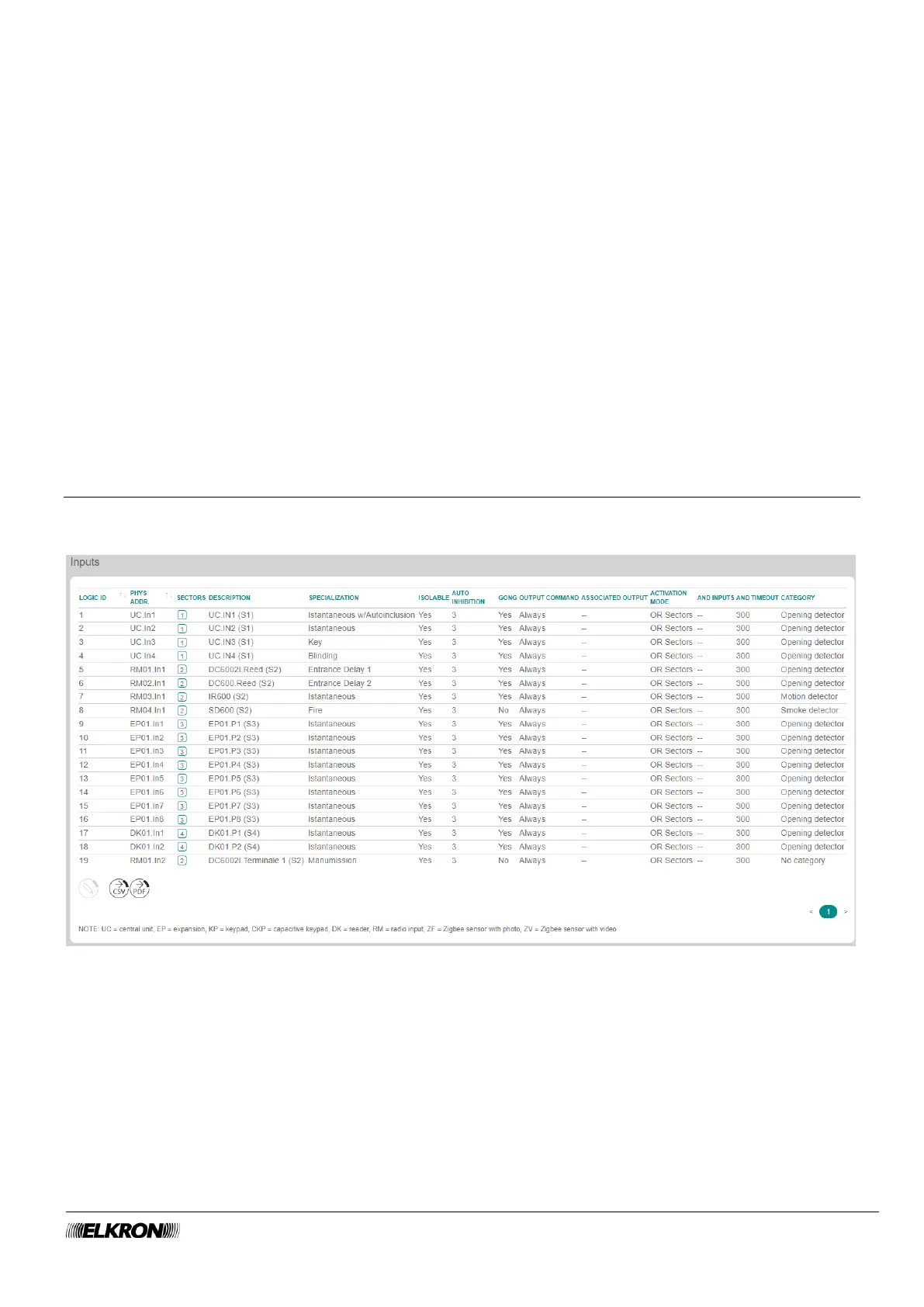
5.3 Inputs
This can be used to view and determine the operation of the system inputs.
It is accessed through the PROGRAMMING → Input menu.
Figure 47 - Inputs



 To Next Page