4.5.1 Search Peripherals
Using the Locate function present in every submenu concerning the bus device, it is possible to
physically locate every single bus device of the system. The function is activated manually for a single
device.
The device that is asked to identify itself triggers the following local optical or audible alerts:
Table 10 - Bus device identification signals
CONFIGURATION – Bus Peripherals – End Locate
The localisation timeout is 10 minutes, but localisation can be interrupted with the end localise
command. The function is only active if the device has FW at least 1.1-25. Otherwise, the timeout
remains 2 minutes and activating the end of locator key will result in an unavailable function warning.
4.5.2 BUS Expansion
This can be used to add, replace, remove and configure the PrIO expansions connected to the bus.
It is accessed through the CONFIGURATION → Bus Peripherals menu.
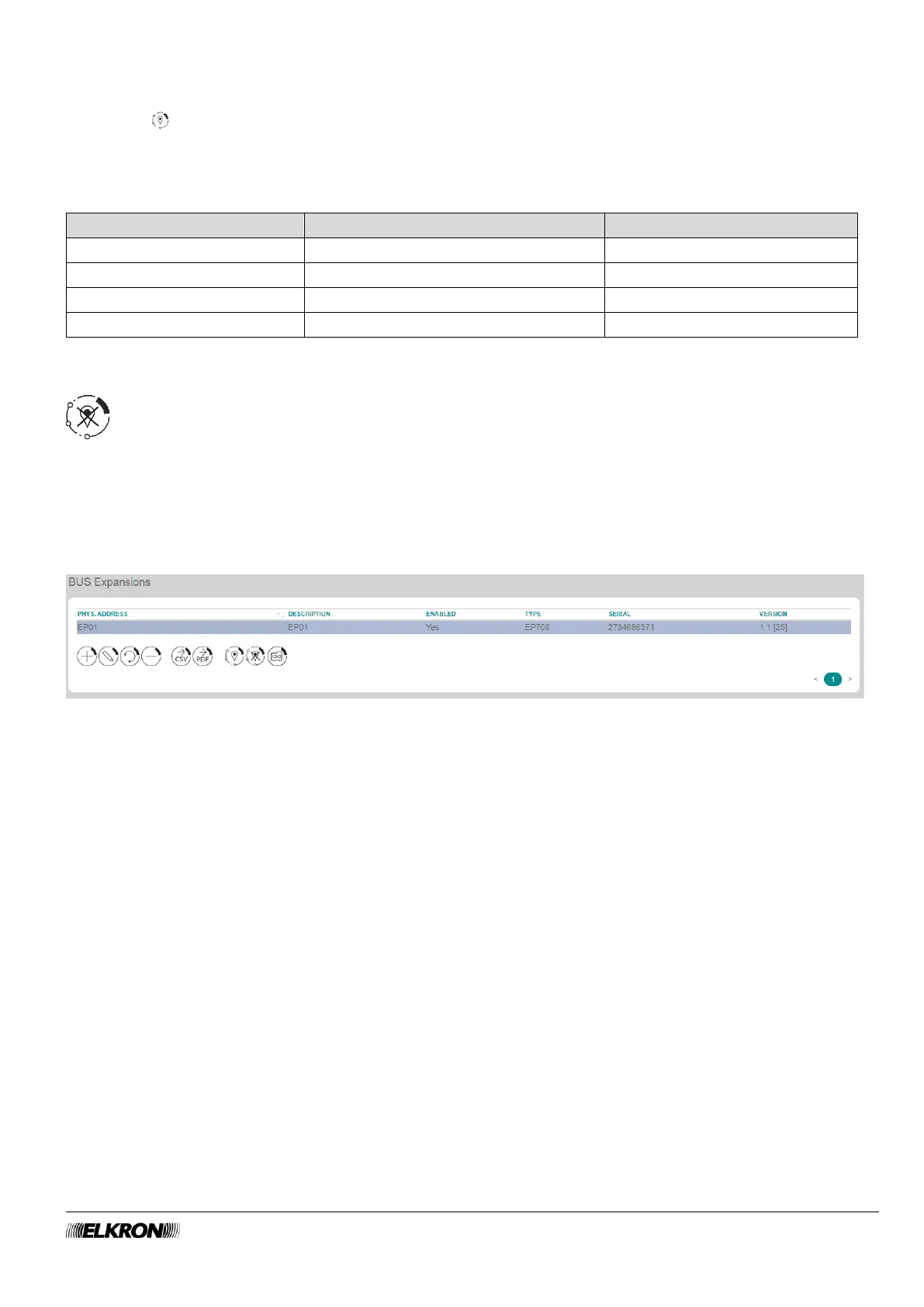
Figure 23 - Expansions
The list of all expansions which are part of the system is displayed in table form. Missing expansion
modules are highlighted by a message under the table titles.
The following information is provided for each expansion module:
• PHIS. ADDRESS: This is the sequential number automatically assigned to the expansion modules.
• DESCRIPTION: This is the description of the expansion. The field is read-only, it must be modified in
the PROGRAMMING – Bus Peripherals menu.
• ENABLED: This indicates whether expansion is enabled or disabled. When the expansion module is
disabled, the lettering is light grey.
• TYPE: This shows the expansion model.
• SERIAL: This shows the unique identifier of the device, with which it is recognised on the bus.
• VERSION: This shows the firmware version of the expansion.
Double-click on the expansion module line to open a pop-up window that can be used to enable and
disable the expansion module and select its type. Click on the Save button to save the changes, the Close
button to close the window and not save the changes.



 To Next Page