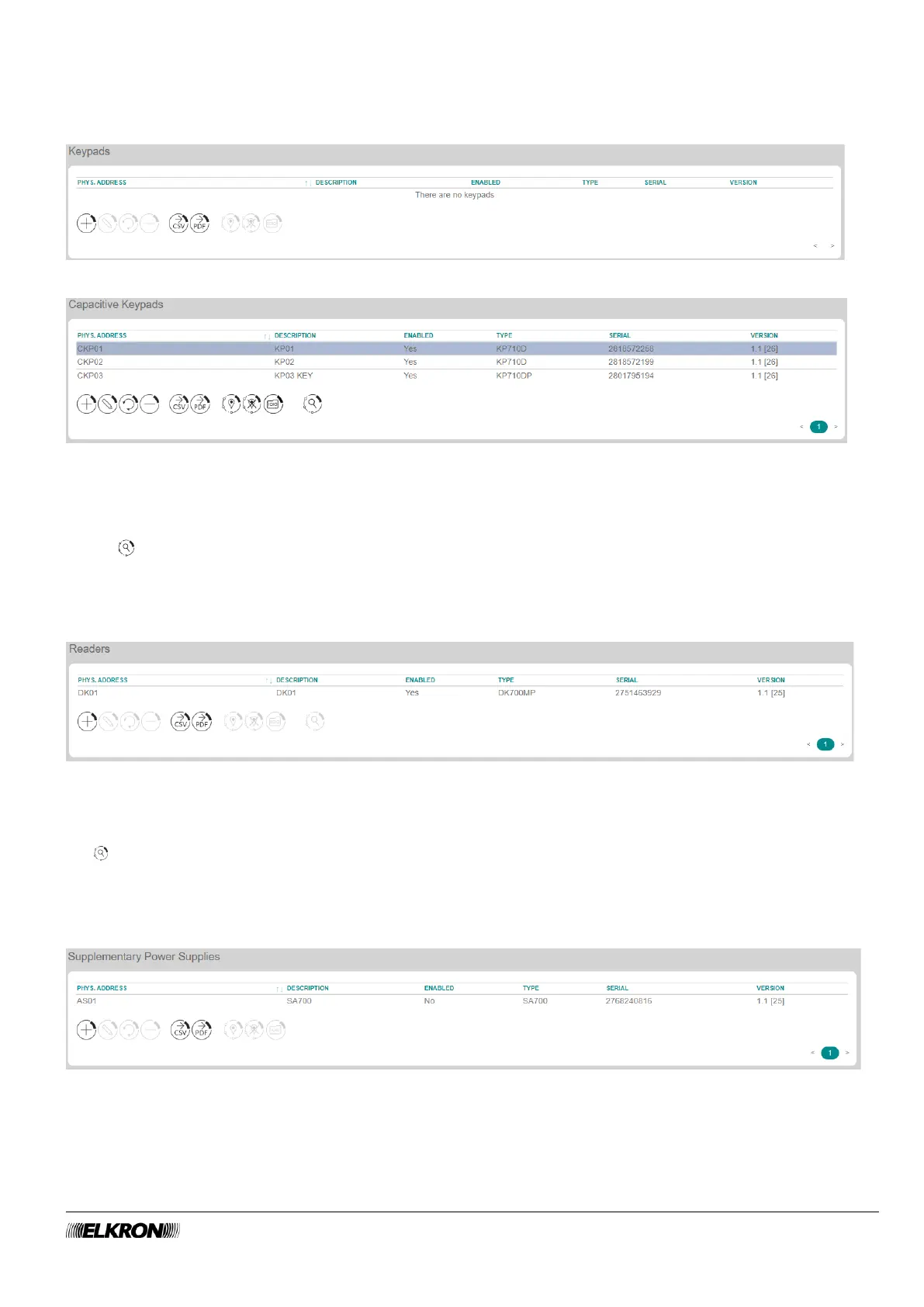
4.5.4 Keypads
This can be used to add, replace, remove and configure the keypads connected to the bus.
It is accessed through the CONFIGURATION → Bus Peripherals menu.
Figure 25 - Keypads
Figure 26 - Capacitive keypads
The available parameters and functions are the same as those of the expansions (paragraph 4.5.2), to
which you can refer for descriptions. If the keypad is equipped with a proximity reader (KP710DP) it is
possible to acquire the DK70 proximity keys after selecting the keypad and pressing the key acquisition
button
4.5.5 Readers
This can be used to add, replace, remove and configure proximity readers connected to the bus.
It is accessed through the CONFIGURATION → Bus Peripherals menu.
Figure 27 - Readers
The available parameters and functions are the same as those of the expansions (paragraph 4.5.2 BUS
Expansion), to which you can refer for descriptions.
Select the desired inserter and press the key acquisition button to acquire the DK70 proximity keys.
4.5.6 Supplementary Power Supply
This can be used to replace, remove and configure additional power supply units connected to the bus.
It is accessed through the CONFIGURATION → Bus Peripherals menu.
Figure 28 - Power supply units
The available parameters and functions are the same as those of the expansions (paragraph 4.5.2 BUS
Expansion), to which you can refer for descriptions.



 To Next Page