o If not inserted: The output is activated when the intrusion alarm system is disarmed.
• ASSOCIATED OUTPUT: This shows any output associated with the input.
• ACTIVATION MODE: This shows how the input opening is managed when the input belongs to more
than one sector. The possibilities are:
o AND Sectors: The sectors to which the input belongs are logically connected to one another and
the alarm is generated only if all the sectors are armed.
o OR Sectors: The sectors to which the input belongs are connected to one another and the alarm
is generated is at least one sector is armed.
• AND INPUT: This shows the physical address of the intrusion input logically connected to the one
being examined (both inputs must have the same specialisation). The alarm is generated only if both
are kept open for the time defined by Timeout AND (the first input to be opened may be closed again
in the meantime).
• AND TIMEOUT: This shows the time interval within which two intrusion inputs logically connected with
AND Input must both have been opened for the intrusion alarm to be triggered.
• CATEGORY: This defines which type of icon is displayed on the app for the input. This is used to
graphically define the type of detector.
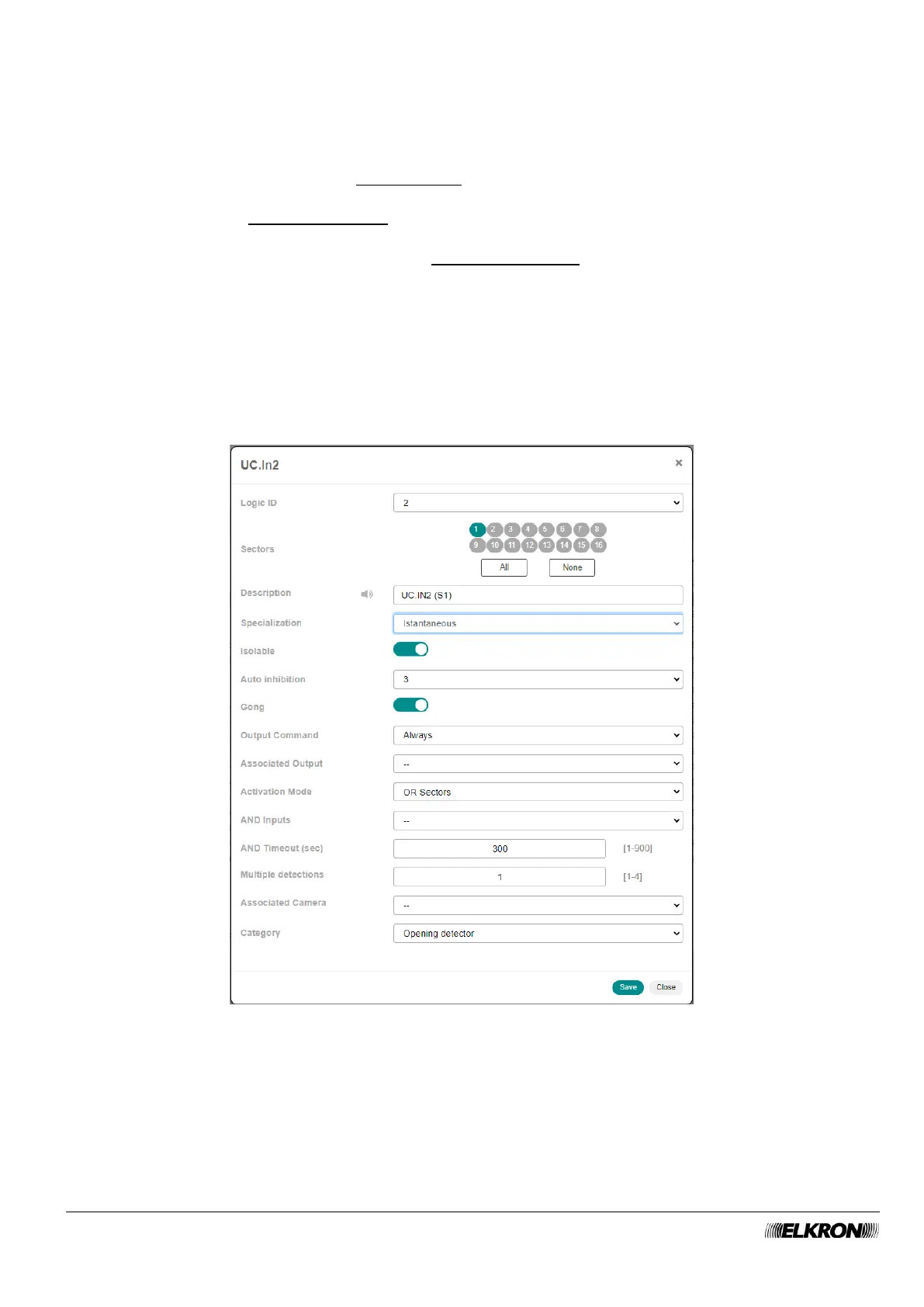
Double-click on the input line to open a pop-up window.
Figure 48 - Input customisation
In the pop-up window you can:
• Change the Logic ID the input. The drop-down menu shows only the logical identifiers that are still
available.
• Associate sectors with the input (Sectors), by selecting them one by one or selecting them all by
clicking the All button. The None button deletes all associations. To delete a single association, click
on the sector number.



 To Next Page