Boot for the Fibre Channel Protocol User Manual P010096-02A Rev. A
8. Troubleshooting
Run Loopback Tests
109
Run Loopback Tests
Test patterns for the PCI Loopback, Internal Loopback, and External Loopback tests
may be selected to be run individually. Test indicators are Passed, Failed, or
Unsupported. Unsupported is displayed if the test is not supported. For example, if an
unsupported link speed is selected, a test is not performed at the unsupported speed,
and a status of Unsupported is displayed in front of the link speed on the link speed
menu.
To run a single test:
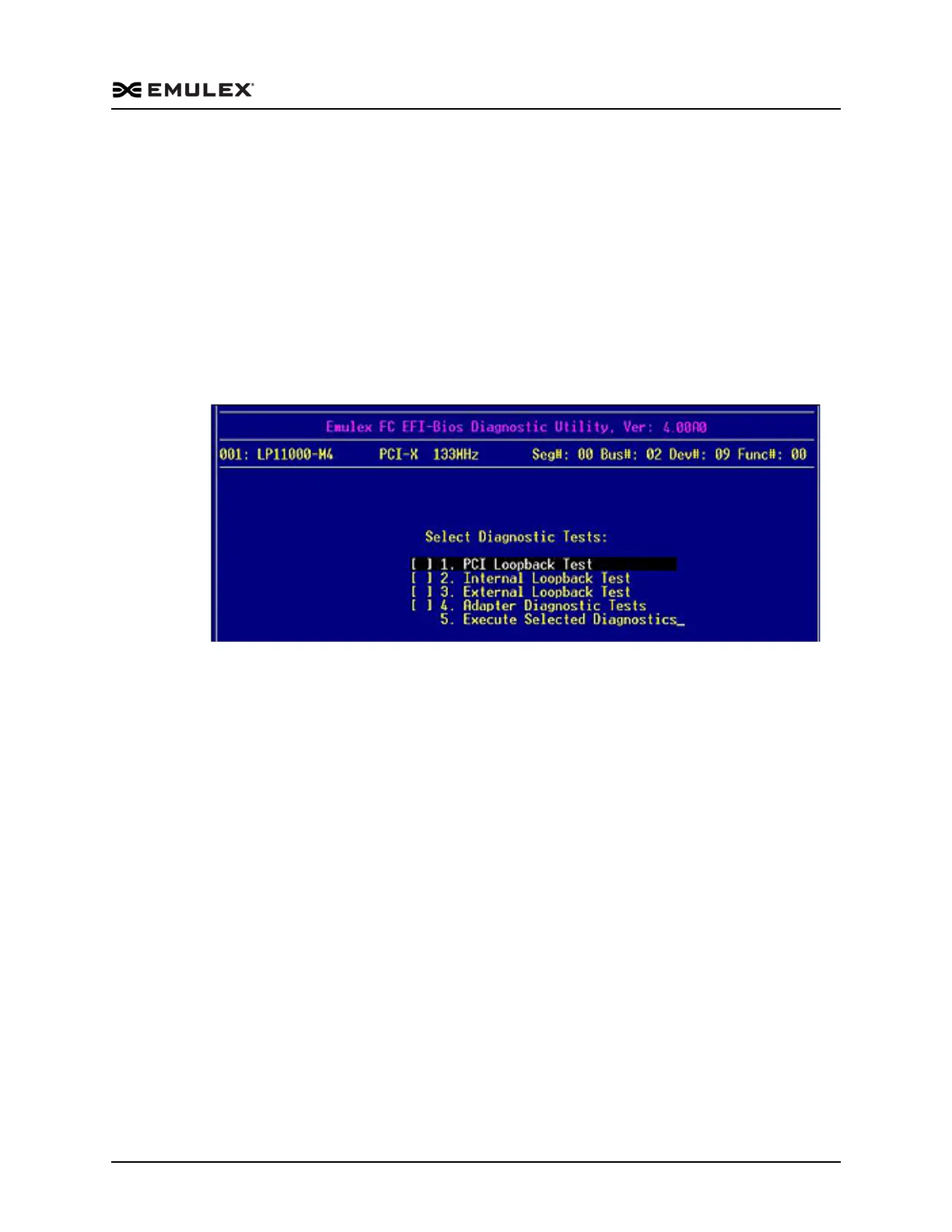
1. Access the Diagnostic Main menu (Figure 8-2) and select <1>. Diagnostic Tests.
Press <Enter>. The Diagnostic Tests menu is displayed.
Figure 8-3 Diagnostic Tests Menu
2. Use the up/down arrow keys to highlight a test and press the space bar. That test is
checked.
3. Press <F3>. The selected test runs.
To run multiple tests from the Diagnostic Tests menu:
1. On the Diagnostic Main menu (Figure 8-2), select <1>. Diagnostic Tests. Press
<Enter>. The Diagnostic Tests menu is displayed (Figure 8-3).
2. Use the up/down arrow keys to highlight tests and press the space bar to select or
deselect.
3. Highlight <5>. Execute Selected Diagnostics. Press <Enter>. The selected tests run.
To run individual Loopback test patterns:
1. Access the Diagnostic Main menu (Figure 8-2) and select <1>. Diagnostic Tests.
Press <Enter>. The Diagnostic Tests menu is displayed (Figure 8-3).
2. Use the up/down arrow keys to highlight a test. Press <Enter>.



 To Next Page