Boot for the Fibre Channel Protocol User Manual P010096-02A Rev. A
4. Emulex BIOS Utility
Configure Boot Devices
31
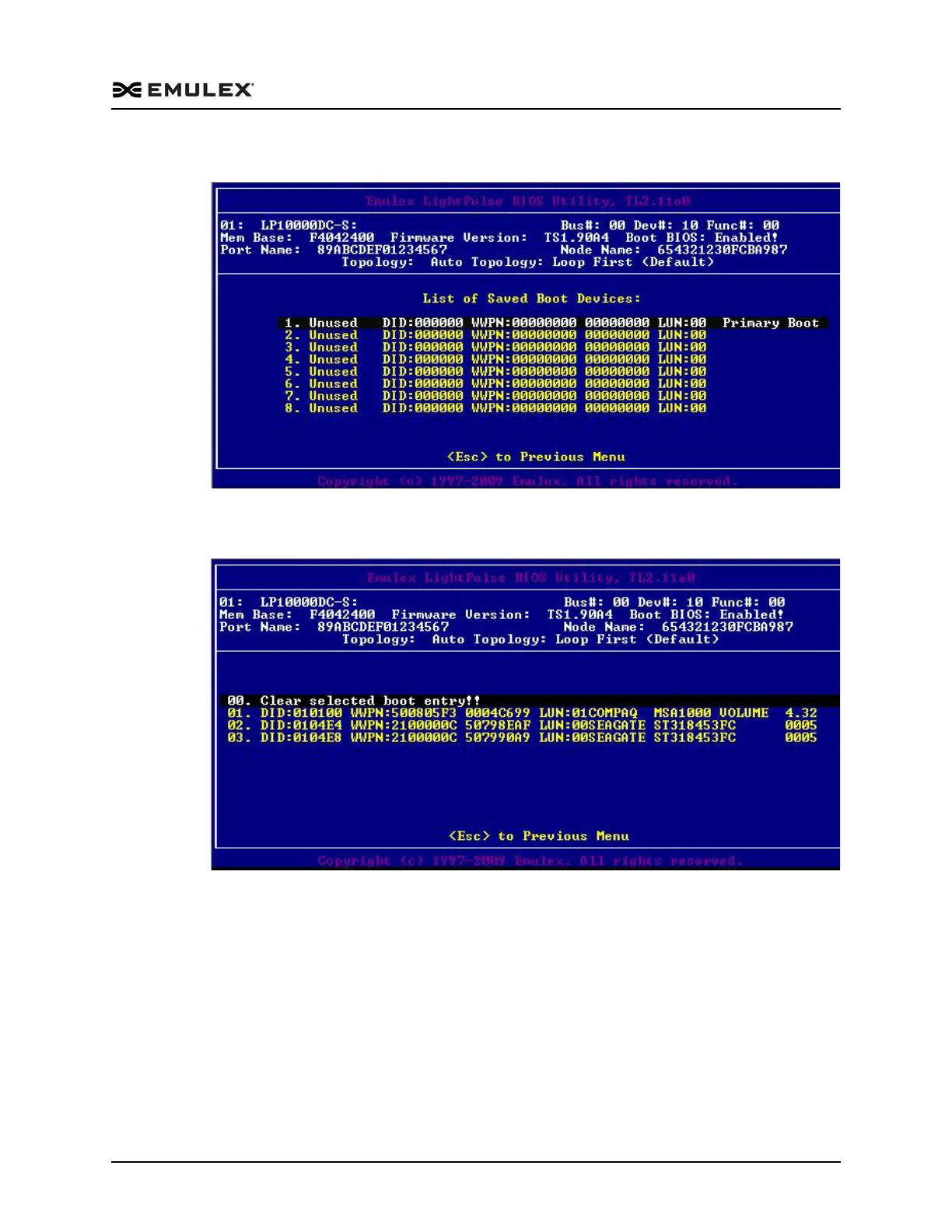
Figure 4-4 List of Saved Boot Devices Screen
2. Select a boot entry. A screen similar to Figure 4-5 is displayed.
Figure 4-5 Device Selection List Example (Array) Screen
Note: To minimize the amount of time needed to locate the boot device, Emulex
recommends that you select the drive with the lowest ALPA as the boot
device when connected to devices on a FC arbitrated loop.
3. Select <00> to clear the selected boot entry, or select a device to configure booting
by WWPN or DID.



 To Next Page