Boot for the Fibre Channel Protocol User Manual P010096-02A Rev. A
6. EFIBoot
Save and Restore Configurations
72
Save the Configuration to a File
Saving a configuration to a file allows you to reuse the configuration at a later time,
such as to restore a changed configuration or to migrate the configuration across other
adapters or systems.
The file must be saved to a formatted storage medium with a valid file system
recognized by the EFI system firmware or boot code. This can include partitioned and
formatted hard drives with a file allocation table (FAT) file system, floppy disk, or USB
device.
To save a configuration to a file:
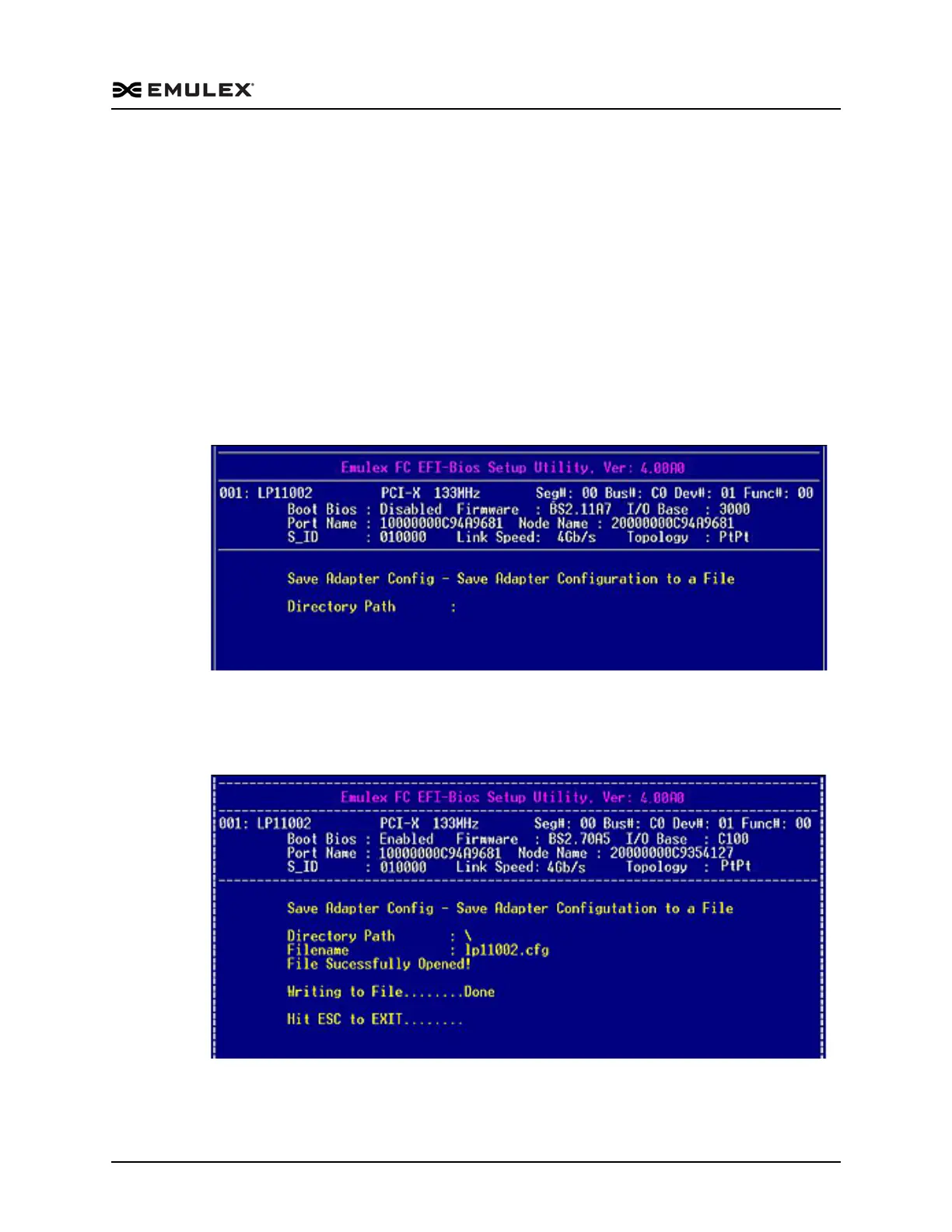
1. On the Save Configuration menu, select 1. Save Configuration to File. The screen
shown in Figure 6-31 prompts you to enter a directory path to the file where the
configuration is to be saved.
Figure 6-31 Save Configuration Path Screen
2. After you enter the directory path, you are prompted to enter the file name. Do so,
and then press <Enter>. The screen shown in Figure 6-32 displays the status of the
save.
Figure 6-32 Completed Save Configuration to a File Screen



 To Next Page