Boot for the Fibre Channel Protocol User Manual P010096-02A Rev. A
4. Emulex BIOS Utility
Configure Adapter Parameters
41
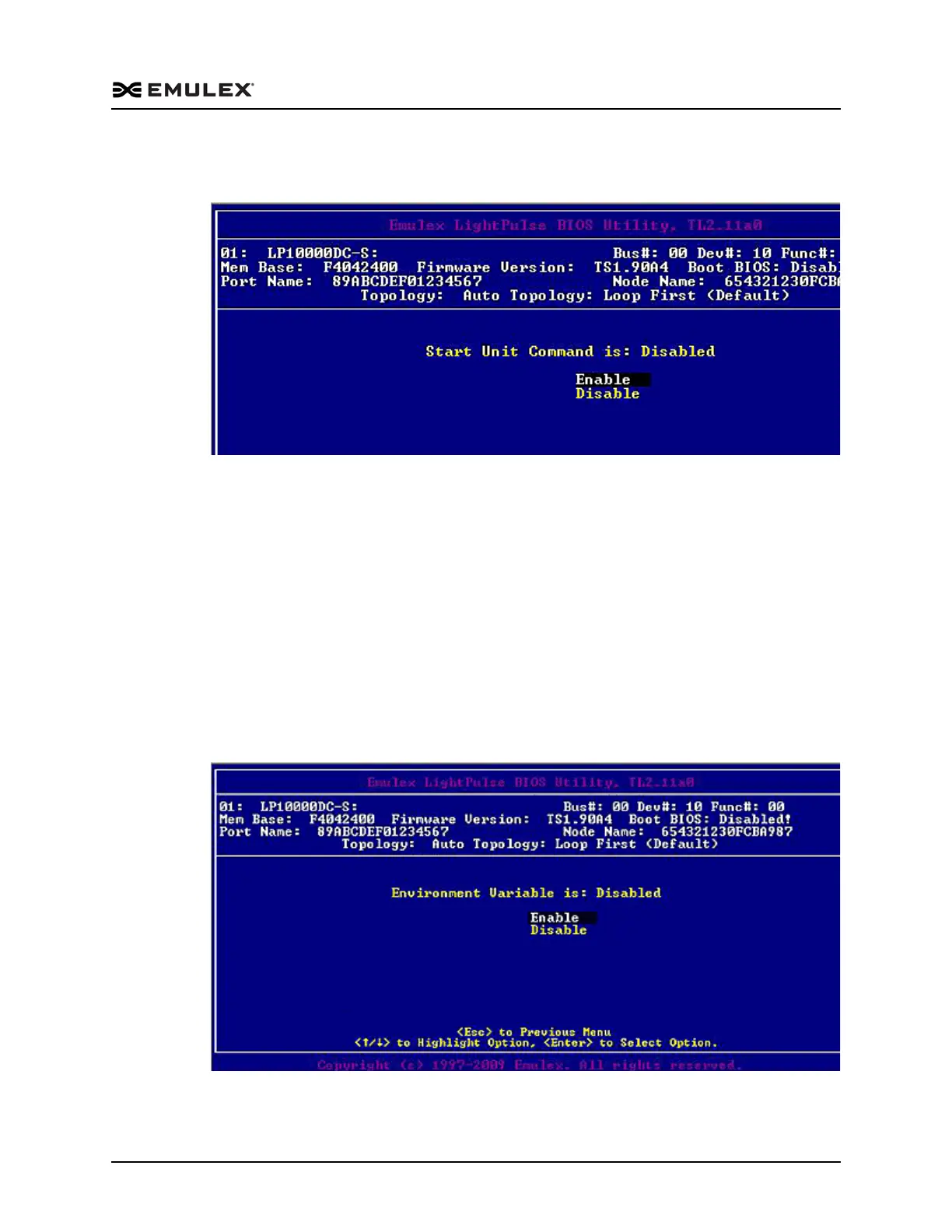
2. Select Enable or Disable. The Enable or Disable Start Unit Command screen
(Figure 4-16) is displayed.
Figure 4-16 Enable or Disable Start Unit Command Screen
3. Press <Esc> until you exit the BIOS utility.
4. Reboot the system.
Enable or Disable the Environment Variable
This option sets the boot controller order if the system supports the environment
variable. The default setting is disabled.
To enable or disable the environment variable:
1. From the main configuration menu (Figure 4-2), select Configure Advanced
Adapter Parameters. The adapter configuration menu is displayed (Figure 4-9).
2. Select Enable or Disable. The Enable or Disable Environment Variable screen
(Figure 4-17) is displayed.
Figure 4-17 Enable or Disable Environment Variable Screen
3. Press <Esc> until you exit the BIOS utility.



 To Next Page