Boot for the Fibre Channel Protocol User Manual P010096-02A Rev. A
6. EFIBoot
Enable or Disable the BIOS
56
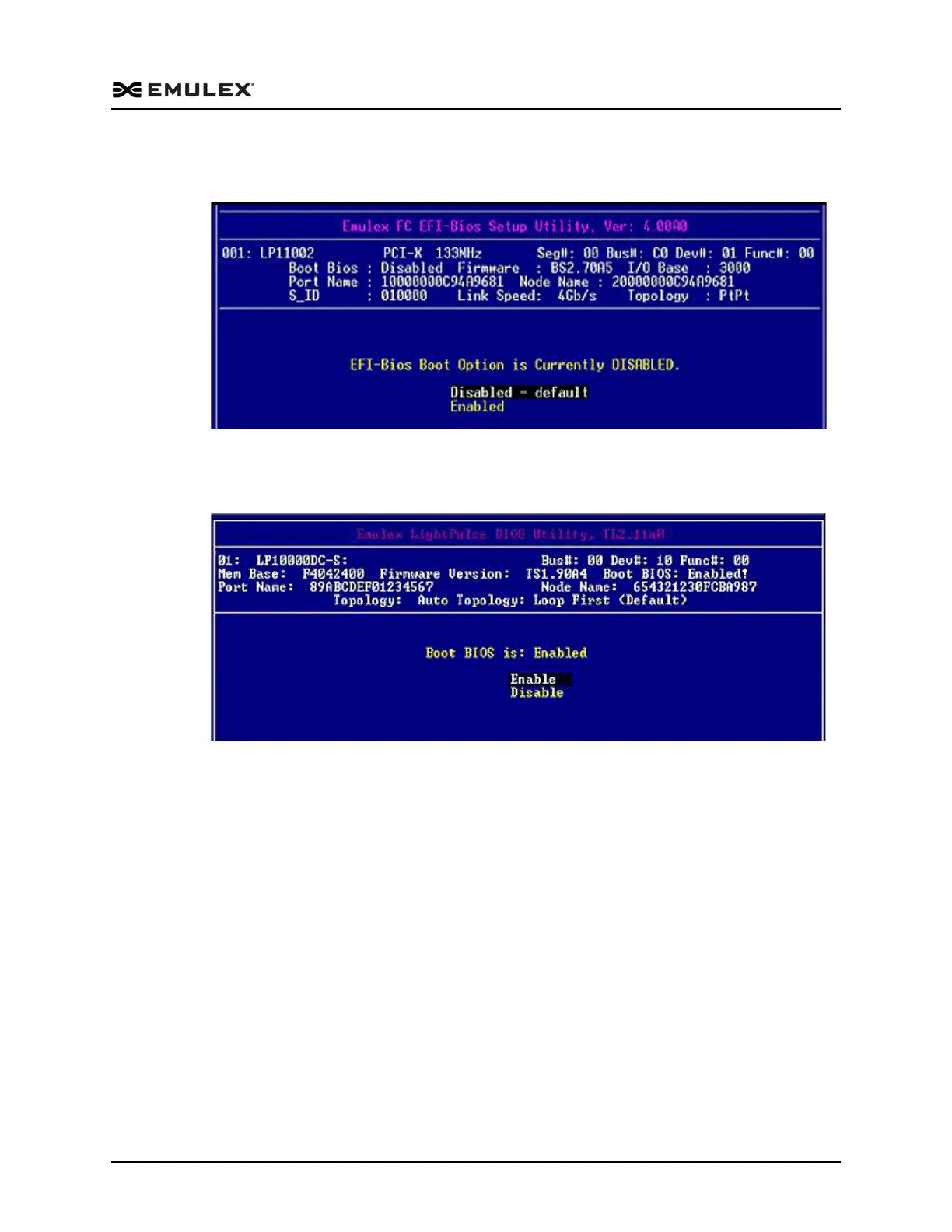
2. Select 1. Enable or Disable BIOS and press <Enter>. The current BIOS status is
displayed (Figure 6-7).
Figure 6-7 BIOS Status Screen
3. If the current status is disabled, select Enabled and press <Enter>. The status
changes to enabled (Figure 6-8).
Figure 6-8 BIOS Enabled Screen
You can configure EFIBoot systems for up to eight boot devices. Configure one boot
device at a time. Press <Esc> to return to the EFI utility menu.



 To Next Page