Boot for the Fibre Channel Protocol User Manual P010096-02A Rev. A
6. EFIBoot
Configure Boot Parameters
65
Configure Boot Devices
This list allows you to select up to eight boot devices that will be enumerated by the
boot driver. Whether they are used for boot or not depends on how you configure the
boot manager in the EFI system firmware or boot code.
To configure an EFI boot device:
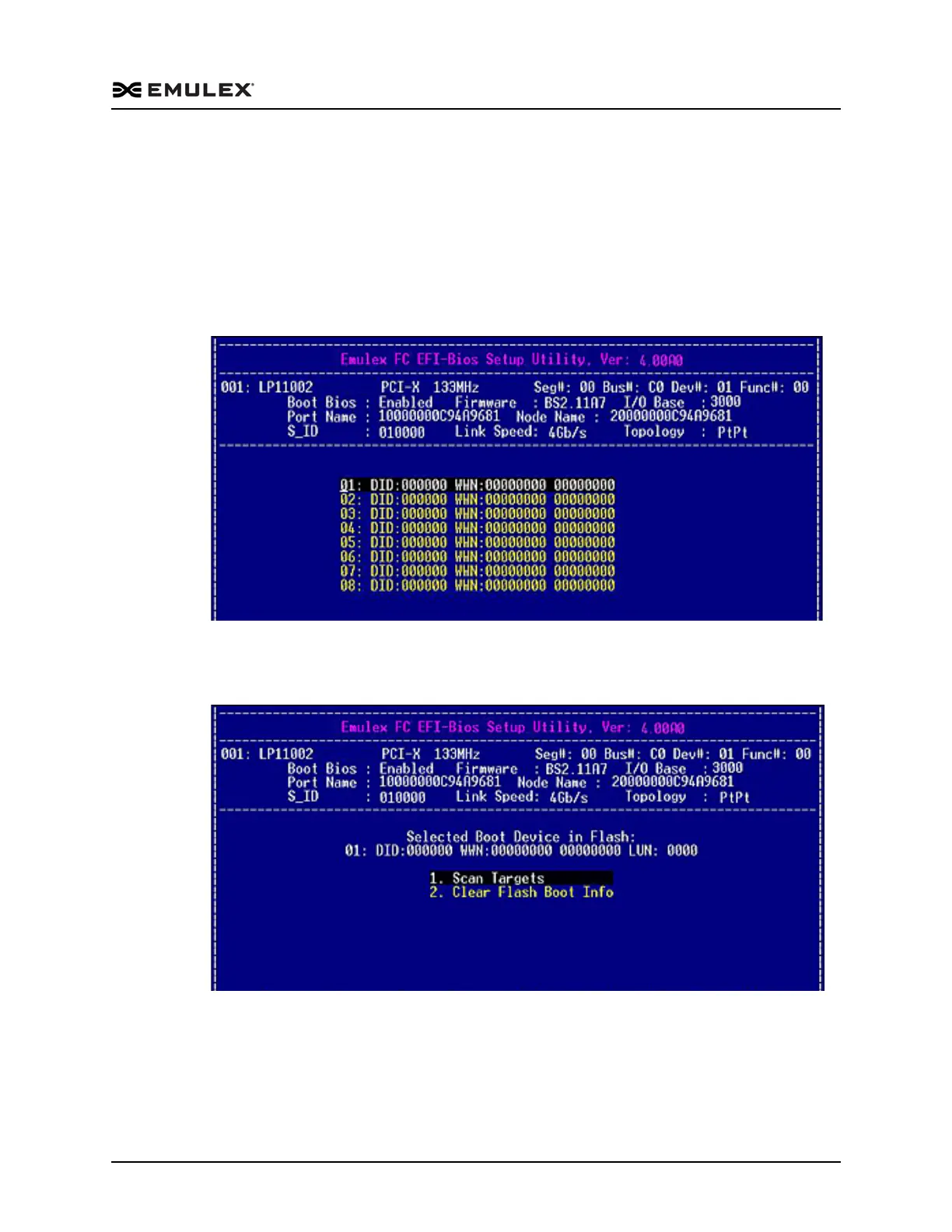
1. On the Boot Configuration menu, select 4. Configure Boot Devices and press
<Enter>. The screen shown in Figure 6-20 is displayed.
Figure 6-20 Device Rows Screen
2. Select a device row and press <Enter>. The screen shown in Figure 6-21 displays
the selected device row.
Figure 6-21 Boot Device Configuration Options Menu
3. Press <Esc> to return to the list of devices.



 To Next Page