Boot for the Fibre Channel Protocol User Manual P010096-02A Rev. A
4. Emulex BIOS Utility
Configure Adapter Parameters
36
Change the PLOGI Retry Timer
This option is especially useful for Tachyon-based RAID arrays. In rare situations, a
Tachyon-based RAID array may reset itself and the port may go offline temporarily.
When the port returns to operation, the PLOGI (port log in) retry interval scans the loop
to discover this device. The PLOGI retry interval is the time it takes for one PLOGI to
scan the whole loop (if 126 ALPAs are on the loop). You can choose:
No PLOGI Retry: 0 msec – default
50 msec takes 5 to 6 seconds per device.
100 msec takes 12 seconds per device.
200 msec takes 22 seconds per device.
To set the interval for the PLOGI retry timer:
1. On the main configuration menu (Figure 4-2), select Configure Advanced Adapter
Parameters. The adapter configuration menu is displayed (Figure 4-9).
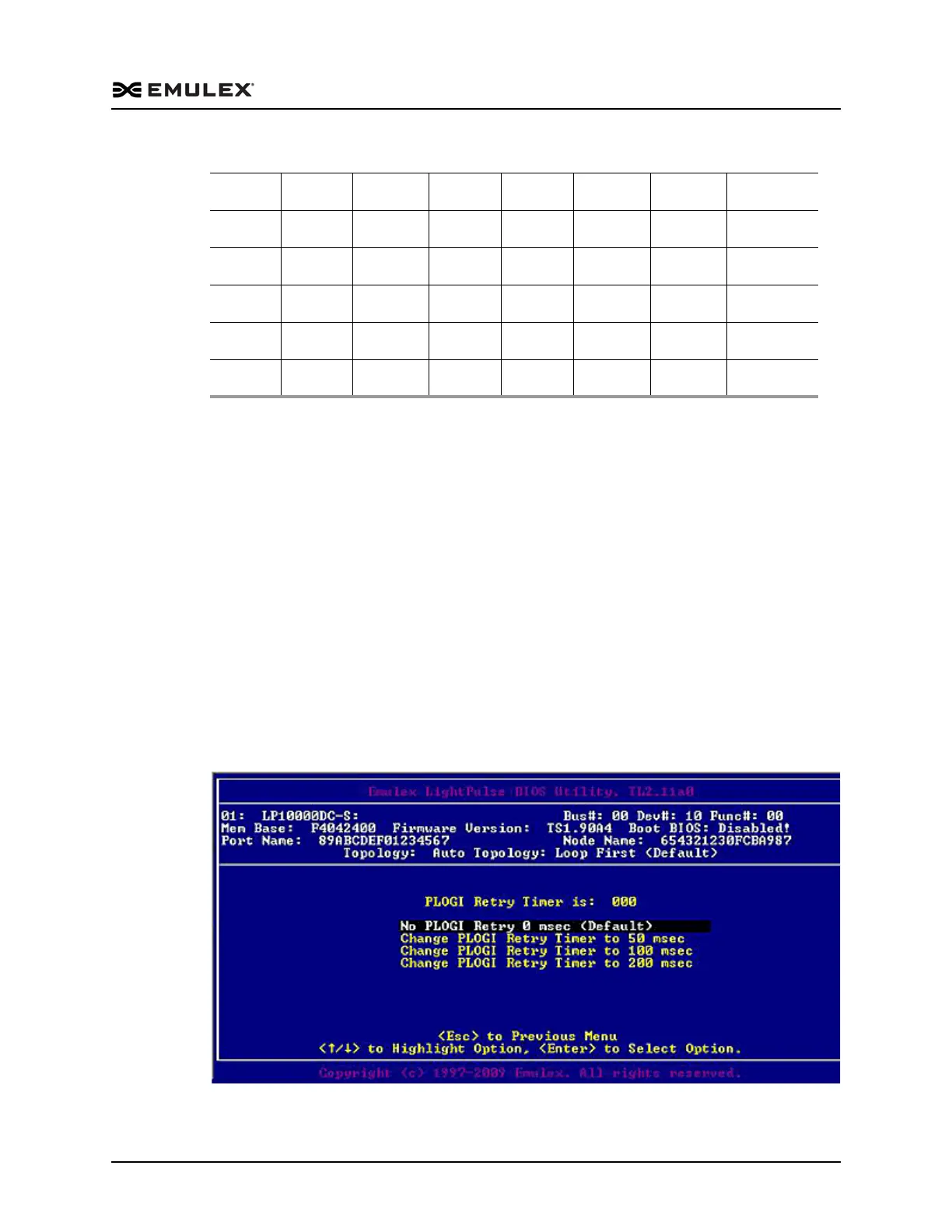
2. Select Change PLOGI Retry Timer. Information similar to Figure 4-11 is displayed.
Figure 4-11 Change the PLOGI Retry Timer Screen
0x9D 0x9E 0x9F 0xA3 0xA5 0xA6 0xA7 0xA9
0xAA 0xAB 0xAC 0xAD 0xAE 0xB1 0xB2 0xB3
0xB4 0xB5 0xB6 0xB9 0xBA 0xBC 0xC3 0xC5
0xC6 0xC7 0xC9 0xCA 0xCB 0xCC 0xCD 0xCE
0xD1 0xD2 0xD3 0xD4 0xD5 0xD6 0xD9 0xDA
0xDC 0xE0 0xE1 0xE2 0xE4 0xE8 0xEF
Table 4-1 Valid ALPA Values (Continued)



 To Next Page