Boot for the Fibre Channel Protocol User Manual P010096-02A Rev. A
6. EFIBoot
Configure Boot Parameters
68
Cancel a Boot Device
To cancel boot device:
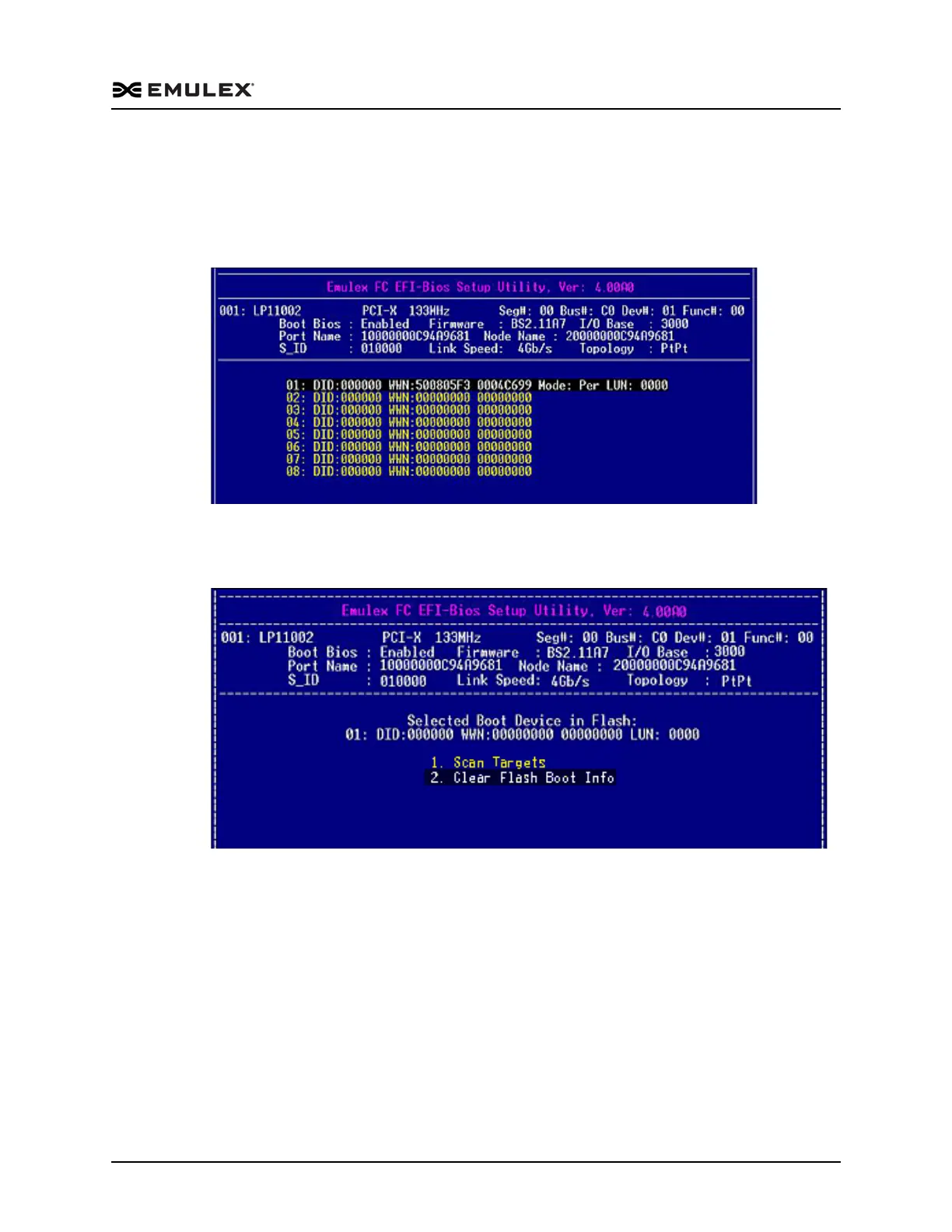
1. On the Boot Configuration menu, select 4. Configure Boot Devices and press
<Enter>. The screen shown in Figure 6-26 is displayed.
Figure 6-26 Boot LUNs
2. Select a device row and press <Enter>. The screen shown in Figure 6-27 is
displayed.
Figure 6-27 Selected Boot Device
3. Select 2. Clear Flash Boot Info and press <Enter>. The system clears the target as
the remote boot device.



 To Next Page