Boot for the Fibre Channel Protocol User Manual P010096-02A Rev. A
6. EFIBoot
Configure Adapter Parameters
60
To change the link speed:
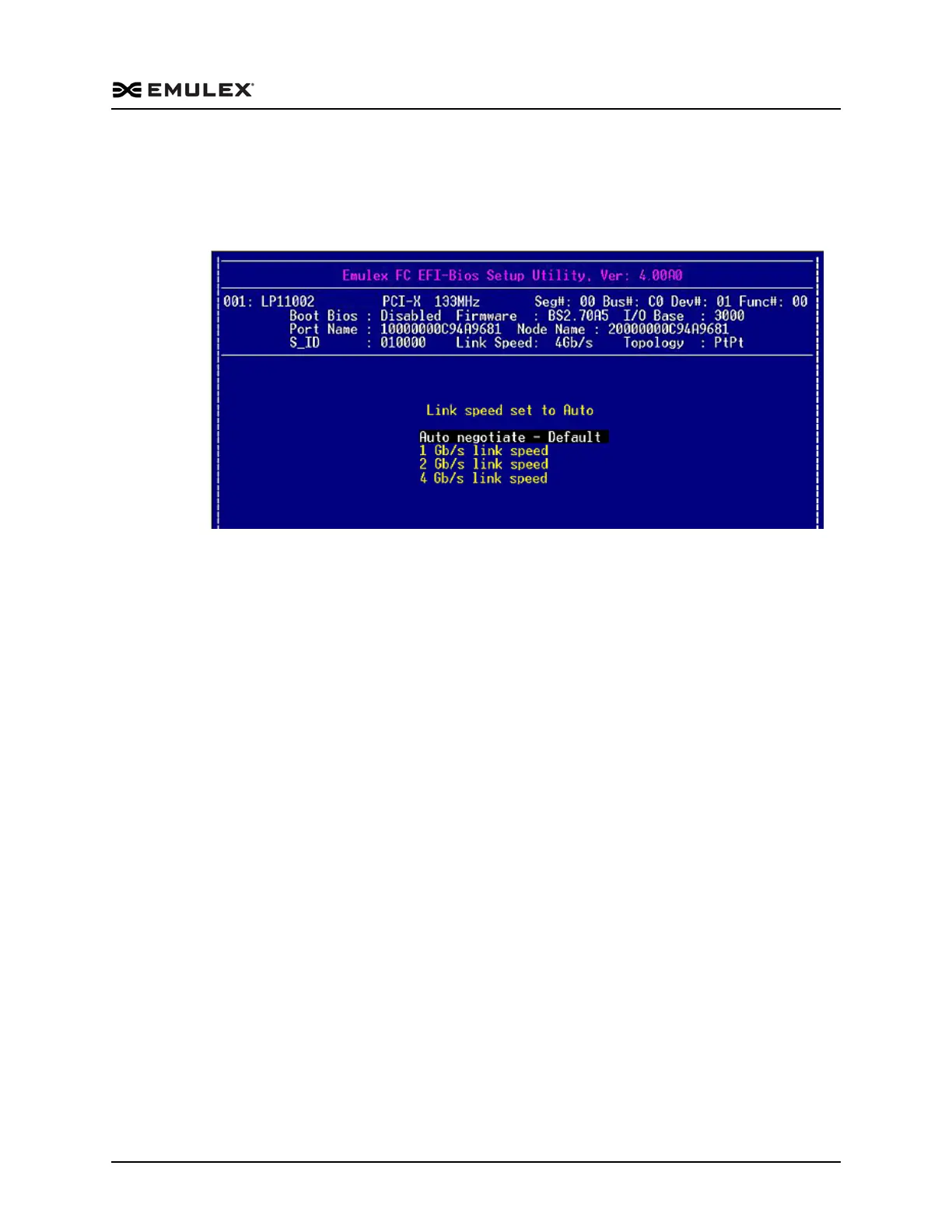
1. On the Adapter Configuration menu, select 4. Force Link Speed and press <Enter>.
A screen similar to Figure 6-13 is displayed. Possible link speeds depend upon your
adapter model.
Figure 6-13 Force Link Speed Setup Screen
2. Use the up/down arrows to select a link speed and press <Enter>.
Possible link speed choices:
1 Gb/s
1 and 2 Gb/s
1, 2, and 4 Gb/s
2, 4, and 8 Gb/s
4, 8, and 16 Gb/s
Note: Emulex 8 Gb/s adapters do not support 1 Gb/s link speed. Emulex 16 G/bs
adapters do not support 1 Gb/s or 2 Gb/s link speed. Additionally, some
older devices do not support auto link speed detection, therefore the link
speed must be forced to match the speed of those devices.
The screen is refreshed with the new value.
3. Press <Esc> to return to the EFI utility menu.



 To Next Page