Boot for the Fibre Channel Protocol User Manual P010096-02A Rev. A
7. Configure EFIBoot via UEFI HII (Human Interface Infrastructure) in a UEFI 2.1 System
Configure Adapter Parameters
94
Change the Topology
Emulex drivers support arbitrated loop and point-to-point topologies. You can
configure:
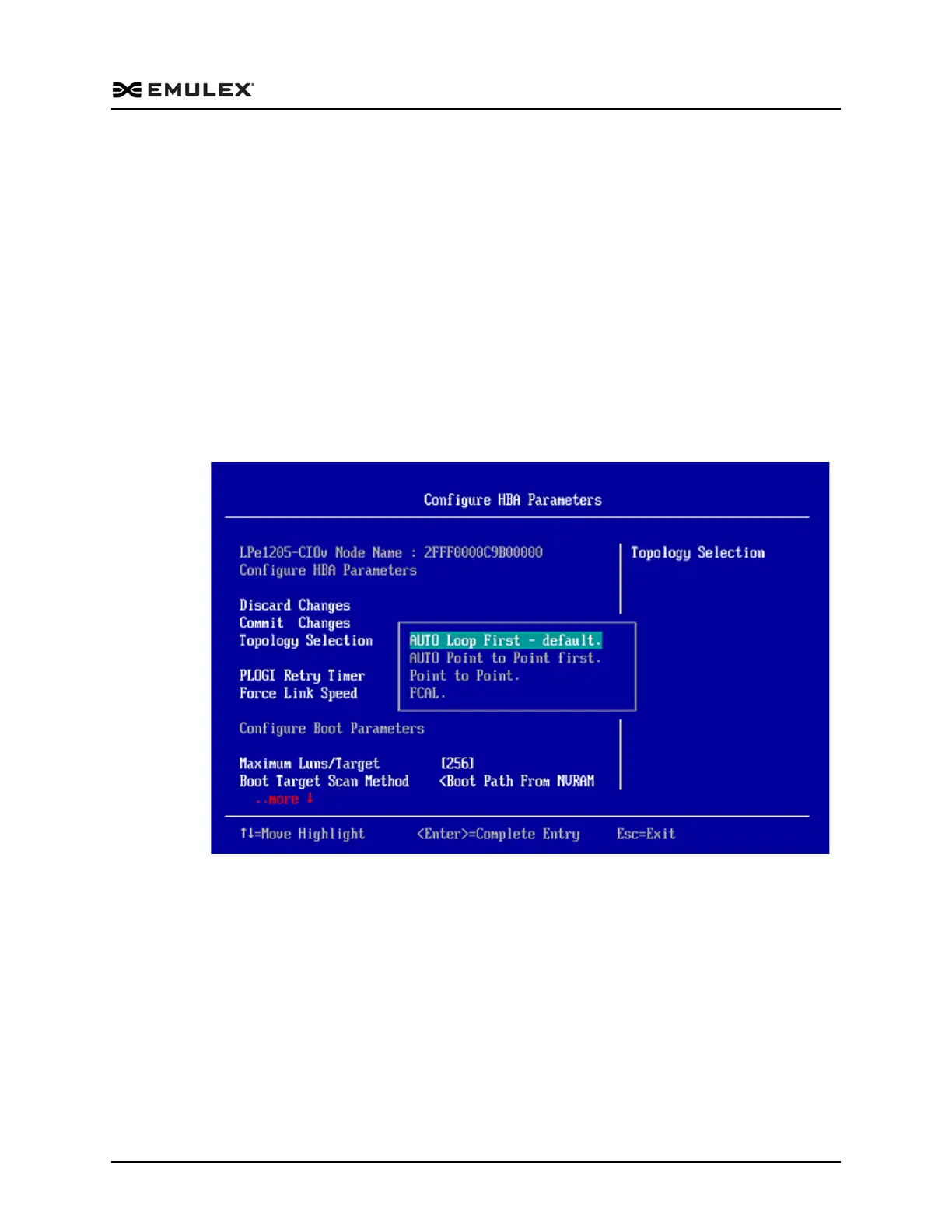
Auto Loop first – default
Auto point to point first
Point to point
FCAL
To change the topology:
1. From the Adapter Selection screen, select the adapter whose topology you want to
change and press <Enter>.
2. From the Configure HBA Parameters menu, navigate to Topology Selection and
press <Enter>. The Topology menu screen appears.
Figure 7-15 Topology Menu
3. Select a topology and press <Enter>. The screen is refreshed with the new value.
The presence of a fabric is detected automatically.
4. Press <Esc> to return to the EFI utility menu.
5. Select Commit Changes and press <Enter>.



 To Next Page