Chapter 2 Getting Started
2-8 ER1 User Guide
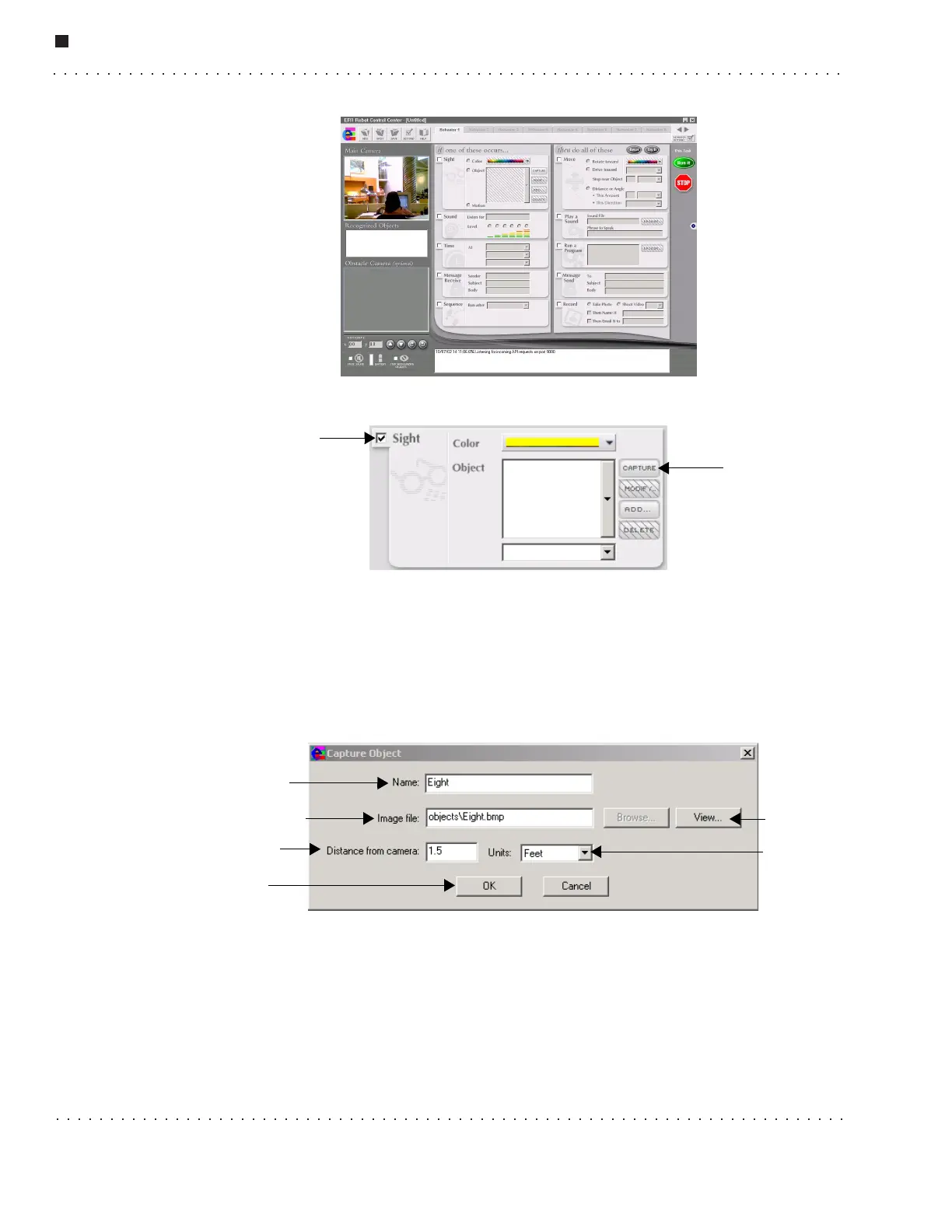
3. Click on the Sight checkbox.
4. Position the piece of paper in front of the robot’s camera. Make sure that the paper
takes up most of the field of view. The paper should be well lit, but sunlight or light of
that magnitude is not recommended.
5. When the paper is properly positioned, click on the Capture button. The image will
be saved.
6. The Capture Object dialog box will appear.
Fill in:
• Name - Type “Eight”.
• Image File - This will automatically change to
Eight.bmp.
Capture button
Sight checkbox
Name textbox
Image file textbox
Distance from
camera textbox
View button
Units
pulldown
menu
Ok button



 To Next Page