ER1 User Guide 2-9
Trying Out the Software
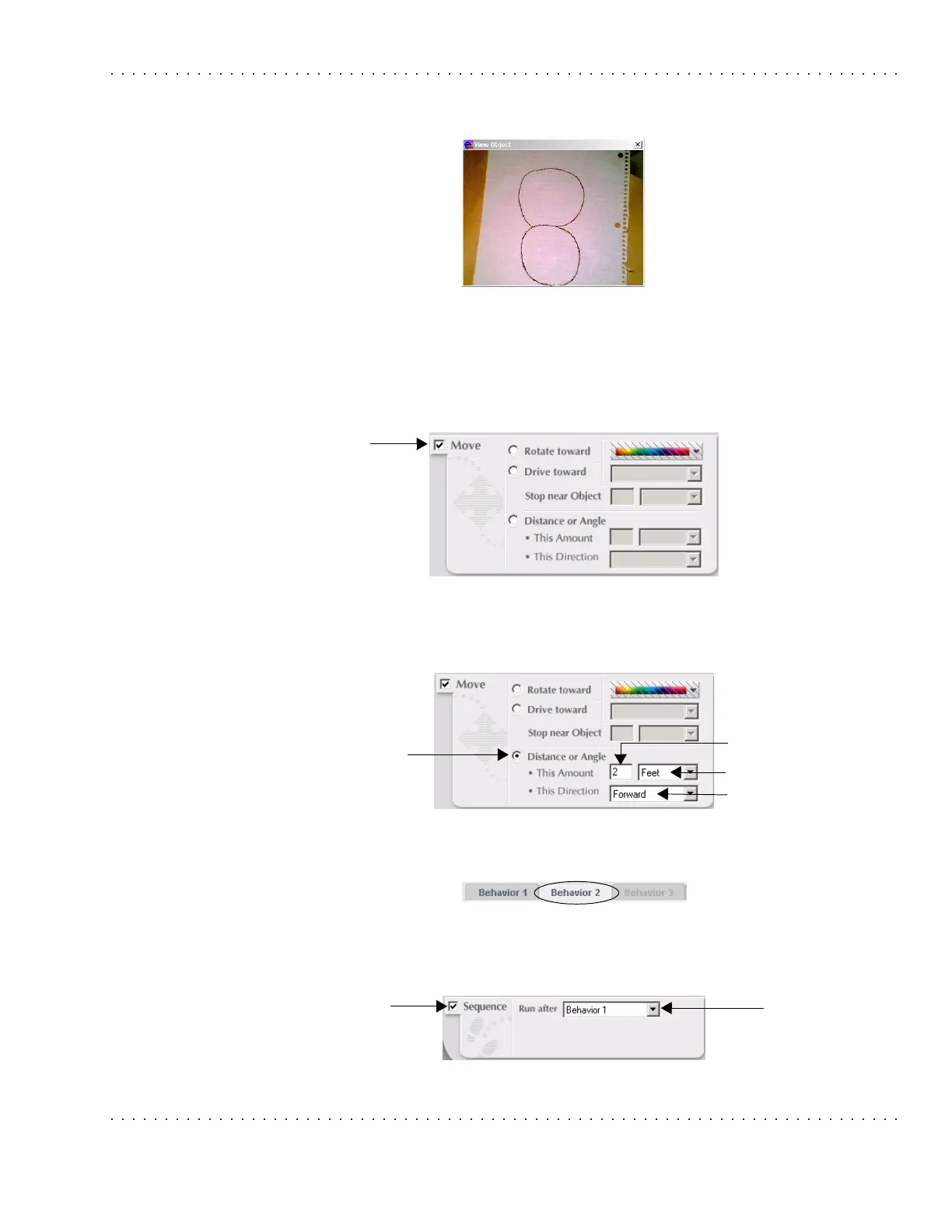
• View button - Click on this and give it a spin. A preview of the image you
captured will be shown. It should look something like this:
• Distance from Camera - Input the distance of the paper from the camera.
• Units pulldown menu - Select a unit for the distance from the camera.
• Click on the Ok button.
7. Click on the Move checkbox.
8. Select the Distance or Angle radio button. In the This Amount textbox, type 2. In the
Unit pulldown menu, select Feet. In the This Direction pulldown menu, select
Forward.
9. Select the Behavior 2 tab at the top of the screen.
10. Click on the Sequence checkbox and select Behavior 1 from the Run after pulldown
menu.
Move
checkbox
Distance or
Angle
radiobutton
This Amount textbox
Unit pulldown menu
This Direction pulldown menu
Sequence
checkbox
Run after
pulldown
menu



 To Next Page