104
4.6.2 Add bearing
To add a bearing to the bearing database click on Add bearing.
Select a manufacturer from the list.
Enter a name for the bearing in the Label field.
Detailed comments may be entered in the Comment field (optional).
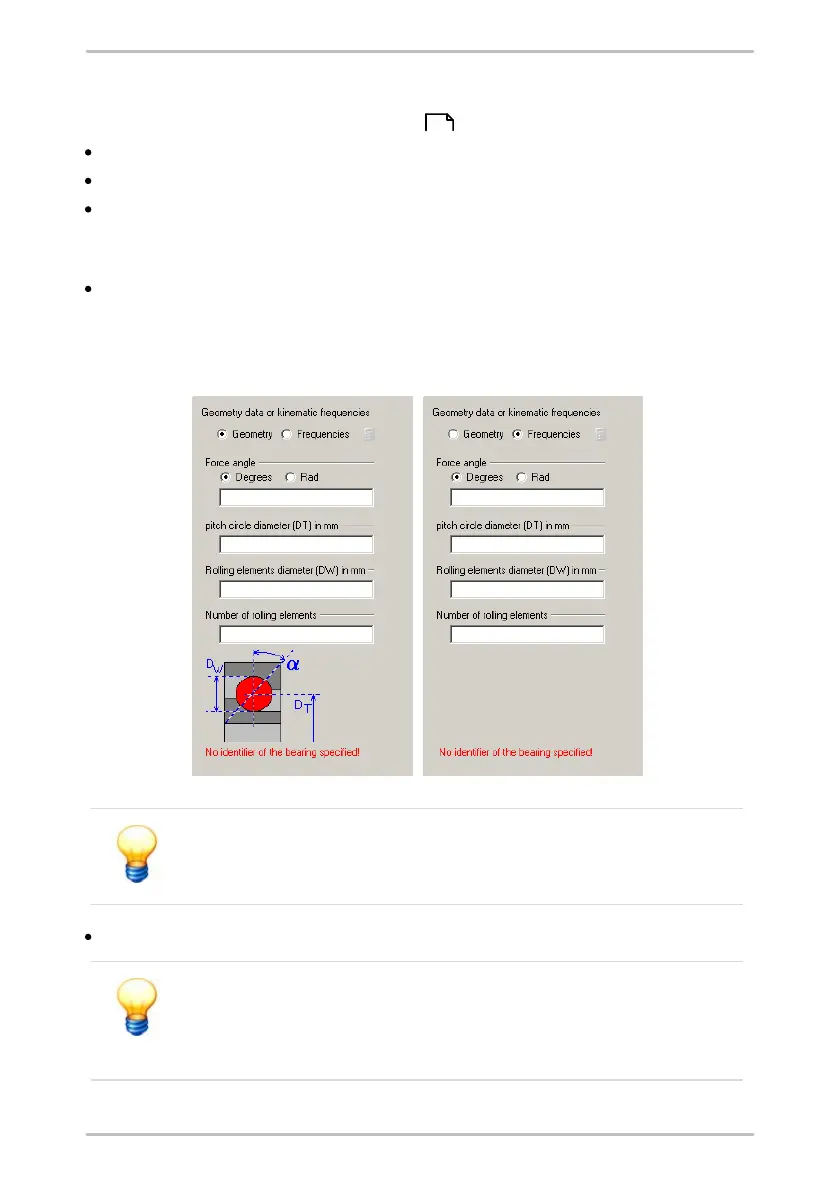
Geometry data or damage frequencies
Use the Geometry and Frequencies options to switch between the input fields
in the right-hand area of the window in order to enter corresponding data.
When inputting the contact angle select either degrees or radians for units.
When specifying the frequencies enter whether these should be in Hz or rpm.
Trendline indicates whether any information still needs to be input
in the bottom right-hand area of the window. The bearing can be
added to the database only if all inputs are completed.
Click on Continue to store the bearing in the bearing database.
If you add or edit a bearing, it is imperative that you check the
plausibility of these data. Ensure that you have entered the correct
values for the bearing data because these are factored into the
calculation.
102



 To Next Page