217
Detector III
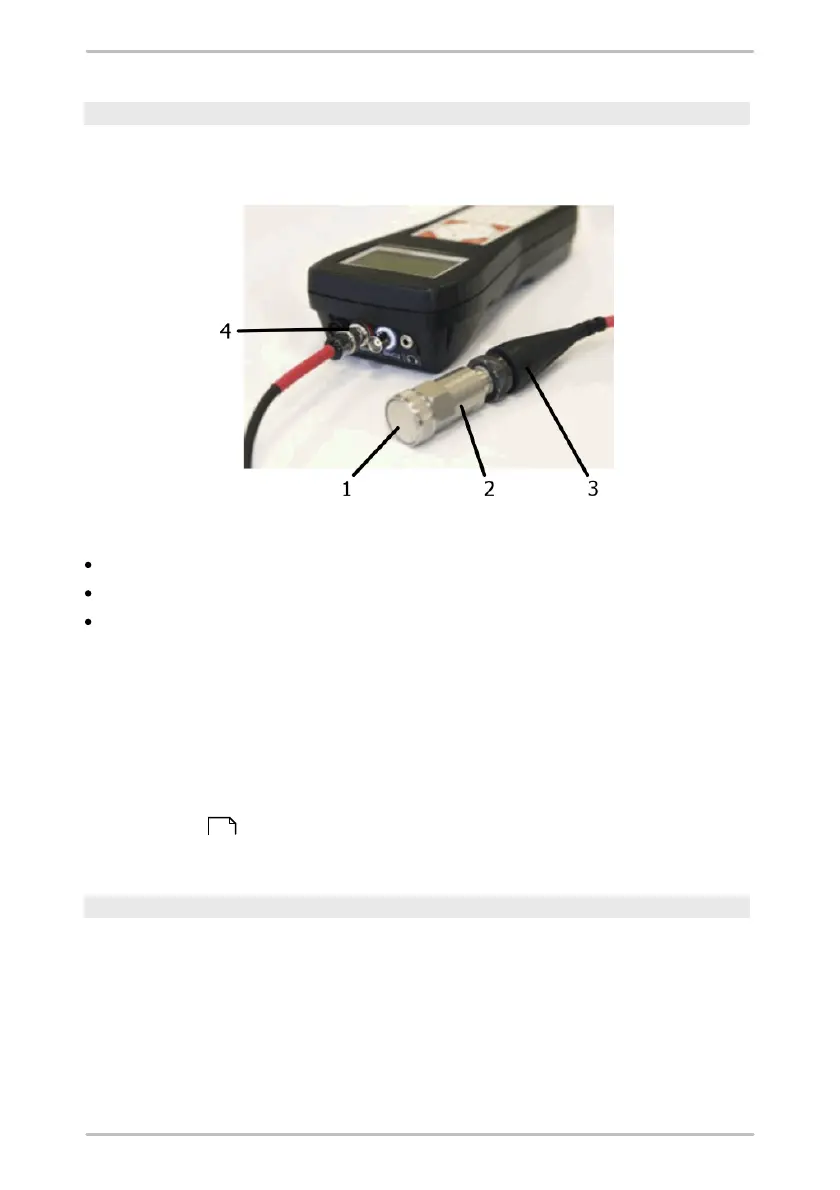
Connect vibration sensor to BNC connector
On the top end of the Detector are two BNC connectors for connecting vibration
sensors.
Mounting a vibration sensor
Screw the magnet (1) on the sensor (2).
Connect the sensor (2) to the sensor cable (3).
Connect the sensor cable (3) with the corresponding BNC connector (4) of the
Detector device, e.g. red cable to red BNC connector.
6.3 Accumulator
The power supply of the Detector is provided by a removable accumulator. The
Detector constantly checks the accumulator charge level. If the accumulator is not
sufficiently charged, the device issues a warning message and then shuts down
automatically.
After Charging the accumulator, the Detector is ready for use again. The
accumulator stays connected to the device during charging.
Checking accumulator charge level
Click Battery status in the System menu to check the accumulator charge level.
The accumulator charge level is displayed graphically and in % of maximum
capacity.
218



 To Next Page