233
Detector III
Universal characteristic values are displayed in the Detector
without unit. To assign later what has been measured with this
parameter, you should entitle the characteristic value accordingly
(e.g. "Machine temp. [C]"). In the Trendline software you can edit
the name in the "General settings" tab. On the Detector you can
only change the name in the settings of free measurements.
6.7.6 Measuring with temperature sensor
If you want to measure the temperature of a selected measurement point in
addition to other characteristic values, the characteristic value Temperature has
to be set up for this measuring point using the Trendline software.
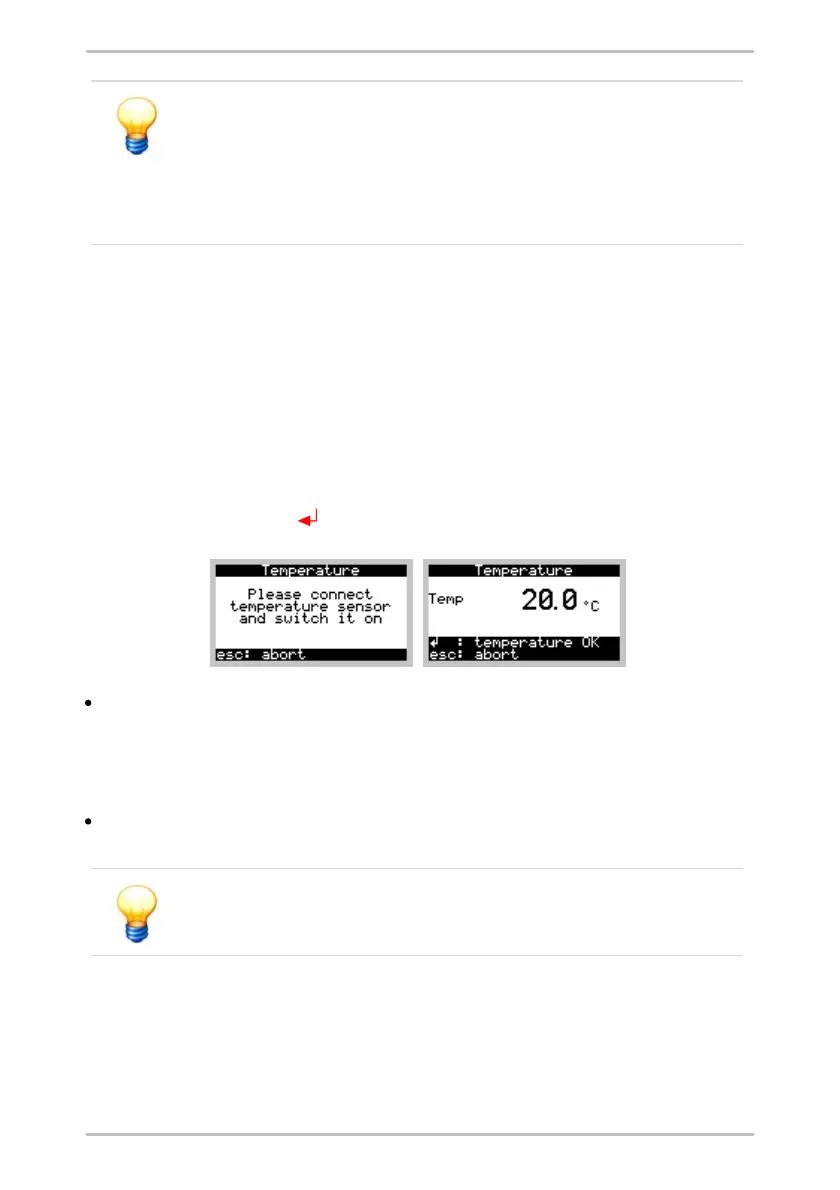
First, the Detector will record all vibration values. Prior to measuring the
temperature you will be prompted to connect, or switch on respectively, the
temperature sensor. The Detector takes about 5 seconds between connecting
and switching on for initializing the temperature sensor. The current temperature
value is displayed during the measurement. You can accept this value by
pressing the Enter button .
The temperature sensor Raynger IP-M switches itself off automatically after a
couple of minutes, even if the switch remains ON. If the display prompts you to
turn on the temperature sensor, even though the switch is ON, turn it off and on
again. If that does not help either, the battery of the temperature sensor is
probably dead. Please replace it.
You can see from the display that the Tecpel temperature sensor has switched
itself off. You can switch this sensor back on immediately if required.
Further information about the temperature sensor in the manual
"Principles of non-contact temperature measurements".
6.7.7 Using the headset
When using the headset, first the sensor is initialized and the amplifier set, the
same as with any measuring procedure. You will then be prompted to connect
the headset. The amplification factor of the signal is set automatically, shown in



 To Next Page