21
Before you start
3 Before you start
The RFID kit or RFID Detector up to version F3 is delivered with three snap
ferrites. These must be attached to the three sensor cables (cables for the
acceleration sensors as well as trigger sensors) of the Detector.
Snap-on ferrite
Ferrites prevent electromagnetic disturbances from the Detector
from affecting other electronic devices nearby.
From RFID Detector version F4 snap ferrites are no longer
needed.
Attach ferrites
Lay the sensor cable in the groove of the snap-on ferrite.
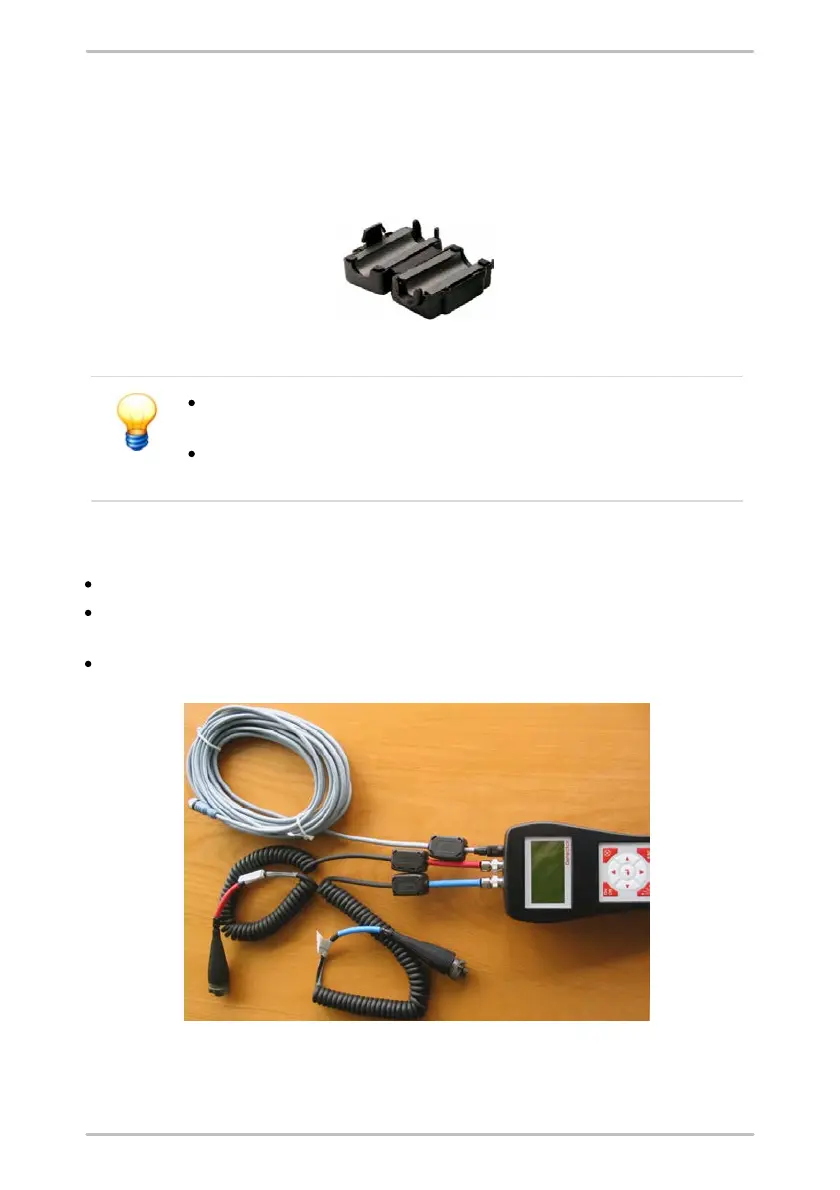
Arrange the cable as shown in the picture below. Please note that the ferrites
must be attached as closely to the Detector as possible.
Close the snap-on ferrite so that it is tightly around the cable and snaps.
Ferrites attached to sensor cables



 To Next Page