159
FIS Viewer
information can be displayed or removed for each diagram with Ctrl+U.
The measuring information for the Trendline Viewer shows important
measurement data according to the diagram type. This measuring information is
always visible in the diagram and cannot be removed.
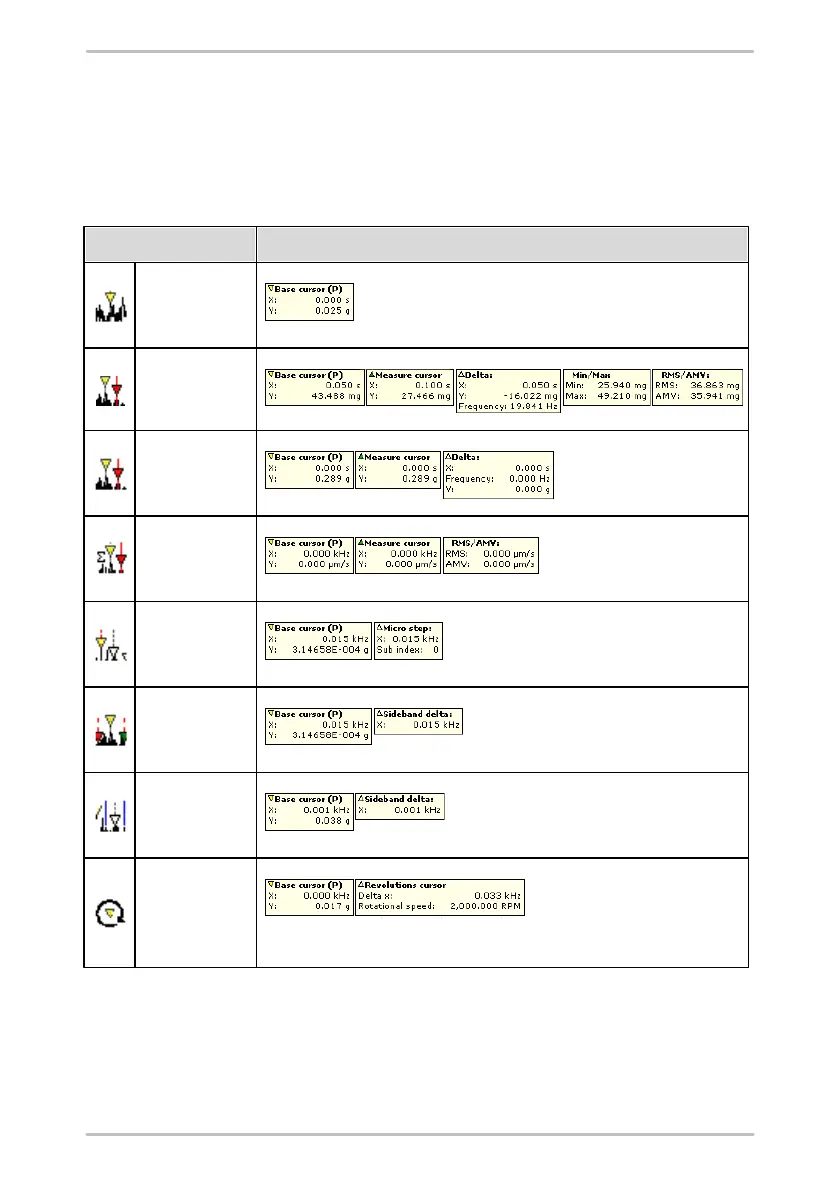
The table below shows the corresponding values displayed in the cursor
information for the currently active cursor type:
Displayed cursor information
5.2.6 The diagram information bar
You can find the diagram information bar in the right-hand column of the working
area. This column contains additional information on the diagram currently
selected and can be displayed or hidden as required.



 To Next Page