93
Trendline 3
4.5.2 Select database on server
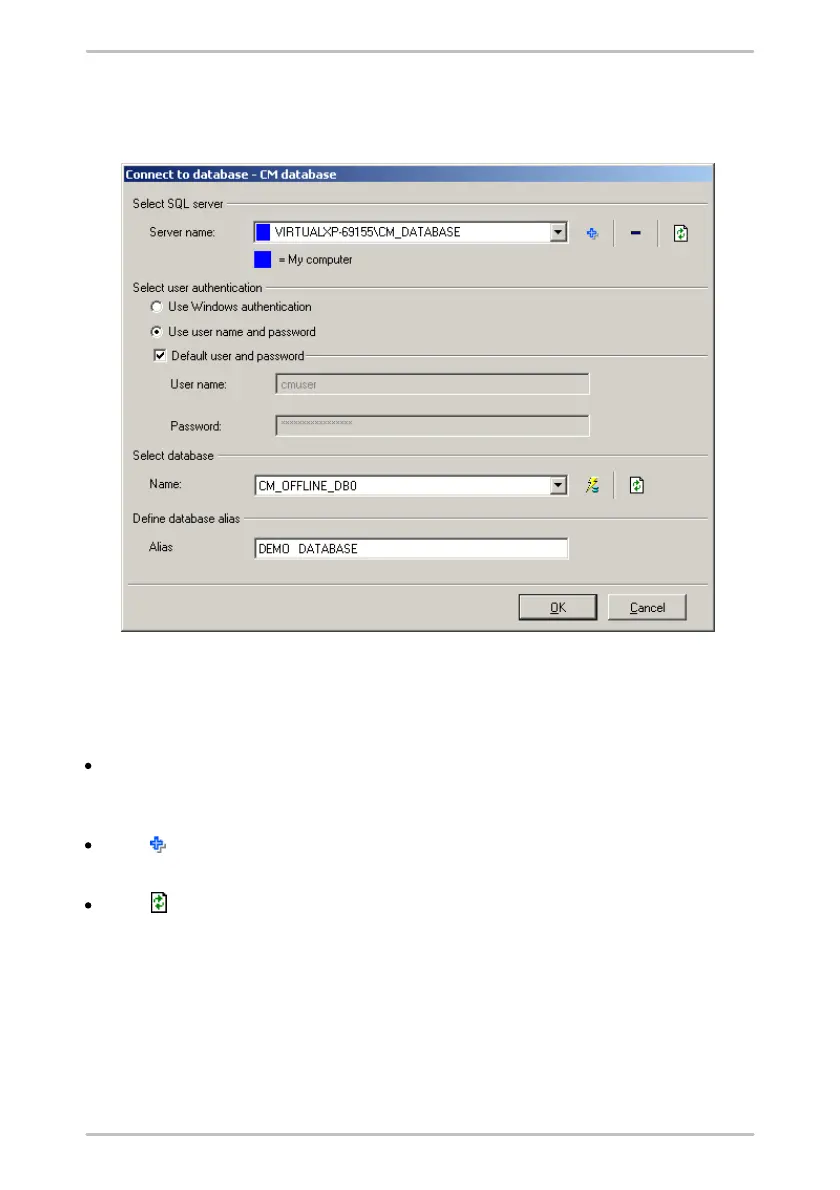
You can select a CM database on a database server as follows:
1. Select SQL server
First select the SQL database server where the database is located. You have the
following options:
By default, the Server name list displays the server instances running on your
computer. Select an instance.
Or:
Click and enter the full server name.
Or:
Click to search the SQL database servers that are available in the network
and display them in the server list. Then select the server from the list.



 To Next Page