39
Trendline 3
this, check the box Don't show this message again.
Manual query
To manually start the update of the Trendline software or Detector firmware, click
on
Extras > Check for Trendline updates (Trendline) or
Detector > Check for firmware updates (Detector).
4.2.2 User interface
4.2.2.1 Main window
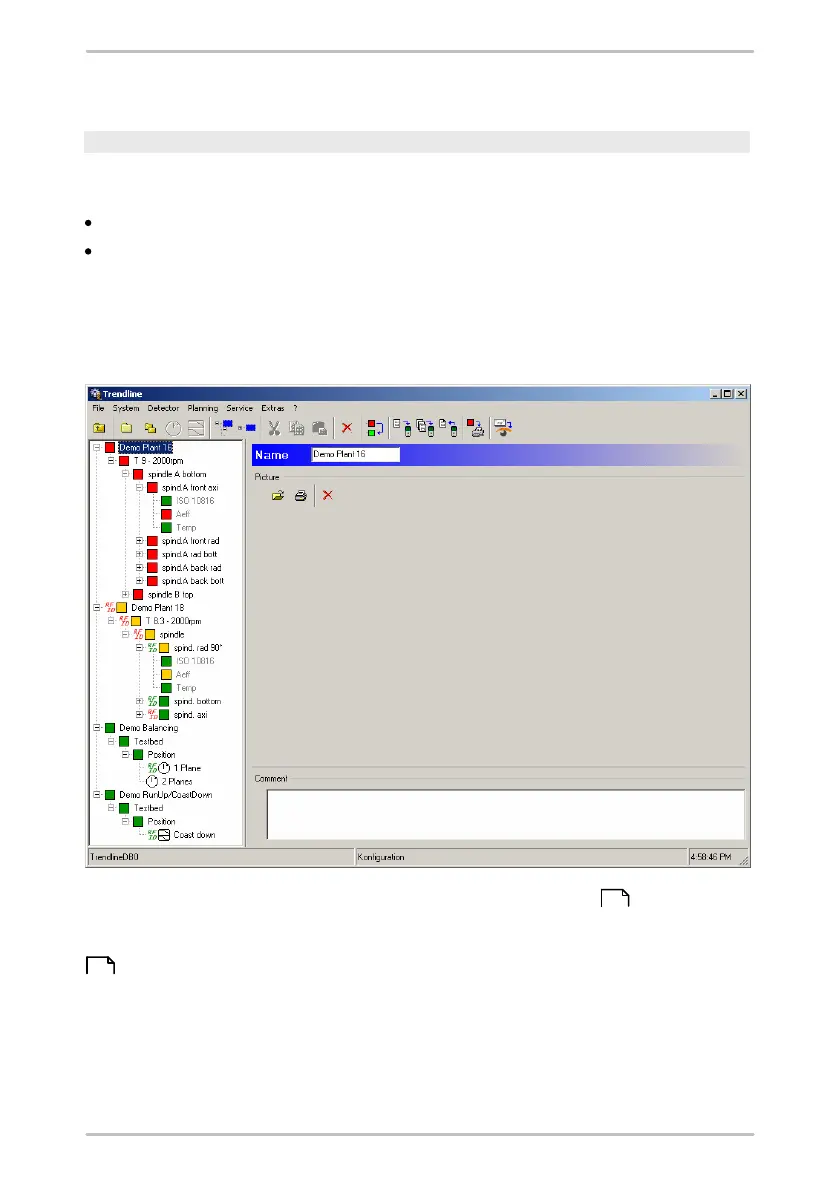
At the top edge of the main window you will find the menu bar . Here you can
access the various program functions with the different menu bar items.
Frequently used functions can also be activated using the buttons in the toolbar
.
On the left-hand side of the window the structure of the configuration for the
system you are monitoring is displayed in the form of a directory tree. The highest
structural element are the "Configurations", which are split in descending order
into the levels "Section", "Machine" and "Measuring Point". This ensures that a
measuring point within a configuration is clearly defined by its name and name of
40
43



 To Next Page