212
6 Detector III
Detector III is a hand-held measuring instrument with data recording function for
offline monitoring of systems and machinery (condition monitoring). For this
purpose, the instrument senses vibrations at pre-determined measuring points
using a Detector and works out the RMS values of vibration velocity, acceleration
in vibration and demodulation, the so-called characteristic values, for
characterizing machine or component condition. In addition, Detector can
measure temperatures using an infra-red sensor.
6.1 Operation
6.1.1 Keypad
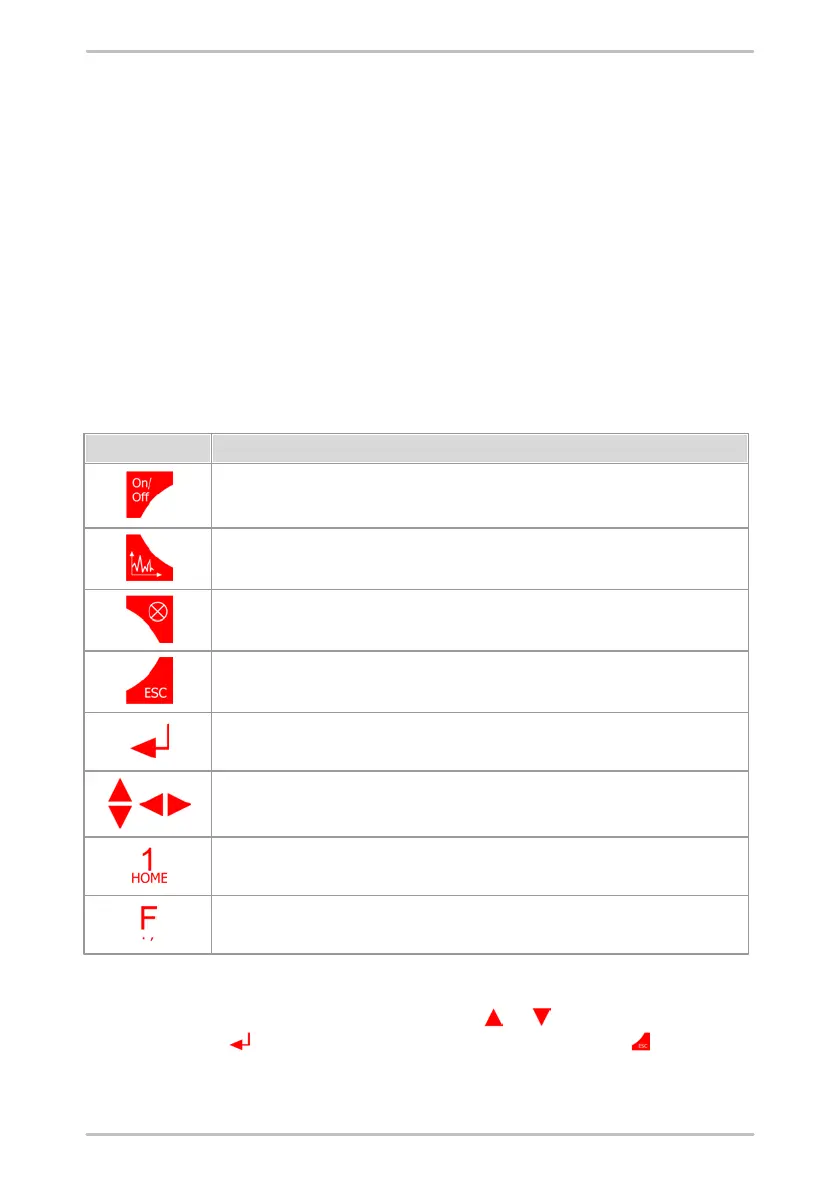
Detector III is exclusively operated via the keys on the membrane keypad. The
following table explains the meaning of the different keys:
On/off key:
Switches device on and off.
Time signal key:
To display the time signal, FFT and Trend after measurements.
Lighting key:
Switches the display lighting on and off.
Esc key (Escape/Cancel key):
Cancels an action, goes back one menu level.
Enter key:
Confirm selection. Both input keys perform the same function and are equally valid.
Cursor keys:
Moves cursor in direction of arrow.
HOME key:
Go directly to the main menu from any menu.
Function key:
Call up special functions or to set a decimal point when entering numbers.
Navigating in the menus
Menu items can be marked using the cursor key or . To select a menu item
use the enter key . You can go back one level using the ESC key .



 To Next Page