232
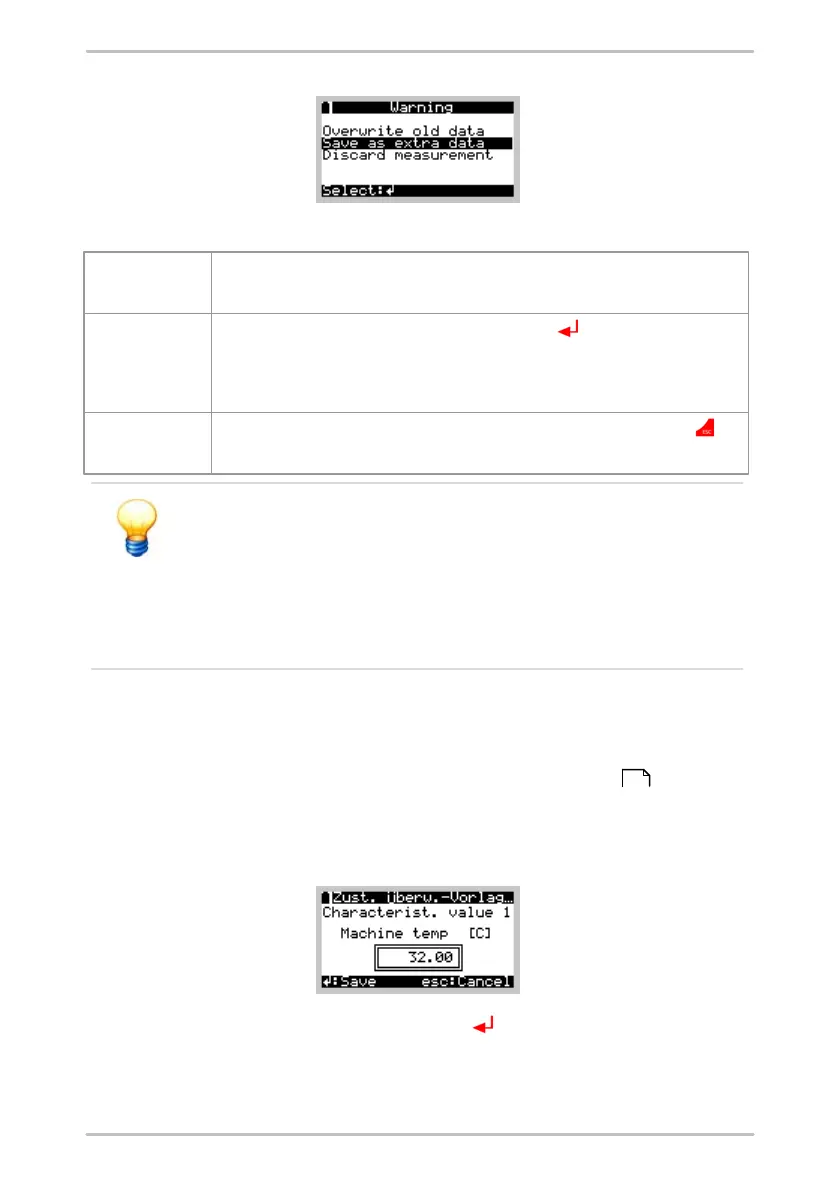
You can now choose from three options in this menu:
The last saved measurement of this measuring point will be overwritten. The time
signals that belong to the last measurement will also be overwritten.
If you select this item and confirm with the Enter button , this measurement is
saved as an additional measurement. In the Trendline software it appears as an
additional measurement of the same measuring point. The time signals are also
saved, when this is required.
The measurement is not saved. This corresponds to pressing the Esc button
immediately after the measurement.
Bear in mind that multiple measurements can be saved only if
sufficient memory is available. If insufficient space is available in
the memory for additional time signals these will not be saved,
even if the option "Always save time signals" is activated in the
configuration. If the memory no longer has the capacity to store
characteristic values it will not be possible to save the values
obtained during multiple measurement.
6.7.5 Measuring with universal characteristic value
To enter a characteristic value at a selected measuring point that is not
measured by the vibration or temperature sensor, you can set up a universal
characteristic value in the Trendline software. After the Detector recorded all
vibration values, you will be requested to enter a value for the universal
characteristic value.
Accept this value by pressing the Enter button . If you have configured several
universal characteristic values for a measurement, they will be requested
sequentially.
65



 To Next Page