215
Detector III
The accumulator symbol (top left in the display) informs you about the current
accumulator condition.
Display of longer lines
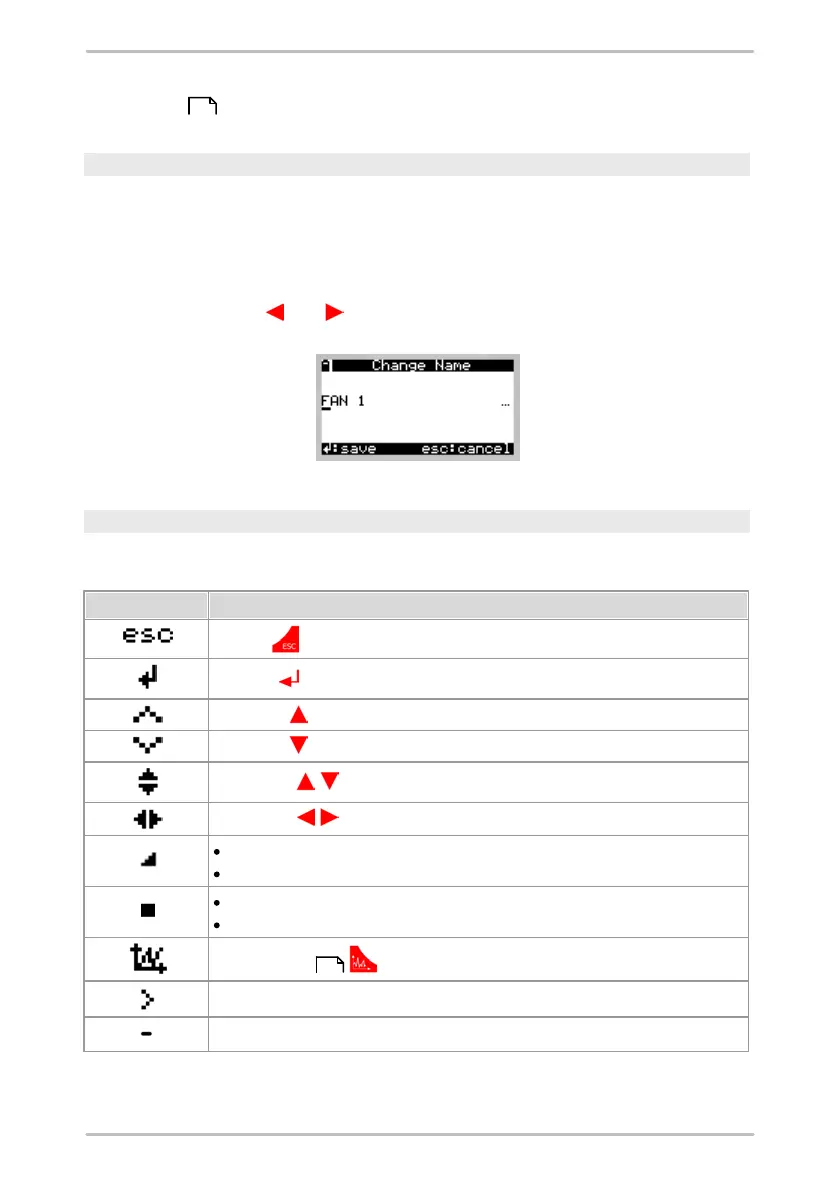
The Detector can display names that are up to 49 characters long. However,
because the Detector can only display a maximum of 21 characters in a line,
longer lines are indicated by an ellipsis ("..."). This indicates that there are
additional characters to the left or right of the text currently being displayed.
To display parts of the line that are not currently visible, navigate in the display
using the cursor keys and until you see the desired portion of text.
Icon explanation
Several icons are used in the Detector to guide the user. In the following table
these icons are explained:
sub-tree has been measured partially, or
the balancing job has been started, but has not yet finished.
sub-tree has been measured completely, or
a balancing job has been finished.
is displayed in front of a menu entry if this entry can be selected.
is displayed in front of a menu entry if this entry cannot be selected.
217
212



 To Next Page