255
Detector III
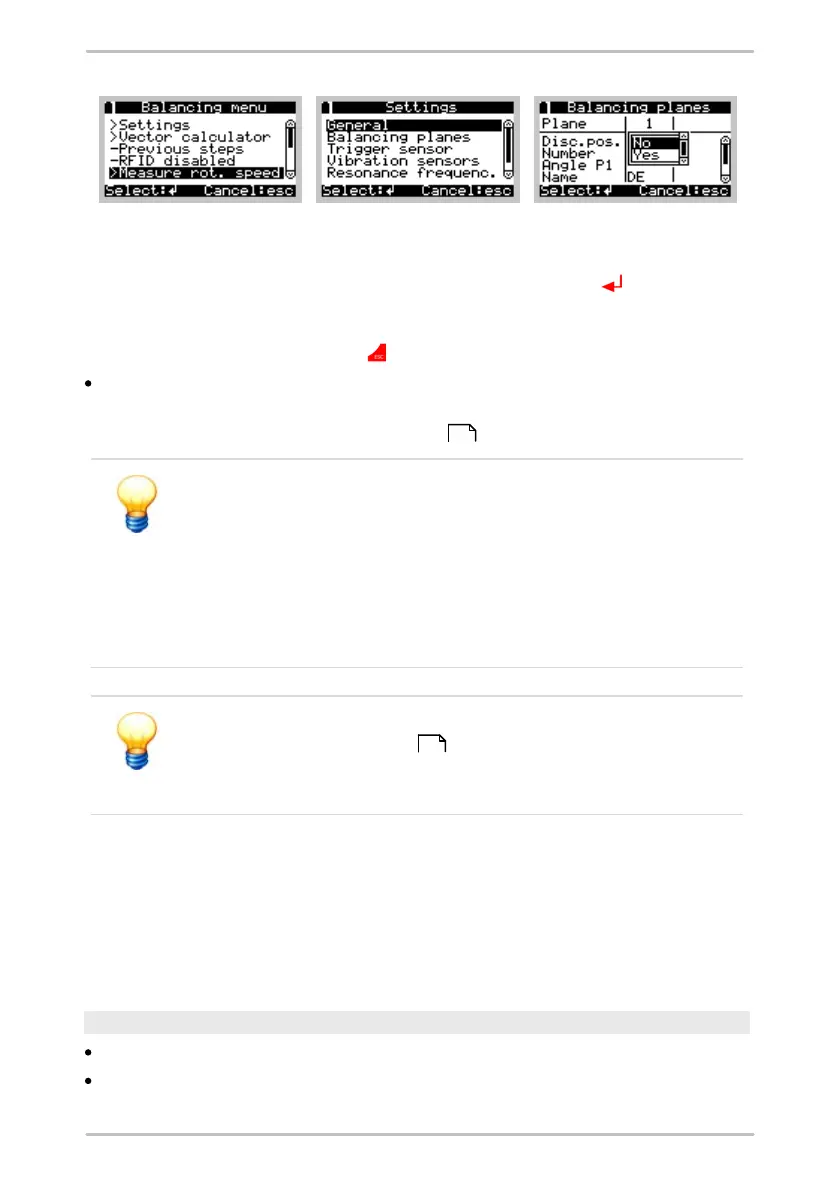
When carrying out a free measurement all other values can be changed in
addition to the template name. To do this, select the Settings item in the menu.
You can now select the relevant values using the Enter button . Depending on
the type of setting, you can now type in a new value directly, make a selection from
a drop-down menu or modify an item of text as described above. Leave the
settings menu with the Esc button .
Select Measure rotation speed to begin the measuring procedure.
From this point onwards the sequence for the measuring procedure is identical
to the performing a balancing measurement .
If you modify the balancing unit while performing a free
measurement (Type of vibration unit), the limit value for the
balancing measurement (Balancing OK at) is reset to 0. The
previous value is no longer applicable for the new balancing unit.
You should always adjust the limit value in this case; otherwise, the
Detector will never be able to complete the balancing
measurement and you would have to complete balancing
manually.
You can change the settings for the free balancing measurement
until the first reference run has been completed and saved.
Afterwards, your settings are locked and can no longer be
changed.
Continue balancing measurement
Once the Detector has been switched on, you can resume a free measurement
that was started previously. To do this, select Balance > New position > Previous
data and then the required measurement. You can now continue with balancing
process as usual.
Free run up / coast down measurement
Position the sensor at the desired measuring point.
Select Run up / coast down > New measuring point.
234
240



 To Next Page