262
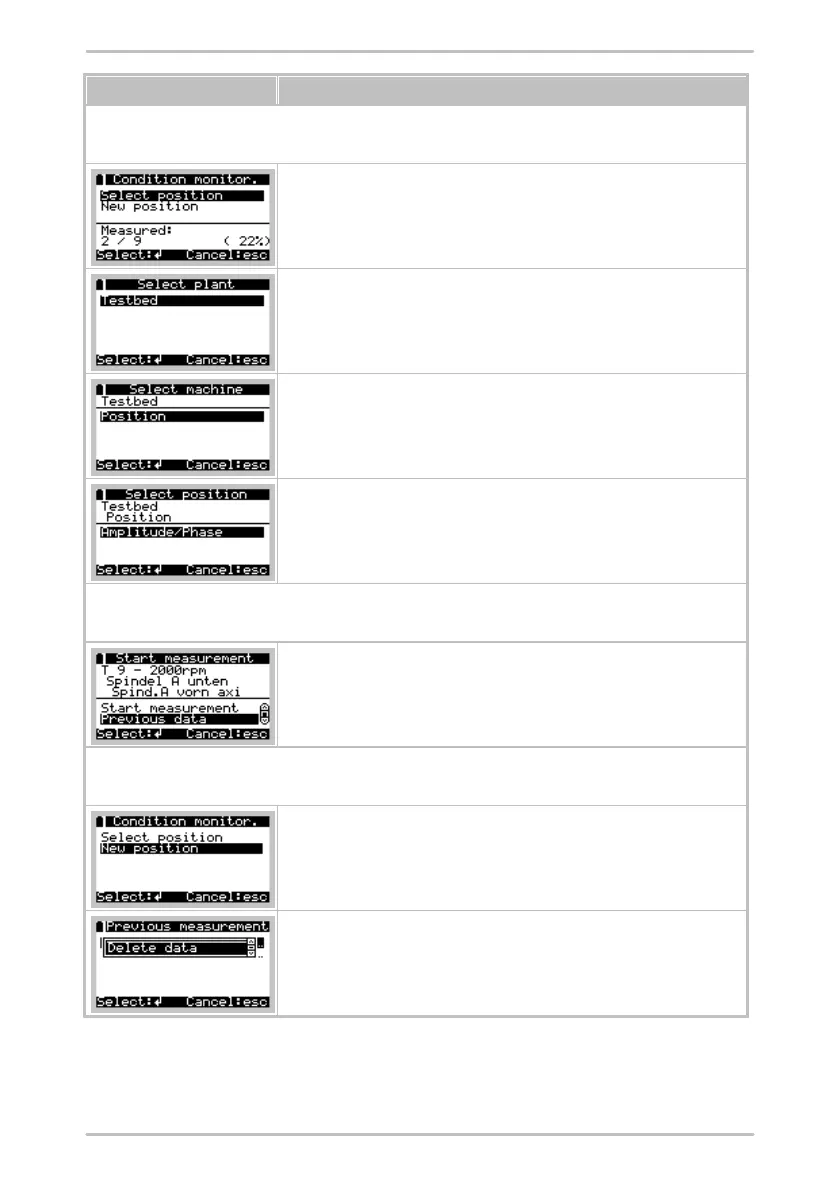
Delete measurement data of a configured measurement point
Select position mark:
All measurement data of the associated measurement places will be
deleted.
Select position > Plant mark:
All measurement data of the selected hall will be deleted.
Select position > Plant > Machine mark:
All measurement data of the selected machine will be deleted.
Select position > Plant > Machine > Position mark:
All measurement data of the selected measurement place will be deleted.
Delete previous measurement data of a configured measurement point
Select position > Plant > Machine > Position > Previous data > Mark
measurement to be deleted:
All measurement data of the selected previous measurement will be
deleted.
Delete free measurement data
New position mark:
All measurement data of the associated free measurements will be deleted.
New position > Previous data > Mark measurement to be deleted:
All measurement data of the selected free measurement will be deleted.



 To Next Page