55
Trendline 3
If you are using RFID tags, the sensor cable of the Detector must
be provided with the delivered snap-on ferrite (see "Before you
start" ).
If you transfer a configuration with RFID settings to a Detector
without an RFID reader, it displays an error after data transfer
and ignores the RFID settings.
Affixing an RFID tag to a measuring point
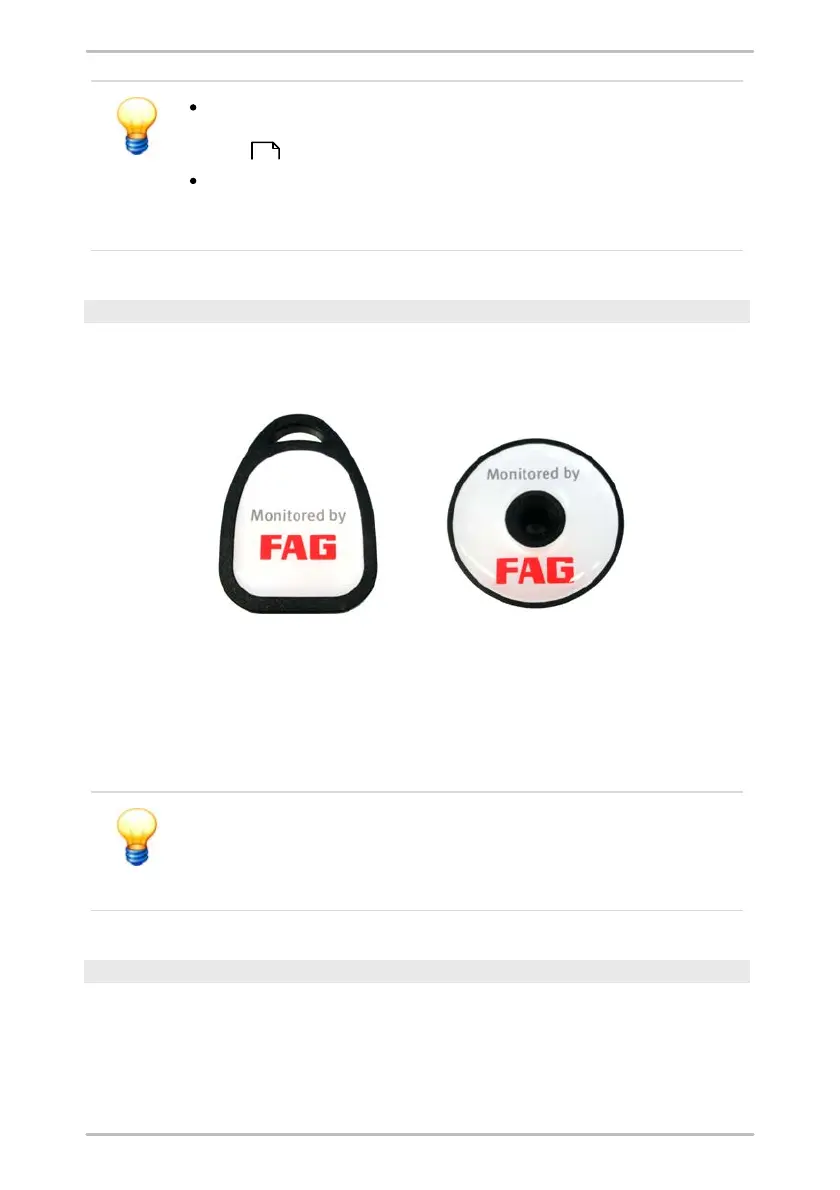
You must first affix the RFID tag to the measuring point. There are two different
types of RFID tags:
FIS.DETECTORIII.RFID.TAG.KEY (left) and
FIS.DETECTORIII.RFID.TAG.DOME (right)
The RFID tag "Key" can be affixed to the measuring point using a tape or wire tie.
The RFID tag "Dome" is designed especially for metallic foundations and can be
glued onto the measuring point. When using at temperatures above 85°C, you
should fix it into place using a screw, for example.
The RFID tag "Key" should not be affixed to a metallic foundation!
The electromagnetic field can be affected by the metal and disrupt
the measurements taken at the measuring point.
Always use the RFID tag "Dome" for metallic foundations.
Assigning an RFID tag to a measuring point
Before using, you must assign the RFID tags placed on the measuring points.
You can do this immediately before a CM or balancing measurement. Select the
measuring points wither in the Trendline software or in the on-site Detector:
21



 To Next Page