89
Trendline 3
this case the start time will be determined automatically.
Configuring automatic adjustment
Automatic adjustment of alarm values can be defined for each characteristic
value (acceleration, demodulation, velocity, temperature and ISO 10816-1) of
the element selected in the configuration tree.
To activate the automatic adjustment for one characteristic value proceed as
follows:
Select the characteristic value.
Enter the main alarm adjustment as a factor of the average value.
Enter the pre-alarm adjustment as a percentage (less than 100).
or:
Click Recommended to set the values recommended by Trendline.
For the ISO 10816 value, the alarm limits can only be created
within the class boundaries of pre-alarm (C) and main alarm (D).
More information about ISO 10816 classes can be found in the "
ISO 10816 " chapter.
The values suggested by Trendline for the automatic adjustment
of alarm values are based on empirical values used by FAG
Industrial Services GmbH. Because entirely different settings
may be required, depending on the properties of the
components being monitored, these must be regarded purely as
suggested values, which are completely non-binding. The user
is always responsible for selecting appropriate alarm values.
Click Execute to apply the settings.
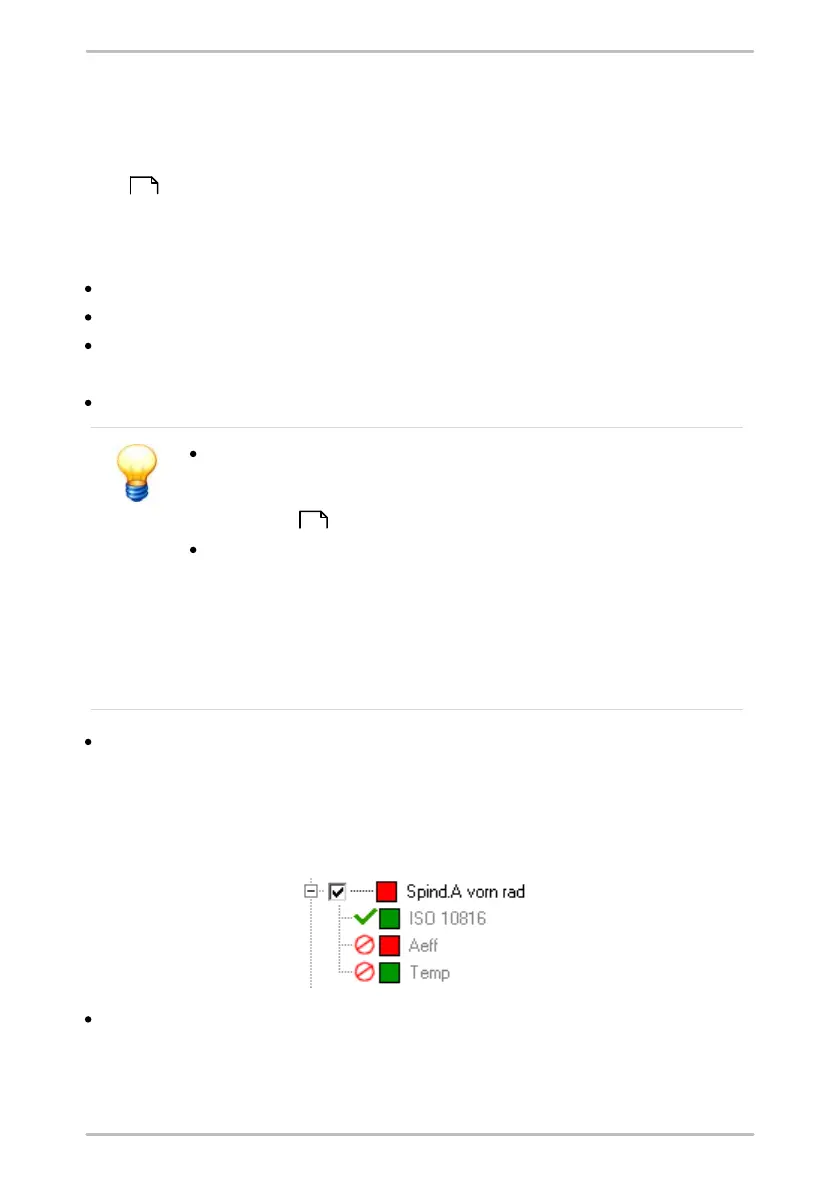
The Trendline software adapts the alarm limits of the selected elements. A green
check mark displays a successful adjustment at the measurement point. A red
struck out circle indicates that the adjustment failed. In this case check the
settings and repeat the configuration.
Click Close to exit the alarm limit adjustment.
269
220



 To Next Page